
Beautiful Falling Snow Screensaver for Mac OS X
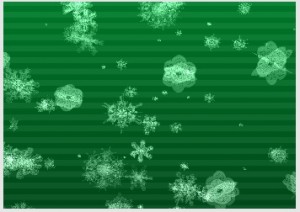 We have discussed SnowFall just about every holiday season for the past few years because it’s really that great of a screensaver for the winter and holiday season. It is so great that Apple has featured it in their Apple Stores around the holidays on numerous occasions, so if it has Apple’s seal of approval, it has ours.
SnowFall is delightfully simple but absolutely beautiful with it’s 3d rotating snow flakes, you can customize the screen saver in regards to how many snowflakes are falling, how fast they are going, the background color, the background image, and whether you want stripes or no stripes on the background. Here are some screenshots showing the customization and diversity of the screensaver, but I assure you screenshots do this screen saver absolutely no justice, you just need to install it yourself to see how beautiful it really is.
Installing SnowFall ScreenSaver in Mac OS X:
* Drag the SnowFall.qtz file into ~/Library/Screen Savers/
* Launch System Preferences and under “Desktop & ScreenSavers” you’ll be able select SnowFall
* Adjust settings as you see fit
* Enjoy falling snow on your Mac screen saver!
A few notes: Snowfall works in OS X 10.4 through 10.6, but not 10.7 Lion, 10.8 Mountain Lion, or later.
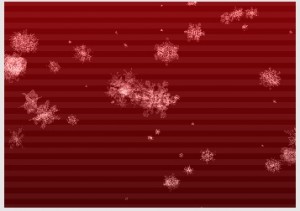
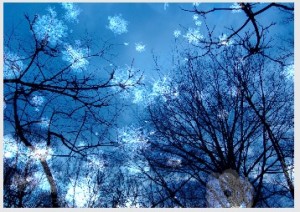
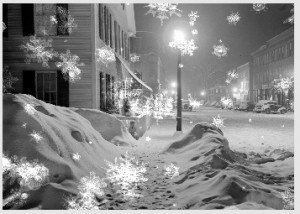






[…] Beautiful Falling Snow Screensaver for Mac OS X Leave a […]
Rick… Look at the Options a little closer you can turn off the Stripes. m’kay.
it is now 2018, Apple OS 10.13.6. Options? What Options? All I am seeing with in the Screensaver options is a 10% grey screen with NOTHING else. I’ve tried every key combination I know if to access a options list and I’m seeing nothing.
What’s with the horizontal lines? I like the options, especially being able to choose a background pic, but the horizontal lines ruin it for me.
[…] via OS X Daily […]
I like LotsaSnow better, tbh.