
Use Property List Editor to Edit plist Files in Mac OS X for Free
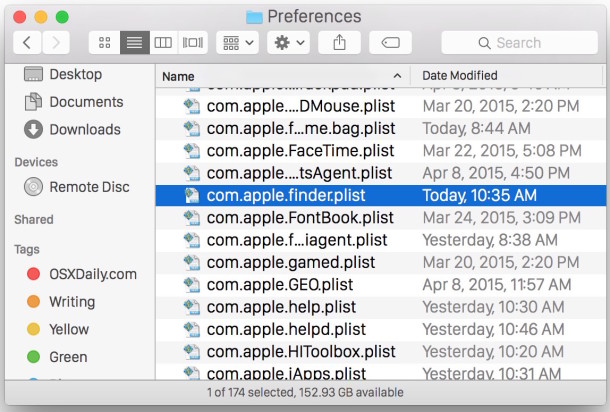
Property List files, or more commonly known as plist files, are basically Mac application specific preference files. They contain information and settings for various applications and are usually in the easily identifiable format of com.developer.Application.plist and located within the /Library/Preferences/ directories at the system and user level.
If you simply want to view a plist file, you can give it a glance with Quick Look, but what if you want to edit a plist file on the Mac? To properly edit and modify plist files in Mac OS X, you’ll want to get a dedicated app to do so, and fortunately Apple offers one such application which allows for easy safe editing and saving of plist files.
How to Edit Plist Files in Mac OS X the Right Way
The best app available to edit plist files in Mac OS X is actually Xcode. For any modern version of OS X, the Xcode suite includes native Plist editing abilities, whereas earlier versions of Xcode include a separate standalone app called Property List Editor – both are in Xcode, however.
You can launch a plist file directly into Xcode to edit the plist, make changes, and save it. Xcode works to edit any and all plist files, including system plist files, so it is by far the best choice out there.
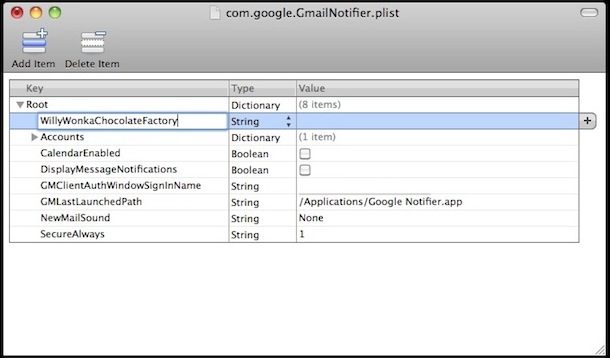
For Mac users on earlier versions of OS X, you can also edit these plist files with Xcode directly and very easily with a dedicated separate program that is part of the Xcode suite, this is called, fittingly, the “Property List Editor” application. Property List Editor comes as part of Apple’s Developer Tools X Code package.
For those earlier versions of Xcode, Property List Editor.app is found at the following location:
/Developer/Applications/Utilities/Property List Editor.app/
Again, modern versions of OS X and Xcode simply need to launch Xcode and then the property list editor is built natively into the Xcode app:
In other words, regardless of what version of Mac OS X you are using, you’ll want to get Xcode to have access to a proper plist editor. The only difference is whether the Plist editing application is separate, or if it’s built into Xcode directly.
Remember, if you simply want to view the contents of a plist file, Quick Look in OS X works to view a plist, it just won’t be able to make changes as Quick Look is a viewer tool:
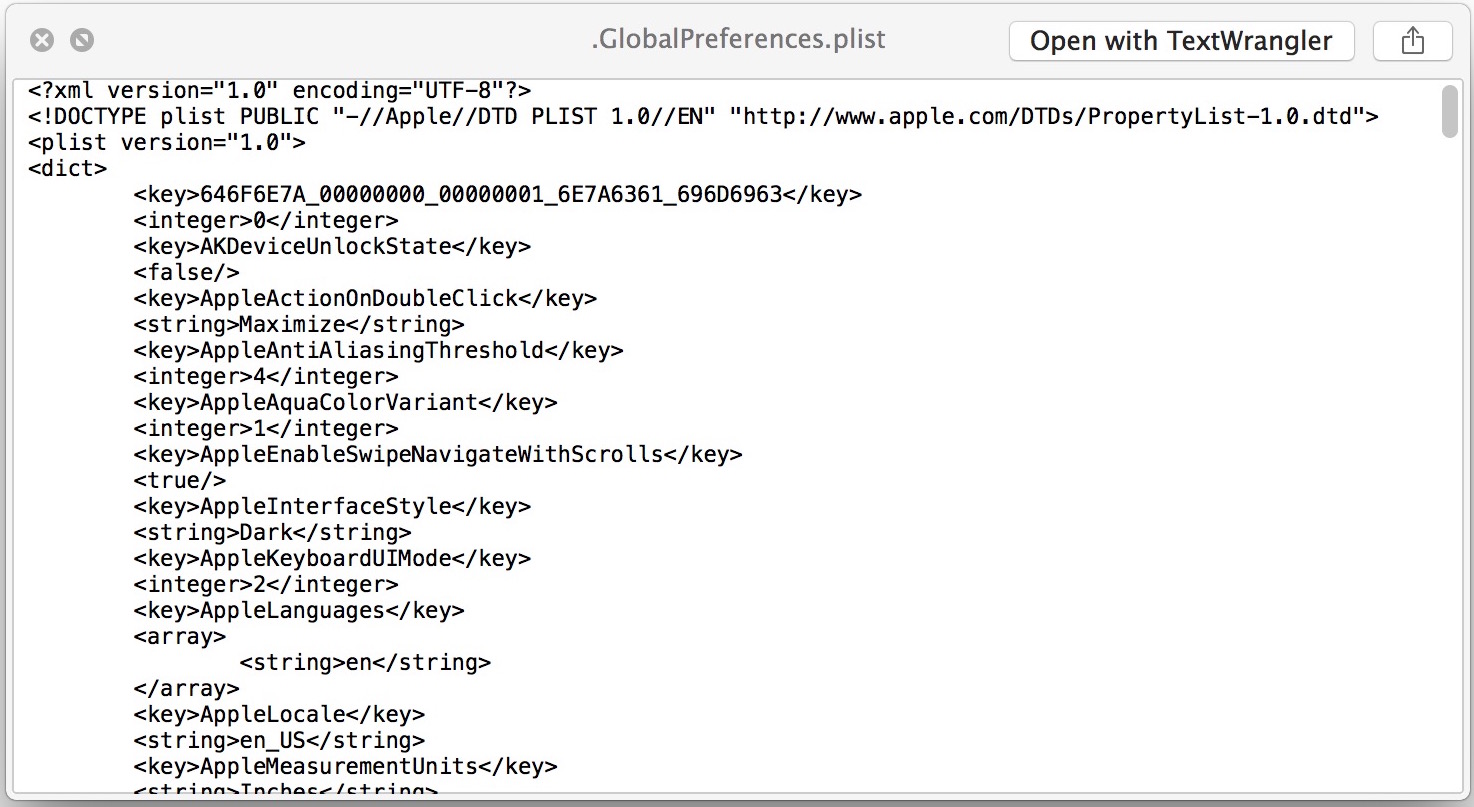
If for whatever reason you don’t want to download Apple’s XCode and Property List Editor app, you can use apps like TextWrangler or BBEdit to view the raw XML files that make up plist documents. Another option is to try Pref Setter, which is a free plist editor solution for generic preference and property lists, but do note that third party apps like that will not work to edit system level plist files.






How do you get Xcode for macOS Sierra (10.12)?
Property List Editor App no longer works in macOS Sierra.
Xcode uses too much memory, is overly excessive for just editing .plist files, and burns battery power.
Does anyone know of good, free alternatives?
I’ve written an App for that. :-)
Its called Plistinator, and its available for Windows, Mac and Linux; and handles both binary and text (XML) plist files.
And it has a search feature.
At $2.99 its bargain basement, and unlike the free “plist editors” out there actually does what it says on the box.
Some other free apps are just XML editors and do not maintain the integrity of the plist – for example they don’t ensure matching and tags for dictionaries.
It just installs from a native installer, its not Java – its native C++ – and its fast and small.
Hope that helps!
Just paid and downloaded plistinator through the mac app store and im really happy and recomend Sarah Smiths^ App!!
I have no idea what im doing but it made it so easy to edit Plist files!
So thanks Sarah
Thanks Jered! Glad it worked for you.
Looked it up, no longer available at a bargain price :-(
But still looks more structured and intuitive than most.
Thanks Kat! Plistinator is still out there, still doing what the other apps cannot.
Sorry about the price increase from the initial introductory pricing: trying to put food on the table here as a struggling software developer!
For anyone wanting to trial the app I have an instant no-questions-asked 100% guaranteed money back refund policy.
Why install ALL of XCode, when you can download just the plist editor, there are free ones that do the job. Beats installing the xcode monster on a users macbook pro just to work around LDAP problems caused by Apples infinite wisdom…
I followed the instructions in the sveinbjorn.org link, but could not make things work on my new Macbook Air running 10.7.4. I needed extra files in the Developer/Library/PrivateFrameworks folder. I copied the following to the root level of my Lion drive from an XCode 3.2.6 installation on a Snow Leopard volume (had previously downloaded XCode from Apple developer site):
/Developer/Applications/Utilities/Property List Editor
/Developer/Library/PrivateFrameworks/DevToolsBundleInjection.framework
/Developer/Library/PrivateFrameworks/DevToolsCore.framework
/Developer/Library/PrivateFrameworks/DevToolsCParsing.framework
/Developer/Library/PrivateFrameworks/DevToolsFoundation.framework
/Developer/Library/PrivateFrameworks/DevToolsInterface.framework
/Developer/Library/PrivateFrameworks/DevToolsKit.framework
/Developer/Library/PrivateFrameworks/DevToolsRemoteClient.framework
/Developer/Library/PrivateFrameworks/DevToolsSupport.framework
/Developer/Library/PrivateFrameworks/JavaKit.framework
/Developer/Library/PrivateFrameworks/PlistEdit.framework
It’s possible I didn’t need all of these, but I got error messages saying I needed JavaKit.framework, DevToolsCore.framework and DevToolsFoundation.framework, so I guessed at what might be necessary and didn’t bother to eliminate any others.
Here’s a tutorial on how to get the Snow Leopard Property List Editor app working on Lion with XCode 4.
http://sveinbjorn.org/install_property_list_editor_app_on_mac_os_x_lion
What a ..just downloaded Xcode 4 but can’t find no trace of Property List Editor application. So where did that app. go to?
Grtz.
[…] is also the option of manually creating the plist file, either though a plist editor or if you’re familiar with plists just by using a text […]
[…] By default Gmail Notifier does not have a value set for AutocheckInterval, which can lead to extended lengths of time between email checking (hours if you’re away from your computer, and regularly 30+ minutes while at your Mac). You can also just manually adjust this setting by adding the value in a Plist editor. […]
I just wish PLE provided some sort of search capability.
I was looking for a plist editor a while ago and had a hard time getting anything worthwhile that was free, finally I came across Apple. It amuses me that developers charge for plist editors when Apple has one for free like this, I guess suckers are quickly parted with their money!