
Toggle Display of Hidden Dotfile Files in Mac Save Windows
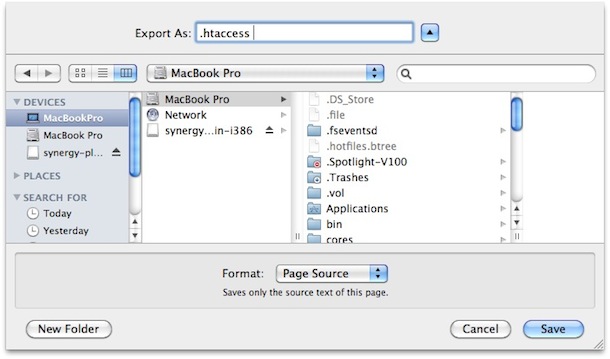
Did you know that you can quickly see or hide all the hidden files in a directory from any Mac Save window with a simple keystroke? This is very useful when you are saving a file to a directory that will appear as invisible, also known as a dotfile in OS X.
To toggle the visibility of otherwise invisible files in a dialog box of OS X, just hit Command+Shift+. (yes, the period key, Command+Shift+Period)
This will instantly switch the display of hidden files in any Mac OS X save dialogue box to be either showing the hidden dotfile files, or hiding them, depending on the current setting.
This is really useful for saving dotfiles and seeing things like .htaccess files or a .ssh file in Mac OS X, since they do not display by default.
If you hit the Command+Shift+Period keystroke again you will toggle the hidden files to be invisible again.
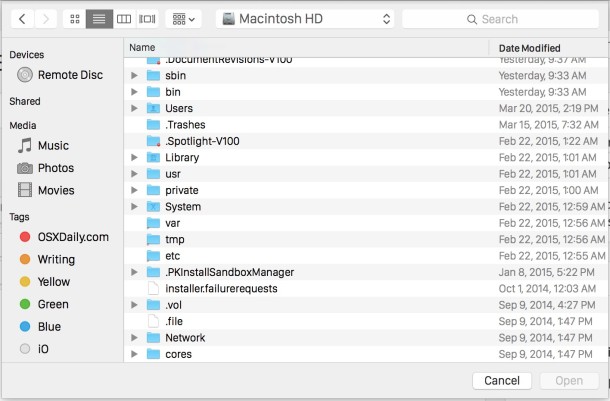
If you want a more permanent solution so that you can always see the dot files and invisible files of OS X, check out our article to show hidden files on Mac OS X, which offers a defaults command string which will set the Mac to always see the hidden files no matter where you are in the file system, and no matter the app, even within the Finder.






in leo 10.5.8
This also seems to work from the finder menu too. (10.6.4 w/ total finder addon)