
Delete an Entire Word on Mac with Option+Delete
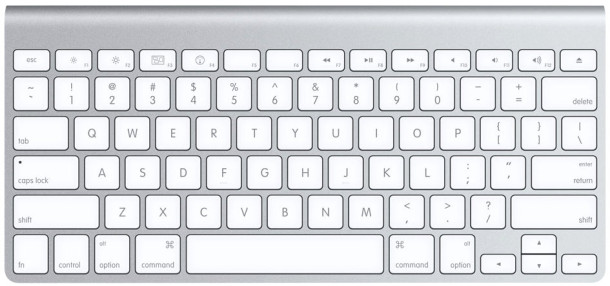
Everyone knows that the delete key removes letters and numbers, but it does so one character at a time. That means if you want to delete and entire word, you have to hit the “Delete” key over and over again until it’s gone, right? Wrong! There’s a super handy trick that lets you delete complete words at a time and it’s super easy to use and remember!
To delete an entire typed word at a time, simply hold down the “Option” key while using the Delete key. This will delete a complete word at once (or any other continuous string of characters that are not interrupted), so if you keep hitting Option+Delete it will continue to delete more words.
Remember this shortcut, it’s so handy for writers and for anyone who types on the Mac.
Option + Delete removes a full word rather than just a single character
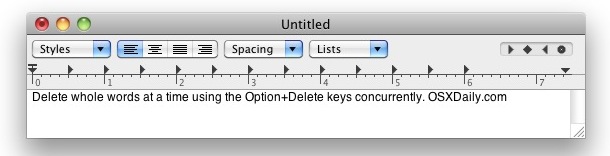
This is by far the fastest way to quickly delete entire words on a Mac, and it doesn’t matter how many characters are in the word, it will go instantly. That also applies to alphanumeric blocks of characters and letters, so long as there is no spaces between the block of text.
This handy typing trick works all over Mac OS X, and in almost every Mac app imaginable, including Safari, TextEdit, Terminal, Finder, iTunes, iChat / Messages, and more.






Actually, it deletes all the characters from your cursor position to the next space, forward or backward depending upon which “delete” key is used. So if you cursor is in the middle of a word, it will delete only part of that word.
i already knew this. lol
This a good one. and very useful. It deletes the word BEFORE the cursor.
To delete the word AFTER the cursor on a compact keyboard (i.e. forward delete):
fn-option-delete
Emacs style key combinations.
I use a few others in daily work:
Option+Left/Right moves cursor by one word
Ctrl+A moves to the left of current line
Ctrl+K deletes characters from cursor position to the end of current line
Good one. Even works in the URL of your post. How did you find this ??