
Make a Song Play Louder in iTunes
 Sometimes you will run into a song that plays notably more quiet than other music in iTunes. Rather than turning up your speakers for just one song, or getting frustrated at a particular songs audio level, you can manually adjust a songs volume level directly in iTunes. This is by far the easiest way to boost a songs audio level to make it play louder, it’s done in seconds, and it works on Mac and Windows iTunes.
How to Make a Song Play Louder in iTunes on Mac & Windows
This works to boost audio volume levels of a target song (or songs) in all versions of iTunes for both Mac OS X and Windows. You adjust this volume on a per-song level, it does not impact your entire music library:
- Launch iTunes and navigate to the song you want to adjust the audio level for
- Right-click on the song you want to play louder
- Click on the “Options” tab
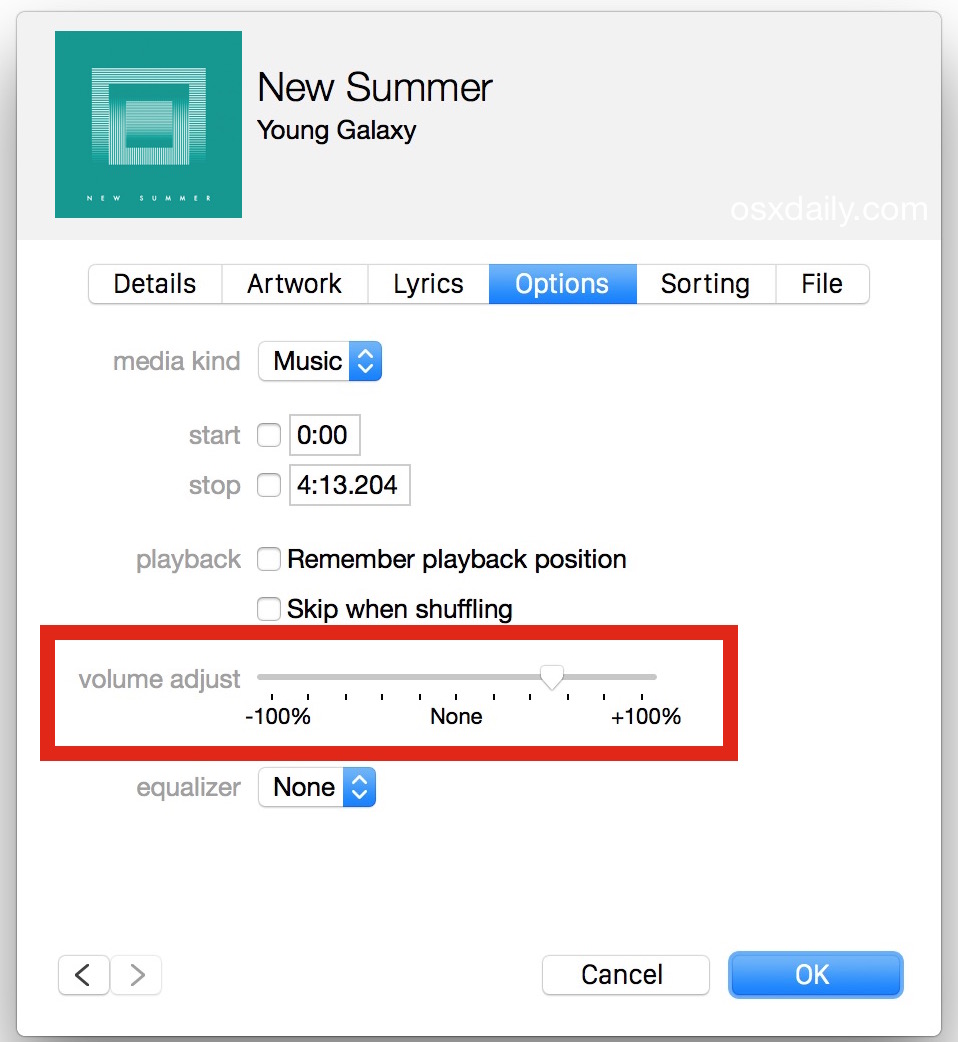
- Slide the “Volume Adjustment” slider to the right, go for 100% if you want the song to be amplified the most
- Click on “OK” and the song will immediately play louder
Modern versions of iTunes have the volume adjustment on a per song basis looking like this, the boost at 25%-50% is notable without much if any degradation in audio quality, while a 100% increase in volume is certainly louder how well it sounds depends on the audio quality:
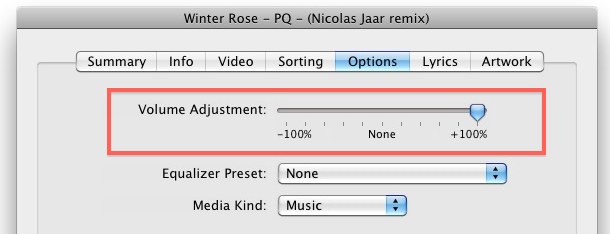
In prior versions of iTunes you have the volume slider looking slightly differently and located in the top of the Options section of that songs audio settings, regardless sliding it over to the right is going to make it play much louder, up to 100% louder if you go all the way to the right.
The volume adjustment works well and it does not seem to degrade the audio quality of the song by any noticeable amount. I have to do this somewhat often when I download songs from the web, or when I convert web video to MP3 for playing in iTunes.
You can also set iTunes to play all songs at the same volume level, which lets iTunes automatically equalize all songs played.
This feature exists in all versions of iTunes and works the same on a Mac with OS X or a PC and Windows.






I have a bb phone and the songs play but nearly can hear it. This is the bolt. I’ve got the normal sppeaker on loud. I don’t know where else to set the sound. Do you think its something wrong with my phone? Thankyou.
I’ve adjusted a few songs in the past this way, but with disastrous results. Using that Volume Adjustment doesn’t seem to make much difference to the volume of the song inside iTunes, but it seems that the changes are hypersensitive when the song is then played on an iPod. I’ve slid the adjuster all the way to 100% many times thinking it wasn’t making it loud enough…only to come close to blowing out my iPod headphones because the song is now too loud.