
Silence iPhone Ringer by Hitting Volume Buttons

Need to silence an iPhone phone call and hush the ringing quickly? If you’re getting an incoming call and you want to quickly silence the iPhone, just hit either of the volume buttons to instantly silence the ringer.
Pressing a volume button during an incoming phone call will immediately mute the iPhone and stop the ringer from sounding any alert or vibration, but it does not send the call to voicemail so the caller won’t have any idea that you aren’t listening to the phone ring.
Because it’s so easy to tap one of the side volume buttons and they are easy to tell apart from touch alone, this is a great strategy to mute calls while a phone is in your pocket. I use this all the time for one-off occurrences like while you’re waiting in line at a public place, in the middle of a conversation, or if you’re in a meeting, or any other places where letting the phone ring aloud is considered distracting or rude.
How to Instantly Silence an Incoming iPhone Call by Pressing Either Volume Button
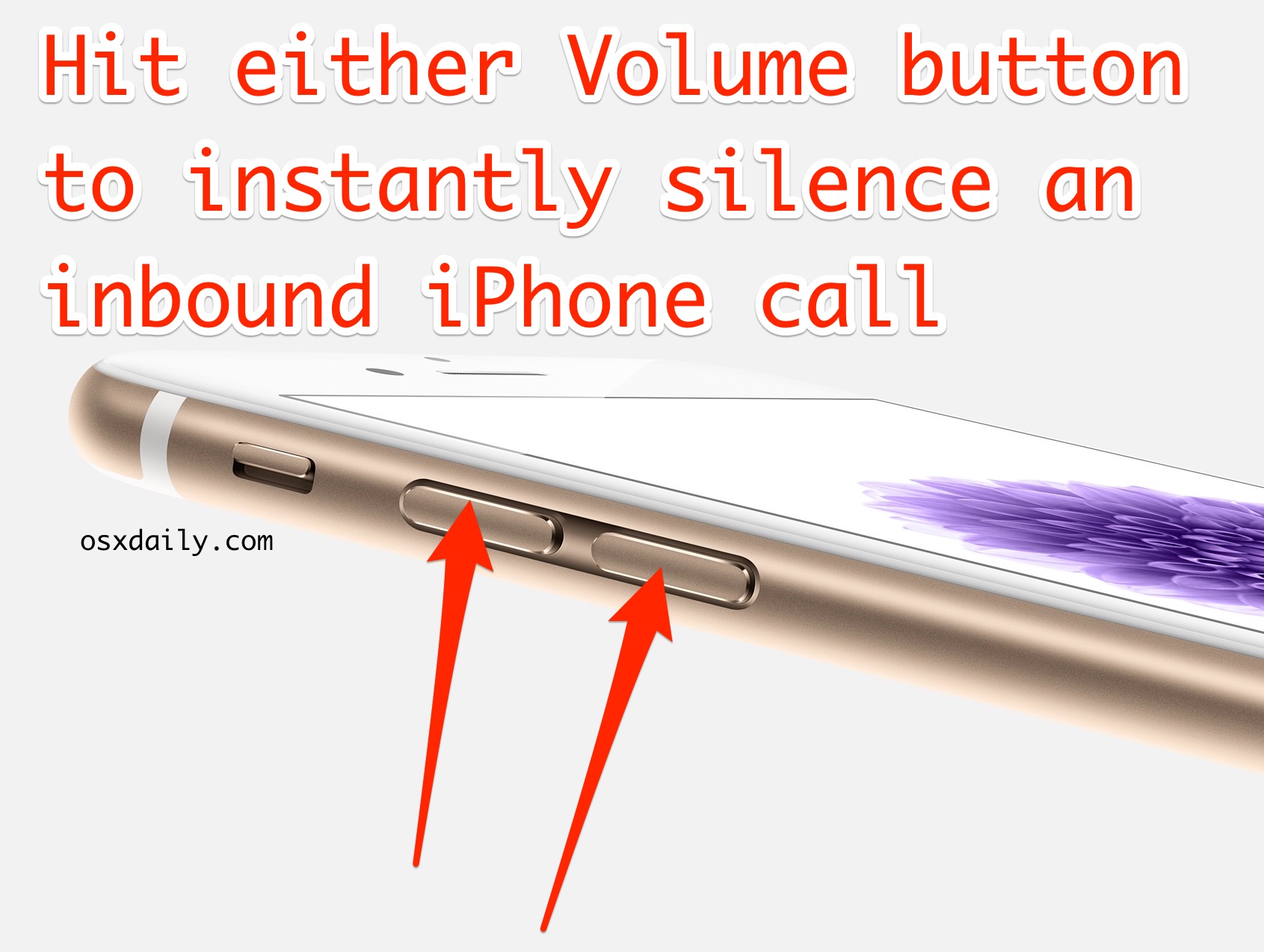
Remember that this only effects the ring for that particular incoming phone call, and if the caller dials you immediately again it’ll sound again until you hit the volume button, and obviously all other calls will still sound the ringer as well. Basically this offers a way for you to quickly mute an individual phone call without having to mute the entire iPhone.
If you’re getting tons of calls and want to silence the ringer for them all, just hit the mute switch on the side of the iPhone, which shushes them all until it’s turned off again. The side Mute button offers a way to silence all incoming calls as long as the Mute button is active.
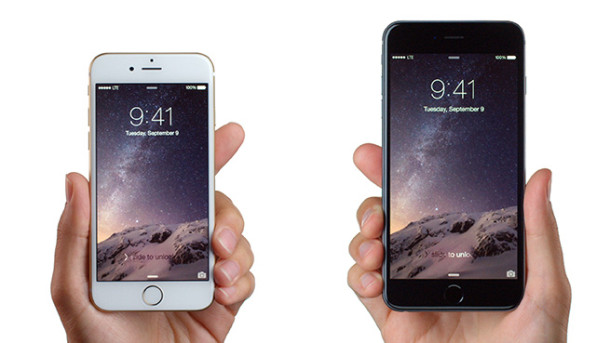
Speaking of Mute, if the iPhone is on muted mode, the ringer obviously won’t sound… but the phone will vibrate instead. In the cases where mute is actively enabled on the iPhone, hitting one of the volume buttons will cause the vibration to stop, completely silencing the phone as well as hushing the vibration too.
This is a really great feature that is underused, I frequently see people hitting the Mute button on their iPhone when an incoming call comes in and then flipping Mute off again, but simply pressing the volume button during an incoming call achieves the same effect with less effort. Plus, it’s super easy to hit a volume button while it’s in your pocket or a bag. Try it out, you’ll like it!






I am having the same issue. My notification will not silence when pressing anything. It is embarrassing and annoying. I tried the “lock sound” idea and that didn’t work for me. My boyfriend and I just bought the same iPhone 6. I did the iOS 8 update. He did not. I have the issue. He does not.
Same issue. Cann not manually silence calendar reminder alerts
Same issue with reminder and calendar alerts. Happened after upgrade
I upgraded from 7.x to 8.3 last weekend. I too am having the same issue. I am on call, so I have to have my text-tone loud. I used to be able to silence the tone by tapping any of the buttons on my phone. Now it just continues to ring. Very annoying. I did a reboot of the phone and it fixed it. Less than 24 hours later it is doing it again. Argh!!
Posted to forum last night and one of the “experts” who was a total smartxxx denied that there was any issue at all. I posted a link to this site. Obviously its a problem that apple will not address.
A build in ploy to frustrate you enough to get you to purchase a new phone?
Built – its early
How come so many people have the same problem (as do I) and apple does not address it?
This was happening to me too about a month ago, and I realized that if I went into “Settings”, “Sounds”, and turned off “Lock Sounds”, then it fixed the problem. I.e., I was able to mute the Text Alerts by hitting the Mute switch. However, last week the problem started up again. Has to be a software glitch.
My iPhone did the same thing. I just did a hard reset and it’s working again. Phew!
A hard reset? Wow. That sounds serious. Did you lose any information, messages, history, etc.??
Same exact issue. Can’t silence incoming texts or calls with the volume buttons anymore on my ip5.
Super annoying at work now.
Same problem for me with the volume buttons not silencing incoming text alerts…HELP!
I have the problem too – APPLE PLEASE FIX THIS!
I am having the same exact problem as JC and Bradley and Linda. I can not mute incoming text sounds with my volume buttons anymore since the 8.1 update
Same problem as everyone else!
I used to be able to tap the power button to silence an incoming text as well as a phone call. Since the iOS 8.1 update, I can no longer silence text messages, they have to play in their entirety. I have a long ringtone set as my text tone, and this is especially annoying during a phone call. I have to tell the other person to please not speak for a moment because I can’t hear them. Incoming calls are still silenced by the power button but not text messages, is there a setting that can fix this?
Press the VOLUME button up or down to mute alert sounds like a ringer or text from the iPhone. Power button will do nothing except turn on or off the screen. VOLUME button.
Volume button doesn’t do anything to mute an incoming text either and neither does flipping the mute switch….and I have always silenced my phone by hitting the power button on the top of the phone. I still do to silence calls. Most of the time it is in my back pocket and all I have to do is reach back and hit the button.
My phone is having the same exact problem. Once a text message tone starts, I cannot abort the sound until until it completes in its entirety. I have tried the power button, volume buttons and mute switch. Nothing works. Once the sound starts, I am stuck listening to it – which is bad in the middle of a meeting!
Wow – I have the same problem too: neither of the 5 iPhone 5s buttons works to silence my (also) long “text message received” sound. Not power/screen off, volume up or down, mute, not start/home button. I’ve had an iPhone for 5 years – I know how this is supposed to work…but nothing works since iOS 8 (or 8.1). Super annoying!!
This no longer works on my iPhone 5s after the iOS 8.1 update.
Nothing will silence an appointment/alert/etc. until it has played out completely.
Muting calls with the volume button works on all versions of iOS from the earliest to iOS 8.1, if you are having problems with your iPhone Settings try to restore it with iTunes.
I’m annoyed with this not working, I always used it because I have my custom ringtones and it stops it ringing if I’m in a converstation with somebody and is easier then hearing it run through the whole tone. Anybody figure out a way to fix this? I recently had to restore and update my phone at the same time so I don’t think restoring it works.
Bradley….did you ever find out how to fix this issue? I am having the same problem and can not find anything online to tell me how to fix it.
I too am having the same problem.
I’ve always used the ‘Top Button’ to immediately silence an alarm, which stopped working with the initial upgrade to iOS 8.?.? and continues to be a problem with iOS 8.3.
Using the ‘Top Button’ –does– work to silence my Clock Alarms, but it no longer silences my Reminder & Calendar Alarms (Notifications).
Does that provide a clue to the underlying problem?
Any help would be appreciated. Thank you!
[…] don’t recognize, and if you want to get a voice message from someone it’s faster than silencing the call and waiting for the caller to leave a […]
Yes I know, thats why is a + ;-)
I normally mute my incoming phonecalls by pressing the top button once.
Didnt actually know that it’s also possible with the volume keys.
@Juan, you better read the linked posting. ;)
cheers,
Ok, then lets say a +, if you double tap the power button the call goes to the VoiceMail. Did you know that Diego?
Yes I did :D
I have posted a follow up to my comment above please read it
thanks
Why do you, somethimes, post things that are so obvious.
and even if they weren’t, aren’t we suppoused to know how to mute a call by now?
this is the fourth year since we first saw an iPhone, let alone a phone (which does in most cases silence the call by pressing the volume keys)
Diego, has it ever occurred to you that some of us out here have only just jumped on the iPhone bandwagon for the first time?
I’m not a newbie to tech… in fact I’ve been a techie in the computer industry for many years and have written many detailed technical manuals (reference as well as user guides) and know PCs and Macs inside out, but I didn’t know that bit about the quick mute on my (brand new) iPhone volume keys!
Yes, there are often things here that I personally have known about for years, and in fact I could probably even add a few little things that haven’t already been covered. But, what you need to remember – whether writing a manual or a blog – is that not everyone has gone through life experiencing things at exactly the same time and rate as you, so any manual, or site such as this, needs to cover things for EVERYONE who might read it.
Diego, we have a very diverse readership and try to cover tips and information relevant to users of all knowledge levels, be it expert or novice. We appreciate the feedback, and you are always welcome to submit ideas or topics to osxdailycom@gmail.com