
Change & Set the Default crontab Editor
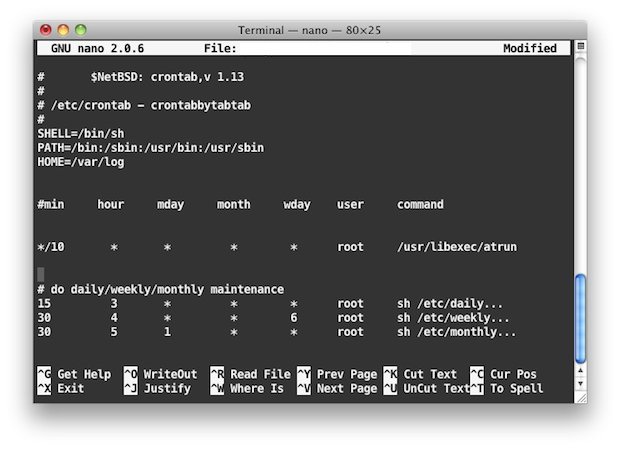
Want to change the crontab editor on the Mac? You can do that! We’ll show you how to use a different crontab editor on a selective per-edit basis, and also how to change the default crontab text editor. You can use vi, emacs, nano, or whatever else you’d like. Most hardcore command line users and unix geeks love vi, but I personally prefer nano, so that will be what is demonstrated here.
If you want to change your default crontab editor to nano, here’s how to do this via the command line in Mac OS X (and linux too but we’re focusing on Mac here obviously).
How to Use a Different crontab Editor Once
For a one time edit, launch the terminal and type:
EDITOR=nano crontab -e
How to Change crontab Default Editor in Mac OS X Command Line
If you want to set nano as your default editor in general, you use this command:
export EDITOR=nano
Now when you go to edit crontab, nano will be the default editor than vi.
How to Check What Editor Crontab is Using
You can test changes to cron editor or check what editor this is using by typing:
crontab -e
Looking beyond Mac OS X, this should work in Linux as well.
If you know of other approaches to methods to modifying crontab editors and cron, or any other helpful cron or command line tips, share in the comments below!






Thank you. This helped a lot. I don’t care for vi when editing in the terminal. I added this to my bash profile and all is well.
Thanks for the tip! Very usefull. Love Nano, still not figured out Vi.
nano is for idiots who can’t use vi. This is what happens when you put a MAC user in a UNIX shell.
Actually nano is really easy to use which is why it’s used here and in most other tutorials. Sure vi is powerful and vi is great if you have a month to commit to memory the various keystrokes to interact with vim, but most Mac users have jobs that don’t involve tooling around in vi all day so they don’t get a chance to learn it, and trying to explain vim to the novice is a challenge, a bit like learning mandarin.
^esc :wq
I came here 9 years from the future to tell you not to be so condescending.
Thanks, I use nano on a Linux server at work and when I went to do a crontab entry on my home OS X box I was lost with vim :/
vi is for neckbeards
Mhhh.
This set the default editor for the session.
If you want to make it default, you have to change /etc/bashrc or /etc/profile
just add the line to .bash_profile then??
Yes, if you have one in your /home.
Thank you. I thought I was the only one who used Nano.
Not at all. Only dumb people don’t use the console. Those people who only need one mouse button
This applies to what, 4 people? Nobody uses this stuff.
… nobody meaning every Sys Admin on the face of the earth
The human race is doomed.
Totally random troll is funny