
Instant Word Completion in Mac OS X with F5
 In many Mac OS X apps, you can activate a little-known word completion feature by using a simple keystroke. This is incredibly helpful for word recall and for diversifying the vocabulary while typing, and has so many uses. It’s quite powerful and easy to use.
Here’s how this instant word completion feature works on the Mac, you can try it yourself with an app like Pages, TextEdit, Word, etc, which is recommended so that you can experience how it works and how it responds to different prefixes that are typed.
How to Use Instant Word Completion in Mac OS X
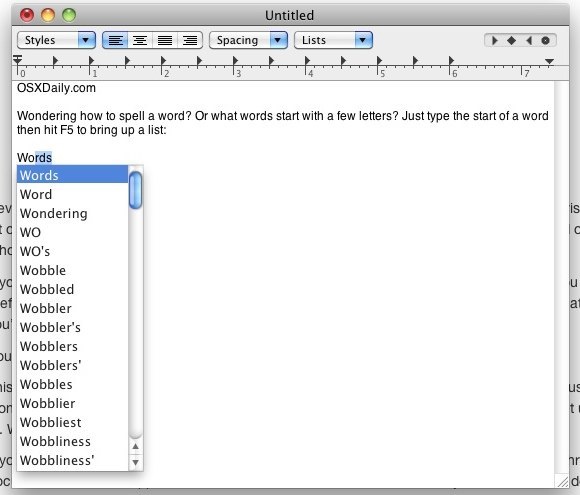
Begin by starting to type a word, and then hitting either the F5 key or the Escape key after you’ve typed a letter, or a few.
This simple keypress will bring up a large menu of every word starting with the letter prefix you entered, it looks like this:
Word completion seems to only work in Apple crafted cocoa apps, so you’ll be able to use the feature in Safari, Pages, Keynote, TextEdit, iCal, etc, but in a browser like Chrome you’re out of luck until the developers of third party apps decide to support the feature.
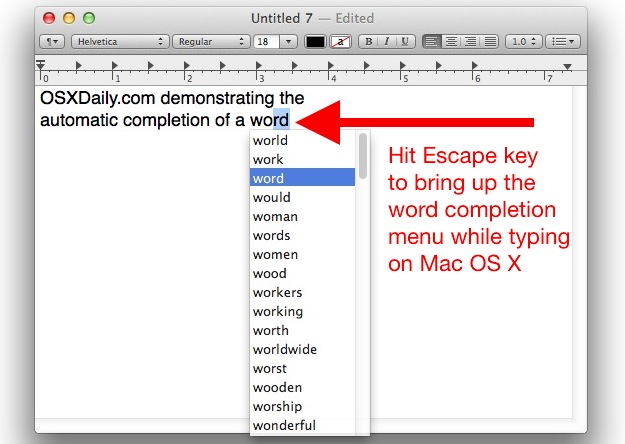
This is really useful when you’re trying to remember how to spell a word, or if you’re trying to think of words that start with a particular prefix or letter (scrabble anyone?). If you’re wondering where the word list is coming from, it’s tied to your Mac OS X dictionary, which is also readily available via a keyboard shortcut.
I knew you could do this with the Escape key, but I just learned of F5 to summon the same complete option. Thanks for the tip Ian!
This works in all versions of OS X, and it’s separate from the autocorrect and other word completion features of OS X.






I would just really like to thank you guys for this article. Thanks again!