
iPhone Stuck in Recovery Mode? Get Out Quickly with RecBoot
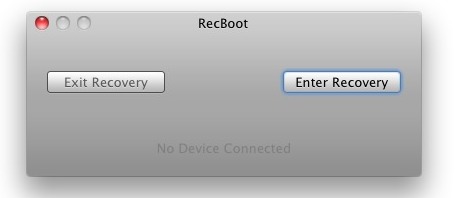
Whether you’re just trying to update iOS firmware, downgrade, or jailbreak, it’s not terribly unusual for an iPhone to get stuck in Recovery Mode. You’ll know you’re stuck because the phone displays the classic USB to iTunes logo, and iTunes gives you the Recovery Mode detected message. Sometimes you can escape just by hardbooting the phone, but if that doesn’t work you can use a tool like RecBoot.
RecBoot works to escape Recovery Mode on older model iPhones, it may work on newer devices too but it’s best generally on older iOS releases and older devices in general.
This is how simple RecBoot is to use:
- Download & launch RecBoot
- Plug in your iPhone (or iPod touch)
- Click on “Exit Recovery”
It’s seriously that easy.
In addition to allowing you to escape from Recovery Mode, RecBoot will also enter into Recovery, which allows you to downgrade iOS firmware assuming you have SHSH blobs saved. If you don’t want to bother with RecBoot you can also learn how to enter and exit manually, but it’s a bit harder so I would generally recommend just clicking a button with the app instead.
Finally, tools like TinyUmbrella work in Mac OS X or Windows, but RecBoot does nothing else and is very foolproof, thus the recommendation.






same here i did exit revovry mode and then it kept going for more than an hour
guys, just run the recboot as admin if it keeps telling you “exiting” without any result.
Got to kickout from recovery mode using tiny umbrella 7.0.0.4 turn on the TsS server. Before that put your device to DFU mode using ireb DFU pwner. Look at the tiny umbrella log. If its said successfully tan u can connect to iTunes latest and recover ur devices. Remember to always back up your devices to iTunes regularly
where is exit recovery mode…. i dont want to restor my device because i jus had it factory unlocked
You saved my a5s. Thank YOU. Yes, You!
i am also stuck in recovery mode but when I click exit recovery mode, the device reboots, the screen gets slightly dimmer, and then it starts flashing different colors with the apple logo fading in and out. I have never heard of this happening and I do believe I’ve bricked my phone. any advice would still be greatly appreciated.
Guys if you’re stuck in recovery mode then don’t worry just go to your nearest apple store and they’ll restore it for you! I’ve done the same! and now my Ipad2 is running on ios5.1.1!
I’m stuck on recovery mode, after trying to update to the new IOS 5.1.1 but it attempt to fail several times. I’m on the iTunes logo with the USB cord and i can’t seem to exit recovery or do anything, This is getting me so frustrated!!Please help me with this major issue!
I’m here with same kinda situation! Have you found any solution?
I downloaded recboot 1.3 and when I launch (as administrator too) it says “Could not find file ‘C:\Program Files\Common Files\Apple\Mobile Device Support\ItunesMobileDevice.ll’
I’ve tried on several computers and all have the same message appear,
how do I fix this?!
FIX THE LINK!!!!!!!!!!!!!!
Exit recovery wasn’t working….just kept showing the spinning wheel. I did a hard reset, uplugged my phone, replugged it…and it worked! I dont know why, but it did.
hard reset?
Worked for me. I had to unplug my iphone from my computer after I clicked “exit recovery mode” for it to work though.
Try holding down power button and round button on bottom face of phone together for as long as it takes for it to reboot. Should work. Works every time for me..
Thank you,
Appears to do absolutely nothing.. probably doing something I don’t want it to do to my Mac.
MY iphone 3Gs is in recovery mode as well, shows error 1002 upon attempting to restore. Any suggestions? I would try recboot but I have windows.
I tried RecBoot – my phone is stuck in recovery mode and will not finish a restore – hangs on verifying with apple store error 9. RecBoot did not work for me – still stuck with the itunes – USB icons.
Same here
Same here. I don’t know what to do. I have tried everything.
same here. recboot doesn’t work
RecBoot works wonders
BTW I don’t think you need SHSH blobs saved for some downgrades (to 3.1.3 for instance)