
Extract & Save High Resolution Icons from Mac OS X Apps
Jul 1, 2011 - 6 Comments
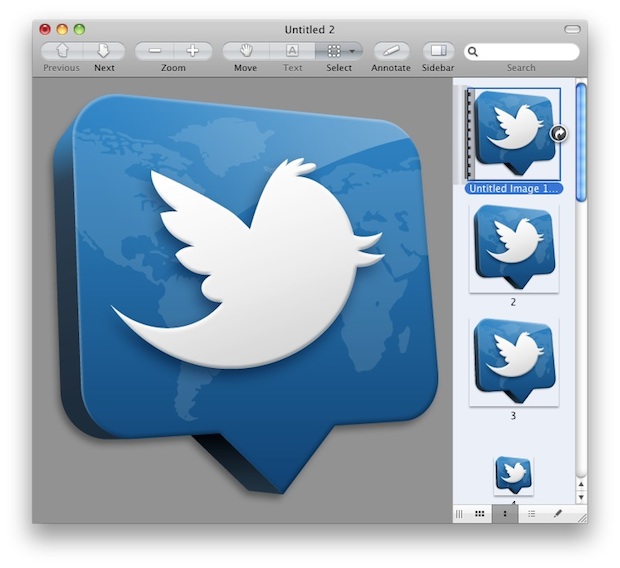
Using the same trick to create a new image file based on clipboard contents, you can extract high resolution icons from any Mac OS X application. Preview is smart enough to extract just the icon and not try to copy the app file itself (like Windows would).
- Select any app in Mac OS X Finder and hit Command+C to copy to clipboard
- Launch Preview and hit Command+N to create “New from Clipboard” (alternatively, use the File menu)
- Save the app icon as an image of your choice
This trick is great because it extracts each size variation of the icon automatically, giving you the full resolution range ranging from the tiny thumbnails up to 512×512 pixels, assuming the developer created an icon at that resolution.
Graphic designers and artists should be particularly fond of this one, as it allows you to easily inspect icons at their full resolution to see how they’re crafted.






How can we do this for stock iOS apps (Phone, Messages, Mail, etc)?
For stock iOS apps it’s a bit tougher, you’d need to gain access to the .ipa files of the default apps probably through a jailbroken iPhone or something similar that allows for direct file system access of the iOS components. For the third party apps you can access them through your iTunes backup folder, but the default apps aren’t backed up from iOS that way.
Comparatively, it’s easy in OS X since we can interact with the Mac applications directly through the file system.
How to get big icon of Finder, which looks only on the dock, can’t Cmd+C to get it.
[…] to use that elsewhere, you can use Preview app to quickly extract the highest resolution version of any apps icon. stLight.options({ publisher:'fe5e0a84-1fac-40de-8014-9f89fc1cbe6a' […]
[…] es posible obtener los iconos de las aplicaciones de Mac OS en alta resolución relativa. Digo relativa al tamaño […]
[…] via OSX Daily […]