
How to Remove the Stock Ticker Widget from Notification Center in iOS
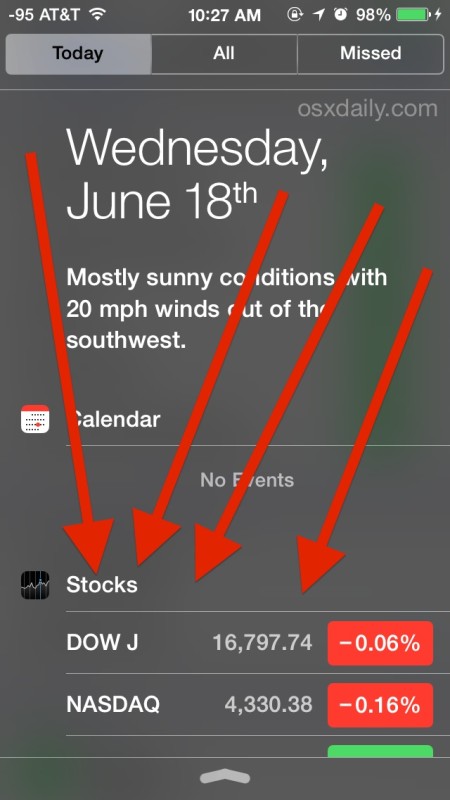
Don’t want to see the Stock Ticker and market details on the iOS Notification Center every time you swipe down to view it on your iPhone or iPad? Many users don’t, and this was one of the first questions a friend asked me after updating to iOS and discovering market details as a prominent feature of the Notifications panel. So if the stock market and movements don’t play any meaningful role in your daily life, here’s how to remove the stocks widget from all versions of iOS and clean up your notification panel a bit.
Hiding the Stocks View from Notification Center in iOS 7 & iOS 8 Completely
The iPhone in modern versions of iOS has a very prominent stocks widget in Notification Center. Here’s how you can completely hide / remove it by disabling the stocks widget from Notifications panel, just do as follows:
- Go to the “Settings” app and tap on “Notification Center”
- Go to the “Today” view and find “Stocks”, flipping that switch into the OFF position
- Exit Settings and swipe down to reveal Notification Center, now without Stocks shown
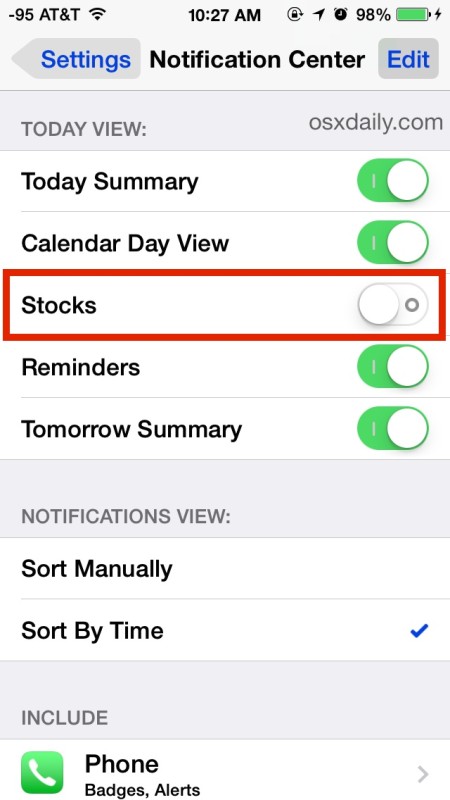
You can re-enable the Stocks view at any time if you want to just by going back and toggling the switch back ON.
Prior versions of iOS look a bit different and things are handled slightly different as well, we’ll cover that next.
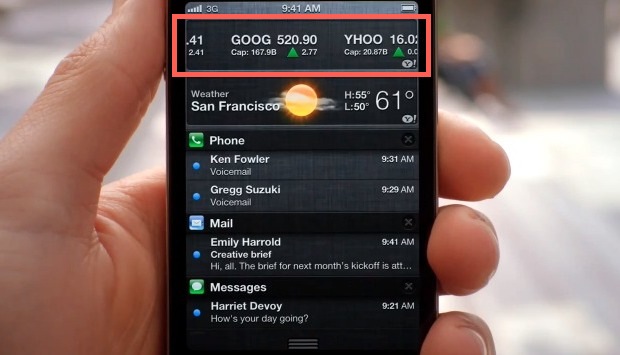
Disable the Stock Ticker in iOS 5 & iOS 6
iOS 5 and iOS 6 have slightly different stock inclusion in the Notifications panel, with a horizontal scrolling ticker tape rather than a vertical ticker list. Here’s how you can turn it off in prior versions of iOS:
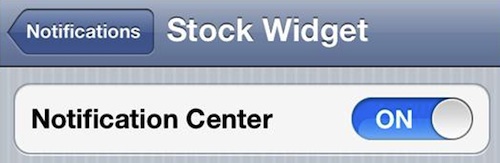
- Launch “Settings” and tap on “Notifications”
- Tap on “Stock Widget”
- Slide on the “ON” widget to turn it “OFF”
Now you can pull down the Notification Center and not see the stock market to be reminded of your portfolios abysmal performance (unless you own AAPL or GOOG of course)






Do you know how to get rid of the notification centre pull down altogether? It gets in the way of one of the games I play and I don’t use it
thank you. it was really bugging me.
Thank You (:
[…] in iOS through the central system settings. This isn’t the same method as disabling an item like the stock ticker, but it’s faster if you want to adjust several apps at […]
[…] of notifications, if you want to get rid of some of the widgets in Notification Center you can do that too. stLight.options({ […]
On the other hand, I would love to have the stock widget on my iPad. How do I get it?
I downloaded the Yahoo Finance app but am not getting the ticker readout.
You must be the 99%
Thank you!! It was irritating me-
was able to take off the Weather Widget from iPhone 4, iOS 5
Hi all
Can you turn on and off widgets in iPad?
Like stocks and weather…?
Thanks. Kerry
no