
Want to Sleep In? Tell Siri To Turn Off All iPhone Alarms
Oct 27, 2011 - 3 Comments
Want to sleep in? You can quickly turn off all your alarms on the iPhone by telling Siri simply to “turn off all alarms“, Siri will then confirm the alarm change plus show you the alarm settings. Oversleeping due to Siri likely won’t be a valid excuse to get out of school or work for the day, so it’s best to save this one for the weekend.
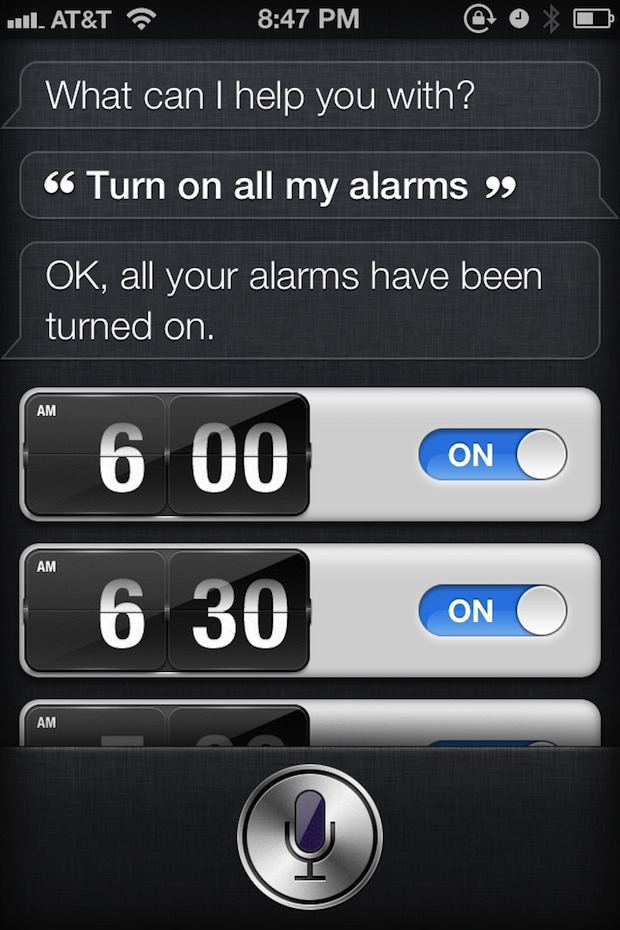
More useful during the work week, you can also tell Siri to turn on all alarms and Siri will display the scheduled alarm times:
This little tip was sent in by Jeff S by way of FinerThingsIn, thanks for sending this in.






Thank u so much! I was here for another reason but Turning off all the alarms was my question for years!!! Really useful
[…] constant tintinnabulation of your iPhone? Here’s a great Siri tip spotted by the guys over at OS X Daily: just press down the hold button and tell Siri to “turn off all […]
Where did those little flip clocks come from…?