
Stop iOS Asking to “Verify iCloud Password”
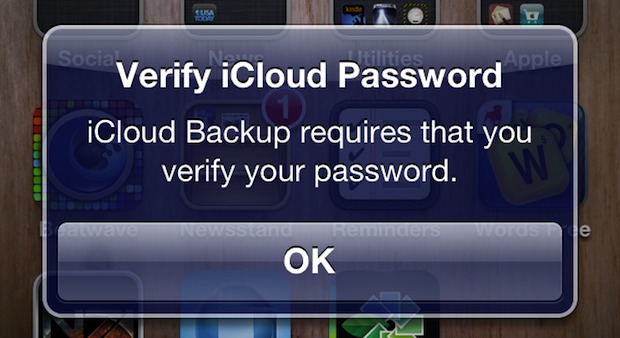
Many iPad, iPhone, and iPod touch users are annoyed with a constant message asking to “Verify iCloud Password: iCloud Backup requires that you verify your password.”, the popup dialog shows up randomly but most often when unlocking a device after periods of inactivity.
Clicking OK and entering the password makes it go away for the time being, but it generally comes right back after another period of inactivity.
The solution to this persistent password verification message is fairly simple. When you see the dialog, click “OK” when the popup shows, and rather than entering the password click “Cancel” and do the following procedure instead:
- Open Settings and tap on “iCloud”
- Tap the Account name and delete the stored password, then reenter the iCloud password and click “Done” to verify
- Close out of Settings
This resolved the problem for me, but if you’re still geting nagged about the iCloud password you may need to just reset all iPhone settings and restore from a backup.
Note that some users have to reboot their devices for this nag to finally go away, but that is not always necessary.






How can I reset my iCloud password
Here is what you can do to reset your Apple ID iCloud password
https://osxdaily.com/2014/12/23/forgot-apple-id-password-reset-recover/
That didn’t do it for me. What DID do it for me is hitting the ‘Backup Now’ button at the bottom of the Settings and Backup screen. I gave it the verification it wanted, it did the backup and has not complained since.
I got this message last night constantly and found the only way to finally get rid of it was to go through the new secure password options for Apple ID. Has to be a super secure password, answer security questions, wants a backup email address, etc. What a pain, not very Apple-like!
Thanks for the tip! That message has been annoying me on both my iPhone and iPad for a while now. I’ve just been hitting “Cancel”.
Wouldn’t you know it, I unlocked my iPhone and there was the pop-up message. I had just used it an hour or so earlier! Grrrrrr…
I followed your advice and hope that’ll do it.
It should only ask you once, it’s part of additional security measures Apple implemented after the recent security debacle