
Set the System Time in Mac OS X from the Command Line
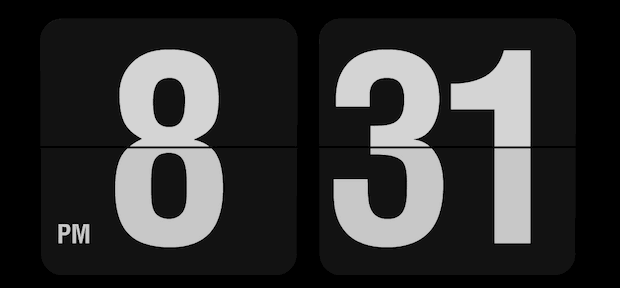
The clock in Mac OS X sets itself automatically by default, but if you want to set the precise time or are looking for a command line solution to set system time, you can do so with a tool called ntpdate, or the standard ‘date’ command.
Set System Date in Mac OS X from Command Line with a Central Time Server
For ntpdate, which sets the date and time based on the time from a central server accessed via the internet, you’d want to point it either at Apple’s time servers or pool.ntp.org as follows to get the exact time:
sudo ntpdate -u time.apple.com
Enter the admin password when asked, and you’ll soon see something like the following:
4 Jul 14:30:11 ntpdate[28267]: adjust time server 17.151.16.14 offset 0.000336 sec
The offset at the end lets you know how divergent the system clock was with the newly set time. In this example, the system clock was off by a laughably small fraction of a second.
You generally don’t need to do this if you use the “Set date and time automatically” feature within the Date & Time system preferences, though by setting clocks through the command line you could be sure that each machine on a network shows the exact same time.
Set the Mac System Date Manually by Terminal Command
Another approach is to set the date manually from the command line by using the “date” command string, where date is in the [mm][dd]HH]MM[yy] format, which is Month Date Hour Minute Year without any separation. This looks something like:
date 0712122318
For that example, it would set the date as “July 12 2018 at 12:23”.
You can learn more about setting the date with date –help, which also specifies that you can even set the seconds if you want to.
The ‘date’ trick is what you’d want to use if the Mac in question does not have internet access for one reason or another.
Topmost image taken from the Flipclock screensaver






Hi
I’ve tried all of these and it’s still not worked
Any help would be greatly appreciated
Here’s the trick without worrying about the date.
So for the next time, once you install El Capitan, please do a full time machine back to your external drive. I have Apple Time Capsule that I have fresh install fully backed up, no apps installed just OS X. It’s just like your installer on USB.
So simply restore your fresh copy from time machine backup and you are good to go.
Yeah, yeah I know…4 years late to the party but I just had to thank Captain Rae Hindsight for the “See, now what you shoulda done was…” advice that we so desperately needed. Thanks Tips, you’re amazing!
This was completely on the money! TYVM
This isn’t any help for those folks who need to update the date with no network connection.
in that case enter
date mmddHHMMyy
so for 1012am March 1st 2020
date 0103101220
You probably need to add a sudo before that if you are logged in multiuser mode. (the normal mode)
So you just skipped over the part that said…
“The ‘date’ trick is what you’d want to use if the Mac in question DOES NOT HAVE INTERNET ACCESS for one reason or another.”
I guess, ‘eh? Ffs.
Thank you, that 2018 date worked!
ntpdate: command not found
sudo sntp -sS time.apple.com
This worked for me on Catalina. However, there was an error about /var/db/ntp-kod. The command still worked to update the time.
“sudo touch /var/db/ntp-kod” seems to suppress the /var/db/ntp-kod error next time “sudo sntp -sS time.apple.com” is run.
How Can I do to make this script run at startup without ask for password?
working perfectly after changing the date using terminal command:
ntpdate
Smashing!
Is it possible to automatically set the date/time server through profile manager?
I couldn’t tell that Apple has added that feature yet.
The entire Date/Time payload appears to be missing from Profile Manager–surprised by this.
Smashing!