
Bring Retro Macintosh Sound Effects to Mac OS X
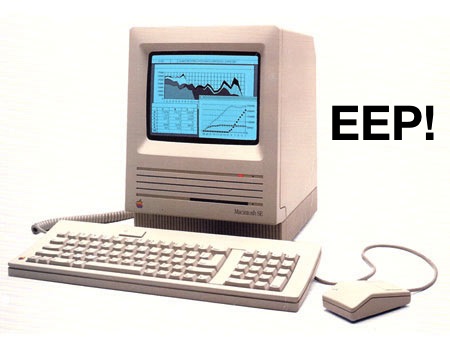
If you’ve been using the Macintosh platform long enough you’ll undoubtedly have fond memories of the classic Mac OS system sounds like Quack, Wild Eep, moof, Boing, Droplet, Monkey, Laugh, and Logjam. Those sound effects from the wee old days of System 6, System 7, and System 8, echoed throughout many school computer labs throughout the world in the 1980’s and 90’s, but now you can add them to modern Macs running Mac OS X if you’re in the mood for a retro blast.
Add Retro Mac OS System 7 Sounds Effects to Mac OS X
This works with all modern versions of Mac OS X:
- Download the old school classic Macintosh OS sound effect pack from here it’s a zip file called “macososounds.zip” in the directory listing, unzip the file if it doesn’t extract itself automatically
- From the Mac Finder, hit Command+Shift+G to bring up “Go To Folder” and enter the path to ~/Library/Sounds/
- Open another Finder window and locate the sound effect pack you unzipped, open the AIFF folder inside and drag and drop all the .AIFF audio files into the ~/Library/Sounds/ folder
- Open “System Preferences” from the Apple menu, choose the “Sound” panel, and find all the retro system sounds under “Sound Effects”
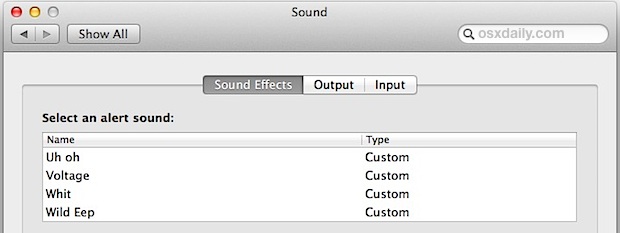
Notice the system sounds must be placed in the user library folder, which is hidden from Mac OS Mojave, High Sierra, Sierra, Lion and Mountain Lion, Yosemite, El Capitan, and presumably onward and beyond.
The sound pack also includes a bunch of .m4r ringtone files, so if you want to set them as custom ringtones per caller or text tones, you don’t even need to convert the audio to ringtone format yourself, just import them into iTunes and bring that classic Macintosh sound with you on the go.
This is a fun but totally pointless find from CultOfMac, heads up to them for the retro sound discovery!






Great to find these old sounds. I know them from 1984 on, not only on Mac System 6, but also on the Apple IIgs. Today I was talking you my young kids about these days, got a little melancholic and then found this site. Superb! The sounds work great in MacOS 15 Sequoia. Without root access, you can put them in ~/Library/Sounds and they’ll be recognized by the control panel at once.
Wild Eep lives eternal! XD
The correct place to drop custom alert files is:
~/Library/Audio/Sounds/Alerts/
Ack. No ~. Sorry, habit.
In other words, do not go into your USER Library folder; use the SYSTEM Library folder.
Really nice collection, will use it for my oldschool BBS … :-p
It’s nice having the Wild Eep back! :-)
Funny, I’ve been using Macs since 1986 and I have no fond memories of MacOS.
How about a boot chime for ios?