Recent Comments

Shared on Facebook

Support Us

Mac Picks

iPhone & iPad Picks

Mac from PC Picks

Search Apple.com

Safari Extensions Gallery now on Apple.com

safari extensions Apple has launched their official Safari Extensions Gallery, at this time it features 100 extensions out of the roughly 300 out in the wild. All of the extensions on Apple’s gallery have been digitally signed and sandboxed so you don’t have to worry about security problems like some of the Firefox extensions have had in the past. You will need to have Safari 5 to be able to use the extension feature.

Apple: Safari Extensions Gallery

If you’re feeling inspired, it’s not too difficult to create your own Safari extension. You’ll need knowledge of HTML/CSS/Javascript and to sign up for Apple’s Safari Development program (it’s free) to get started.

The next natural question is… when do we get Safari extensions for iOS? While the iPhone screen might be a little small, some of these extensions would be great on an iPad.

Free iPhone 4 Case Program Begins

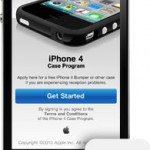
free iphone 4 case Apple has started the free iPhone 4 case or bumper program, if you’re an iPhone 4 owner it’s a simple process to claim a free case or get a refund from a past purchase.

  • Download the iPhone 4 Case Program app at the iTunes App Store
  • Launch the app on your iPhone and sign in using your iTunes/Apple ID
  • Select your free Bumper or Case

To qualify for the free bumper or case, you must apply to the program within 30 days of buying an iPhone 4, until September 30 when the program expires.

The free iPhone 4 bumper and case program is offered in response to the antenna problems that some users have reported experiencing with iPhone 4, which has received a large amount of media attention and subsequently been parodied to death.

You can read more on Apple.com’s iPhone 4 case program information.

Design and Create a Case for the iPhone, iPad, and iPod

iphone 4 drawing

Do you want to design a case for the iPhone? No problem thanks to Apple! A new page on Apple’s developer website contains full dimensional drawings with all the measurements necessary to quickly and easily design a case for the iPad, iPhone, or iPod.

ipad drawing

There are over 25 dimensional drawings of the iPhone/iPad/iPod product line to help you get started. Even if you’re not a designer looking to create the next coolest iPad case they are still fun to look at the detailed pictures.

Apple Developer: Designing Cases for iPod, iPhone, iPad

Apple never ceases to amaze me, their entire product line emphasizes creativity and then they take it a step further by doing things like release these drawings, making it even easier to create for their product line-up.

Opt out of iAd location and data tracking cookies

opt out of iad

You can opt out of Apple’s new iAd location and data tracking service, which will use gathered data on you to serve targeted ads through Apple’s new iAds platform.

To opt out of iAd cookies, visit http://oo.apple.com from the device you wish to opt out with.

Note that you must be running the latest iOS 4 or you will get an error, since iAds requires iOS 4 to run. You will need to view that website directly from your iPhone, iPod, or iPad, and access the site individually per device if you want to opt each out of the service.

Without the iAds location and data tracking cookies, you will just be served generic and less targeted ads.

Personally, I don’t mind location relevant ads as long as they don’t pass on personal data, and I have even found some location based ads to be helpful in the past, so I am not opting out of the iAds cookies at this point.

Steve Jobs posts his thoughts on Flash

steve-jobs1 If you ever wanted to know exactly what Steve Jobs thinks about Flash, you’ve got your chance. Apple’s CEO has released a lengthy letter detailing why Apple does not allow Flash on it’s iPhone, iPod, and iPad devices. Calling Flash part of the “past” and “PC era”, he addresses six major points as to why Apple is leaving Flash behind, they are:

* openness of the platforms
* the ‘full web’ and video experience
* reliability, security, and battery performance
* battery life of devices
* touch user-input
* the pain of third-party developer tools

The entire 1671 word essay in it’s entirety is repeated below:
Read more »

Steve Jobs casually visiting an Apple Store

Here’s something you don’t see every day: the CEO of a major corporation completely dressed down and hanging around their storefronts. Apparently Steve Jobs occasionally pops into Apple Store’s for various reasons, although this particular picture was supposedly taken on the iPad launch day.

steve jobs visiting apple store

Thanks to Damien for sending us the picture and story from TwitPic.

Apple is successful because they sell an experience

apple sells experience

Why is Apple so successful? Look at what, and how, they sell.

* You walk into a beautiful Apple Store

* You’re presented with amazingly attractive machines

* The packaging is clean, minimal, and enticing

* The operating system is simple to use yet amazingly powerful

I came across a post simplifying this on MinimalMac and found myself completely agreeing. Buying an Apple product, especially a Mac, is an experience from the start to the finish.

It’s an experience I’ve never been able to replicate when buying a PC, which typically comes from a loud and generic electronics store with product overload, and that sensory overload never ends: open the PC box and you have stacks of paper warranties and user manuals, various driver disks, promotional offers for this and that, a ton of cables and cords haphazardly thrown in a box. Then you finally boot the thing up just to be overwhelmed with a Windows install that has been bloated up a storm with OEM garbageware and 20 icons on your desktop… there is just no comparison, you don’t get that from Apple and you never will.

This is exactly why they’re so successful, Apple just gets it.

Now, MinimalMac does a more elegant job of telling the story than I do via fewer words and a few pictures, so be sure to scroll through them, it’ll only take a second and for four pictures, it does a good job of capturing the Apple buying experience.

MinimalMac: What Apple Sells

Get a free copy of Mac OS X Server for evaluation

mac os x server box Mac OS X Server is infinitely better equipped, more stable, and just generally more pleasant than any of Windows offerings (yes I am biased, but it’s true), if you’re needing a server I highly recommend checking out Apple’s offering. Instead of shelling out the $499 for a copy though, you can get a free evaluation copy! If you’re a large corporation, small business, nonprofit organization, government agency, or educational institution, you can get a free and fully functional evaluation copy of Mac OS X Server directly from Apple. I just found out about this and I think it’s a pretty great thing for Apple to do, so if you qualify for a copy, check it out and you will be impressed.

Apple: Snow Leopard Server Evaluation

If Apple.com was in 1983

old apple website

Ever wonder what Apple.com would look like in 1983? It would be promoting the Apple Lisa which ran at a blazing 5mhz, had 1mb of RAM, and cost $9,995 (which is $21,335 in inflation adjusted dollars!). Designer Dave Lawrence designed the mockup and it’s a good laugh, he’s also a huge fan of the Apple Newton and has managed to connect one to Snow Leopard… don’t ask why.

via Flickr

Get 20 Free Christmas songs from Apple iTunes!

free christmas songs It’s that time of year again, the holiday season is upon us! What better way to celebrate than to download a hoard of free Christmas songs from Apple, courtesy of iTunes?

From Barry Manilow to Amy Grant to Weezer to Aretha Franklin, this is quite a diverse set of holiday songs that are sure to get you in the spirit. Head on over to Apple, launch the link in iTunes, and enjoy your free music!

Apple iTunes: Holiday Sampler Album – 20 free songs