Subscribe to OSXDaily

Subscribe to RSS Subscribe to Twitter Feed Follow on Facebook Subscribe to eMail Updates

OSXDaily on Facebook

OSXDaily on Google+

Shop at Amazon

Ad

Shared on Facebook

Search LaunchPad

LaunchPad

Open Mac OS X Finder from LaunchPad

Aug 23, 2011 - 16 Comments

Want to open the Finder and your standard desktop Mac OS X windows from LaunchPad? You can, but you have to drag the Finder application into LaunchPad. Here’s how to do this: From the Mac OS X desktop, hit Command+Shift+G to bring up “Go To Folder” and enter the following path: /System/Library/CoreServices/ Within /CoreServices/ locate … Read More

Remap F4 to Open LaunchPad on Older Pre-Mac OS X Lion Keyboards

Aug 12, 2011 - 10 Comments

Since the launch of Mac OS X Lion, all keyboards on new Mac products have replaced F4 with a ‘LaunchPad’ button instead of the old Dashboard button. If you have pre-Lion Mac, you can remap that F4 Dashboard button to open LaunchPad instead though, here’s how:

Change the Launchpad Folder Background Image in Mac OS X 10.7 Lion

Aug 3, 2011 - 13 Comments

Tired of the linen background image of folders in Launchpad? You can easily change it to anything you want with this simple walkthrough. If you recall our post on changing the Dashboard wallpaper, you’ll find this trick is very similar. Obviously this is OS X Lion only. First off, you have to use a PNG … Read More

Refresh Launchpad in Mac OS X 10.7 Lion

Aug 1, 2011 - 15 Comments

Launchpad is OS X 10.7′s iOS-like app launcher, it’s a nice utility but it does have some quirky behavior in Lion. One of the major issues is that sometimes apps won’t appear in Launchpad at all, or when you delete an app it doesn’t disappear as it’s supposed to. If you run into this, try … Read More

Easily Hide Apps & Folders from Appearing in LaunchPad with LaunchPad-Control

Jul 28, 2011 - 19 Comments

If you’ve spent much time using OS X Lion’s new LaunchPad feature you’ve probably noticed that outside of stuffing things into new folders you can’t really hide apps. If you enter the ‘jiggle‘ mode and try to remove an app from LaunchPad, it actually uninstalls the app, which makes it very easy to uninstall things … Read More

Quickly Enter LaunchPad “Jiggle” with Option Key in Mac OS X Lion

Jul 13, 2011 - 10 Comments

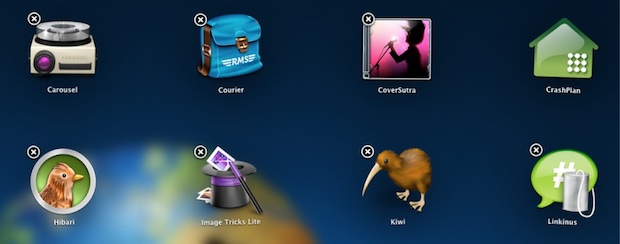
Clicking-and-holding on an app icon in Mac OS X Lion‘s LaunchPad activates the jiggle, but you can also hold down the Option key to immediately start the jiggle. As long as you continue to hold Option, the icons will continue to shake. Additionally, if you have a multitouch trackpad, you can do a four fingered … Read More