Subscribe to OSXDaily

Subscribe to RSS Subscribe to Twitter Feed Follow on Facebook Subscribe to eMail Updates

OSXDaily on Facebook

OSXDaily on Google+

Shop at Amazon

Ad

Shared on Facebook

Search spotlight

spotlight

Set Spotlight Search Priorities

Jun 30, 2010 - 2 Comments

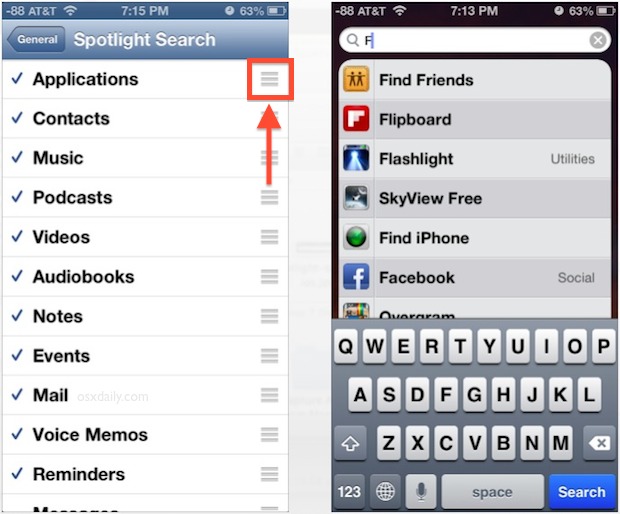
You can easily adjust the search priorities in Spotlight so that Documents or anything else are listed first in the Spotlight search results. Here’s how to do this: * Launch System Preferences * Click the Spotlight icon * You’ll see a list of search categories, you can drag these around at will * The higher … Read More

Hold down Command key to open containing folder in Spotlight

Jun 10, 2010 - Leave a Comment

Spotlight is amazing at finding files buried deep within your Mac, but what if you found the file and don’t know what folder it’s contained within? Easy, just hold down the Command key when you click on the Spotlight search result you’re looking for and Spotlight will automatically open the containing folder with the file … Read More

Get Info on anything from within Spotlight

Mar 3, 2010 - 3 Comments

You can quickly Get Info on any file or application from within Spotlight, simply highlight the file you want to Get Info on and hit Command+i to pull up the Get Info window. Very handy!

Use quotation marks with Spotlight to search for a phrase within a document

Jan 15, 2010 - Leave a Comment

If you know a phrase that is contained within a document, but can’t remember the document file name, try searching for the phrase that you know appears within the document. Make this phrase search even more precise by putting the phrase itself within quotation marks, for example “all rights reserved” will find all files that … Read More

Improve your Spotlight searches with search operators

Jan 6, 2010 - 8 Comments

If you know the file type of a document you are looking for, you can pre-qualify search results by using operators within Spotlight. As you can see in the screenshot, I pre-qualified my search for ‘asia’ with the PDF filetype operator, which led Spotlight to only search PDF documents for the search term. You can … Read More

Open Finder windows from Spotlight with Command+R

Jan 5, 2010 - Leave a Comment

You can easily open Finder windows containing any search results from the Spotlight menu. After you have entered a search query into Spotlight, highlight the item you want opened in the Finder and hit Command+R to reveal the item within the Finder. Alternatively, instead of just pressing the Enter key to access or open the … Read More

Quickly clear entered text from the Spotlight menu with Command-Delete

Dec 6, 2009 - 4 Comments

You can quickly clear all of the text from the Spotlight menu without closing the window by hitting Command-Delete, I discovered the use in this after my cat walked across my keyboard entering in a lengthy mishmash string of characters. Try it out!

Use Spotlight as a Calculator

Nov 4, 2009 - 3 Comments

You can use Spotlight as a Calculator, and it actually works really well! This is definitely one of the coolest odd functionalities of Spotlight, go ahead and enter an equation into Spotlight and it will be appear solved as the top result just like the screenshot. Try it yourself, this definitely beats launching the Calculator … Read More

Remove the Spotlight menu bar icon

Oct 17, 2009 - Leave a Comment

We get a lot of comments and inquiries about disabling Spotlight, something that I don’t understand since I think it’s a fantastic application launcher. Opinion aside, if you have disabled Spotlight and want to remove the Spotlight menubar icon from your desktop, type the following command in the Mac Terminal: Remove Spotlight menubar icon sudo … Read More

mdworker – What is mdworker?

Sep 14, 2009 - 25 Comments

mdworker is short for ‘metadata server worker’ and if you’re still confused don’t feel bad. mdworker is basically the core technology behind Mac OS X’s awesome search engine Spotlight, it spiders meta data from your Mac and its files and creates a readable index so that you can find things practically instantaneously via Spotlight (command-spacebar). … Read More