iOS 13 & iPadOS 13 Public Beta Download Available Now
Apple has released the first public beta of iOS 13 and iPadOS 13 for users to download. The public beta can be installed on any iOS 13 compatible iPhone and iPadOS 13 compatible iPad.


Apple has released the first public beta of macOS Catalina to users interested in running the public beta version of the next generation macOS release. Technically anyone can download and install macOS Catalina 10.15 public beta, but it’s generally only appropriate for advanced users to do so.
Rarely, an iPad may get stuck on an Apple logo screen when the device is booting or restarting. Getting stuck on the Apple logo usually happens during a failed software update, whether it was interrupted or incomplete, but it can sometimes happen during restores and during other operations as well. If an iPad, iPad Pro, … Read More
Sometimes, an iPad Pro must be placed into DFU mode as a troubleshooting step before being able to restore the iPad Pro. DFU stands for Device Firmware Update and DFU mode is basically a lower-level device restore state than regular Recovery Mode for iPad Pro. Placing an iPad Pro into DFU mode is for advanced … Read More
Enabling Do Not Disturb on a Mac will instantly silence and hide all notifications and alerts that arrive to the computer. This makes Do Not Disturb a great feature if you use your Mac to get work done and want to focus, since you can hush the pestering notifications and alerts that bug you about … Read More
If you use Microsoft Word for iPad, you can improve your typing experience and workflow by mastering and memorizing a wide variety of keyboard shortcuts to perform many frequently used tasks, from applying styles to modifying text, or navigating within the Word document itself. In order to use these Word for iPad keyboard shortcuts you … Read More
Have you decided you no longer want to run the MacOS Catalina 10.15 beta? You can revert from MacOS Catalina by downgrading. The simplest way to downgrade from MacOS Catalina beta back to a prior stable build of MacOS like MacOS Mojave, High Sierra, Sierra, El Capitan, or otherwise, is by formatting the computer and … Read More
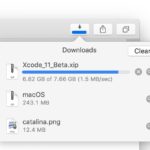
Safari on the Mac can resume stopped downloads and restart failed downloads rather easily. For example, if you were downloading Xcode from Apple but your internet connection was interrupted and the download stopped, you can resume the download where it left off rather than restart the entire download over again. This is a great way … Read More
Mac users anticipating the next major release of MacOS Catalina may likely be wondering when the release dates are for the next operating system. As you may know already, MacOS Catalina is currently in developer beta, but when does the MacOS Catalina public beta start? And when does the final version of MacOS Catalina get … Read More
Apple has released macOS Catalina 10.15 beta 2 for users enrolled in the developer beta testing program for MacOS system software. Separately, Apple has also released downloads for iOS 13 beta 2 and iPadOS 13 beta 2, along with beta 2 of watchOS 6 and tvOS 13.
Apple has released iOS 13 beta 2 along with iPadOS 13 beta 2 for users enrolled in the developer beta testing programs for iPhone, iPad and iPod touch. The latest iOS 13 beta downloads require a configuration profile to be installed before the update becomes available on whatever device is currently running iOS 13 beta … Read More
Sometimes an iPhone must be placed into Recovery Mode to be able to effectively troubleshoot the device. Usually this is only necessary when an iPhone XS, XR, XS Max or X is stuck on the Apple logo for an extended amount of time and does not boot, is stuck on the iTunes logo with … Read More
If needed, you can put any iPhone 8 Plus and iPhone 8 into Recovery Mode for troubleshooting purposes. This is usually only used for troubleshooting purposes, particularly if an iPhone is stuck on the Apple logo screen for an extended amount of time, or the screen shows an iTunes logo with a connect to iTunes … Read More
Sometimes an iPad must be placed into Recovery Mode before it can be restored or updated successfully with a computer. For example, if an iPad gets stuck on a black screen with an Apple logo for a very long time, Recovery Mode can usually remedy that. Typically Recovery Mode is used for a troubleshooting endeavor, … Read More
You may have noticed that sometimes you can not power on and boot a MacBook Pro when it doesn’t have a battery installed. Let’s say you had to remove the battery of an older MacBook Pro because it was swelling, or the battery failed for some other reason, but when you go to power on … Read More
Knowing how to put an iPhone 7 Plus or iPhone 7 into Recovery Mode can be valuable knowledge, as it is sometimes necessary for troubleshooting purposes. Typically the need to use Recovery Mode is limited to troubleshooting some more unusual scenarios like when a device is completely stuck on an Apple logo, or if … Read More
Want to downgrade from iOS 13 beta back to iOS 12 stable builds? If you installed iOS 13 beta or iPadOS 13 beta onto a compatible iPhone or iPad and now want to revert back to a prior iOS 12 release, you can do so with the assistance of iTunes and a computer. And yes … Read More
Apple has released for testing iOS 12.4 beta 4, along with MacOS Mojave 10.14.6 beta 2. These beta builds are entirely separate from the ongoing iOS 13 beta 1 and MacOS Catalina Beta 1, which are also in active beta testing for developers.