How to Run MacOS Ventura in a Virtual Machine with Viable
Jun 15, 2023 - 2 Comments
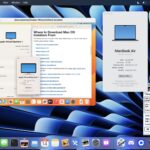
Running MacOS inside a virtual machine on an Apple Silicon Mac has never been easier, thanks to an excellent and simple to use utility called Viable.

Tips and tricks for all things Apple! Whether you want to learn tips for a Mac, iPhone, iPad, Apple Watch, or much more, you will find many tricks, tips, tutorials, and excellent walkthroughs for Apple devices and software here.
Running MacOS inside a virtual machine on an Apple Silicon Mac has never been easier, thanks to an excellent and simple to use utility called Viable.
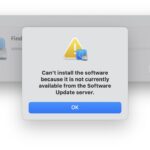
Some MacOS Sonoma beta users have noticed they can not install Command Line Tools specifically in the Sonoma beta from the Terminal, instead they see an error message stating “Can’t install the software because it is not currently available from the Software Update server.” If you are trying to install the Command Line Tools into … Read More

Did you know you can send money to contacts, right from Messages app on your iPhone? With Apple Cash, you can easily send and receive money directly from the Messages app of iPhone or iPad, without ever having to leave Messages. Apple Cash is similar to Venmo, except that it’s Apple ecosystem specific. And, like … Read More

Any Mac user can install macOS Sonoma beta onto their Mac right now and without waiting for the public beta, thanks to a recent change in the Apple Developer program, which has opened up the developer betas to any user. While it’s important to remember that beta system software is typically buggy, unfinished, and less … Read More
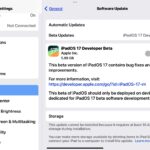
Now that iPadOS 17 beta and iOS 17 beta can be installed right now by anyone without having to pay for the annual Apple Developer membership fee, there are undoubtedly many users who are interested in installing iPadOS 17 beta onto their iPad and running the new beta operating system. While we generally advise people … Read More

If you’re an iPhone user that is curious about installing the iOS 17 beta onto your iPhone, you might be happy to know that iOS 17 beta is available for everyone if they enroll their Apple ID in the now free developer program. Previously, users had to pay an annual membership, but Apple has now … Read More

It is possible for any Apple device user to install iOS 17 beta and iPadOS 17 beta right now, without paying for an Apple developer account, but most people shouldn’t do this.
MacOS Sonoma beta is available to download and install by any Mac user for free, thanks to a recent change in the Apple Developer program. However, it’s important to remember this is an early developer beta of MacOS 14 that is buggy and less stable, so most Mac users should not install it at this … Read More

For users who are concerned about an unauthorized person physically tampering with a MacBook Pro, MacBook Air, or MacBook, nail polish (yes, that kind of nail polish) can offer a bit of security, or at least demonstrate potential evidence that hardware has been fiddled with. Now of course this does not apply to the vast … Read More
iMessage is the messaging protocol that is limited to the Apple ecosystem – iPhones, iPads, Macs, Apple Watches – until now anyway. Thanks to Phone Link for Windows 11, you can now use iMessage on a Windows PC to text other iMessage and Android users back and forth, and you can even make phone calls … Read More

Did you know that you can connect an external display to any modern iPad model? With any of the most current model iPads that has a USB-C connector, including newer models of iPad Pro, iPad Air, iPad, and iPad Mini, connecting the iPad to an external screen is really easy, and depending on the iPad … Read More
Modern versions of iOS and iPadOS have changed the way that beta system software is opted into on iPhone and iPad, abandoning the usage of profiles, and instead using a simples settings adjustment toggle on the device itself. Your Apple ID must be associated with a beta program to be able to toggle and use … Read More

Voice Messages are a great feature in Messages for iPhone, iPad, and Mac, that allow you to record yourself speaking and send that audio as a message. This can be fantastic for hands-free texting and communication (say, when walking, biking, driving, etc), if you simply prefer talking to texting, if you want to convey more … Read More

The iPad Magic Keyboard is ultra popular for good reason, and it’s easily the best accessory available for iPad. With the excellent functionality of a full-size backlit keyboard combined with a great trackpad, Magic Keyboard brings productivity potential to the iPad that is otherwise missing for many users. Plus, Magic Keyboard looks great, with a … Read More
If you use git on the Mac platform, you likely have come across DS_Store files in a git repository. These can be annoying and clutter a git repo, and you may even run into unnecessary conflicts due to .DS_Store files being maintained in git repos, where you may see error messages like “The files .DS_Store … Read More

You can now easily check your AppleCare warranty coverage right on the iPhone or iPad, for not only your device, but also any other devices that are paired to it, like AirPods or Apple Watches. All Apple devices come with a one year limited AppleCare warranty, but many users opt to purchase the optional various … Read More

If you ever find yourself needing to know a history of a specific Macs assigned local IP addresses, you can find this potentially helpful networking information from the command line. This trick will report all local IP addresses which have been used by a Mac, and, very helpfully, it will also offer the specific date … Read More
If you have some frequently used applications on the Mac that you routinely launch from the Finder, you can customize the Finder toolbar to include those apps. This offers a helpful alternative to launch frequently used apps that is Finder specific, and can be particularly handy for apps that you only use for drag and … Read More




