Tips & Tricks

Tips and tricks for all things Apple! Whether you want to learn tips for a Mac, iPhone, iPad, Apple Watch, or much more, you will find many tricks, tips, tutorials, and excellent walkthroughs for Apple devices and software here.

Search Tips & Tricks

Display CPU Temperature in the Mac OS X Menu Bar

Jul 11, 2011 - 7 Comments
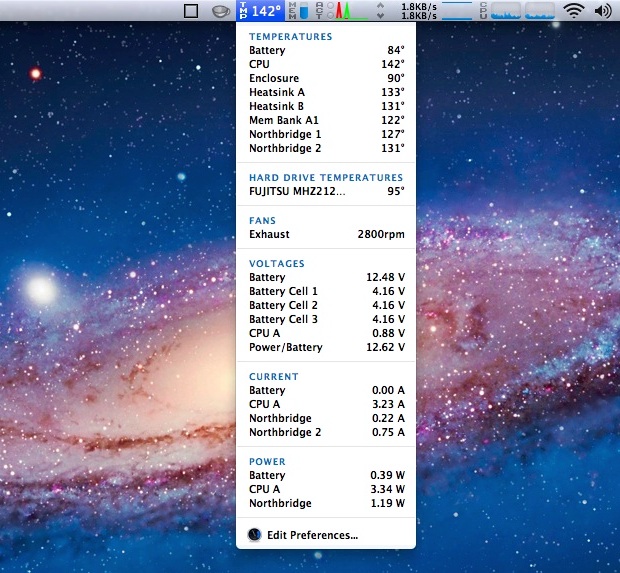
CPU and Hardware Temperature Monitor in the Mac OS X Menu Bar

If you want to keep an eye on your Mac’s CPU temperature, you can choose between two different apps to display the temperature right in your menu bar. If you’re running Mac OS X 10.6.8 or lower, both apps are free, but if you’re on Lion then you’ll have to pay for one of the … Read More
Display a List of Open Network Connections on the Mac OS X Desktop

Jul 11, 2011 - 10 Comments
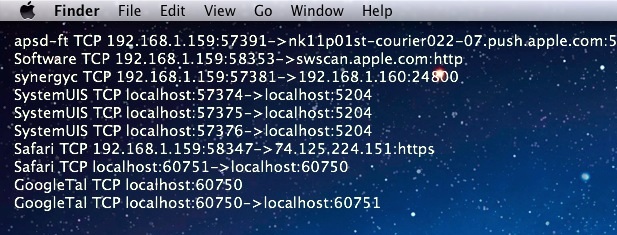
Display open network connections on Mac OS X desktop

Using GeekTool and lsof, you can display an automatically updated list of open network connections directly on a Mac OS X desktop. This is tip is a “safe” alternative to the previously mentioned open_ports utility. The problem with installing and using open_ports is that it is a third party script running as root, and for … Read More

Watch All Open Network Connections in Mac OS X with Open_Ports

Jul 9, 2011 - 20 Comments
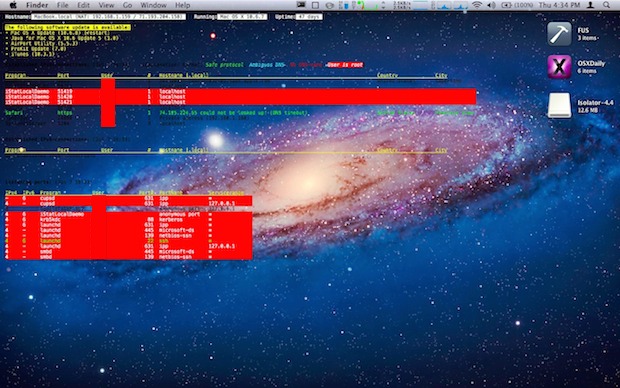
Show open network connections on the Mac OS X Desktop

You can watch all open network connections for both incoming and outgoing transfers using a free command line utility called open_ports.sh. Open_Ports is much more useful than using lsof to list open internet connectionsbecause it provides extensive network information in a very easy to read format, including what program or process is opening the connection, … Read More

Set a Mac Mouse to be Left Handed

Jul 9, 2011 - 12 Comments
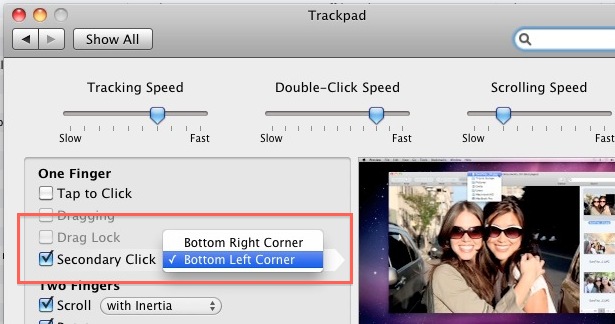
Secondary click in the left corner on a Mac

Most lefties have adapted to the righty-centric world of computing, but this isn’t necessary on a Mac. The Apple Magic Mouse, Apple wireless mouse, wired mouses, trackpad, and even most 3rd party mice have a symmetrical shape, so those that are left handed just need to adjust a few settings in Mac OS X to … Read More

Make a Bootable Mac OS X 10.7 Lion Installer from a USB Flash Drive

Jul 8, 2011 - 297 Comments
Mac OS X Lion Installer mounted on Mac OS X Desktop

I’m going to walk through the process of making a bootable Mac OS X 10.7 Lion installation drive out of any USB flash drive key. This is similar to the process of making a bootable Lion installer DVD, but I prefer a USB flash drive because it’s faster, smaller, and I have a MacBook Air … Read More

Convert Font Family and Text Size of a Document from the Command Line

Jul 8, 2011 - Leave a Comment
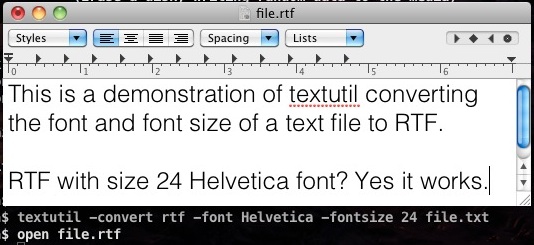
Convert font and text size of a document

The powerful textutil command for Mac offers an amazing capability to convert a text documents font family and text size, transforming the document with ease and precision right from the command line of Mac OS.

Refresh Dashboard Widgets: Command+R Sends a Widget into a Whirlpool

Jul 7, 2011 - 7 Comments
Refresh Dashboard Widget into a Whirlpool

Mac OS X has a fancy way of refreshing your Dashboard widgets. It’s better watched than described or shown in pictures, so open up Dashboard, click on any widget, then hit Command+R and watch the widget disappear and reappear into a twirl. The larger and more colorful the widget the better the effect, and you … Read More

Get HTTP Header Info from Web Sites Using curl

Jul 7, 2011 - 7 Comments
Terminal in macOS

The easiest way to get HTTP header information from any website is by using the command line tool curl. The syntax to retrieve a website header goes like this:

Enable Facebook Video Chat Calling in Mac OS X 10.7 Lion

Jul 6, 2011 - 16 Comments
Enable Facebook Video Chat in OS X Lion

Facebook just announced their built-in video chat feature that uses Skype to initiate video calls, but unfortunately support for the new feature is lacking for users with Mac OS X Lion and the latest version of Safari. If you try it, you’ll see the video call button has been greyed out with a message saying … Read More

Convert a Text File to RTF, HTML, DOC, and more via Command Line

Jul 6, 2011 - 9 Comments

Do you need to convert a text file to RTF, plain text TXT, HTML, DOC, or another familiar document format? The excellent textutil command line utility can make quick work of text file conversion and manipulation on the Mac, and there is no need to download any additional software or tools as it’s built right … Read More

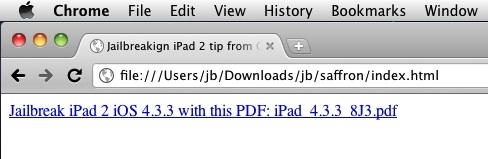
Jailbreak iPad 2 with iOS 4.3.3 by Creating a Local Web Server

Jul 5, 2011 - 16 Comments
Jailbreaking iPad 2 from your own local webserver

Update: JailbreakMe 3 is out! It’s the easiest jailbreak ever and works to jailbreak iPad 2 running iOS 4.3.3. It is recommended to use JailbreakMe.com directly.

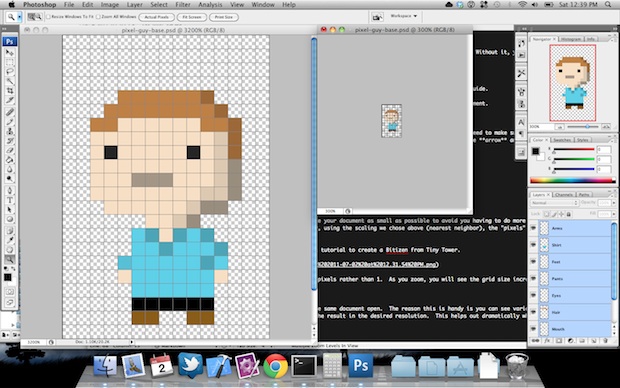
Pixel Art Guide: 3 Ways to Create Pixel Art with Photoshop, OS X Zoom, and Pixelfari

Jul 5, 2011 - 6 Comments
Create pixel art in Photoshop

Pixel art of the 8-bit flashback NES variety is all the rage right now, be it in games like The Incident and Sword & Sworcery or just for avatars on the web. If you’re wondering how some of that beautiful pixel art is created and how you to do it yourself, here are some tips … Read More

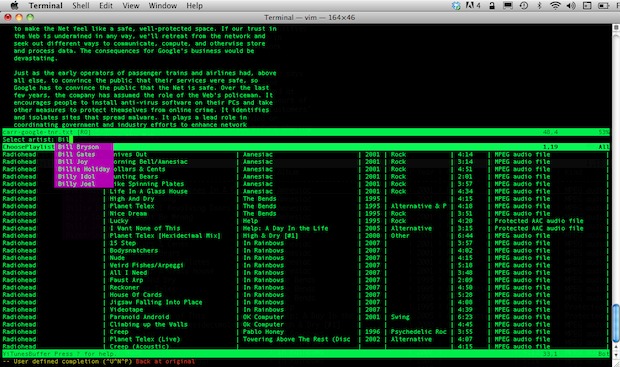
ViTunes is a Full Featured Command Line iTunes Player

Jul 5, 2011 - 6 Comments
ViTunes command line iTunes player

If you just want a basic command line mp3 player, you could use afplay, but if that’s not enough for you, install ViTunes. The little VIM plugin gives you full access to iTunes directly from the command line text editor VIM, but don’t be fooled into thinking it’s just a boring old music player, it … Read More

Show User Library Directory in Mac OS X 10.7 Lion & 10.8 Mountain Lion

Jul 4, 2011 - 86 Comments
Show Users Library Directory in Mac OS X Lion

Modern Mac OS releases from Mac OS X 10.7 & OS X 10.8 onward default to hiding the users Library directory, this is probably to keep people from accidentally deleting or damaging files that are necessary for OS X Lion & Mountain Lion to function properly. That is fine for novice users, but for some … Read More

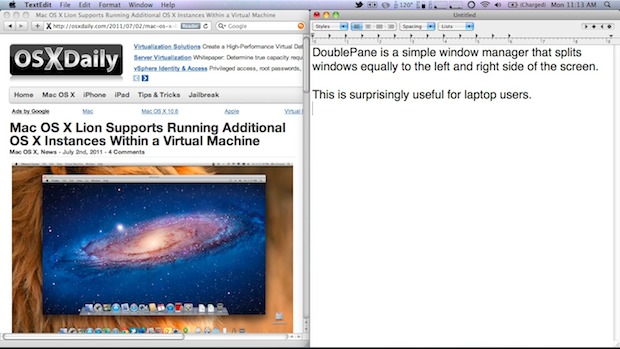
DoublePane Window Manager for Mac OS X is Free for July 4th Only

Jul 4, 2011 - 11 Comments
DoublePane Window Manager for Mac OS X

DoublePane is a simple window manager for Mac OS X that is impressively useful. It works by resizing a selected window to fit precisely on one half of the screen – on the left or right – which then allows you to place another resized window directly next to it on the opposing half. This … Read More

Format the MacBook Air USB Restore Key

Jul 4, 2011 - 24 Comments

If you have a MacBook Air, you also have that nice little USB restore key. Wouldn’t it be nice to be able to use that as a normal USB drive if you wanted to? You can do it, but first you have to ‘unlock’ the USB restore key. Here’s where I think this is most … Read More

Extract & Save High Resolution Icons from Mac OS X Apps

Jul 1, 2011 - 6 Comments
Extract High Resolution Application Icons in Mac OS X

Using the same trick to create a new image file based on clipboard contents, you can extract high resolution icons from any Mac OS X application. Preview is smart enough to extract just the icon and not try to copy the app file itself (like Windows would). Select any app in Mac OS X Finder … Read More

Deleting the Mac OS X 10.7 Lion “Recovery HD” Partition

Jun 30, 2011 - 43 Comments
diskutil list

If you want to remove the Mac OS X 10.7 Lion “Recovery HD” partition, you’ll need to do a little bit of work because it’s a hidden partition. Hidden means it’s not just a matter of using your dual boot to go into 10.6 and then deleting it with Disk Utility. Quick side note for … Read More

Subscribe to OSXDaily

Subscribe to RSS Subscribe to Twitter Feed Follow on Facebook Subscribe to eMail Updates

Tips & Tricks

News

iPhone / iPad

Mac

Troubleshooting

Shop on Amazon to help support this site