Tips & Tricks

Tips and tricks for all things Apple! Whether you want to learn tips for a Mac, iPhone, iPad, Apple Watch, or much more, you will find many tricks, tips, tutorials, and excellent walkthroughs for Apple devices and software here.

Search Tips & Tricks

MemTest for Mac OS X Tests your RAM

May 3, 2011 - 55 Comments
MemTest for Mac

If you have recently upgraded your Mac RAM, or if you are experiencing strange system crashes, it’s a good idea to test your memory modules integrity using a free tool called memtest. Essentially, memtest is a utility designed to stress test RAM for errors. Without getting overly technical in the explanation, memtest works by writing … Read More

Take a Timed Screen Shot in Mac OS X

May 1, 2011 - 16 Comments
Timed Screen Shot in Mac OS X

You can take time delayed screenshots in Mac OS X easily by using the Grab utility or the Terminal app, included with every Mac OS X version. We’ll cover taking timed screen shots in Grab first because it’s more user friendly and doesn’t involve the command line which is a bit more technical, and then … Read More

Show What Apps & Processes Are Using an Internet Connection via Command Line in Mac OS X

Apr 29, 2011 - 3 Comments
Mac Wi-Fi Tool

Much like you can monitor Mac OS X filesystem usage through the command line, you can also discover what apps and individual processes are currently using your Macs internet connection. This is a really handy trick if you know your bandwidth is being used by something, or if you’re just trying to track down what … Read More

Show the Finder Location of Any Item from Open & Save Dialog of OS X

Apr 28, 2011 - 5 Comments
Reveal Finder location of item from Open and Save dialog box

You can instantly reveal the location of any item in the Mac Finder from an Open and Save dialog box by selecting the item and then hitting Command+R.

Show Only Currently Active Apps in the Mac OS X Dock

Apr 28, 2011 - 13 Comments
Finder icon on the Mac

You can set the Mac Dock to only show actively running apps, making it perform a bit like a task manager rather than an application launcher. This is a great trick if you prefer a minimalist Mac OS X desktop and Dock. In order to set the Dock to only display currently active apps, you’ll … Read More

Make Safari on iPhone Launch Faster with a Blank Page

Apr 27, 2011 - 3 Comments
Speed up Safari on iPhone

Have you ever noticed that when you launch Safari on your iPhone, iPad, or iPod touch, before you can really use the app it often has to refresh the last active web page? This slows down your browsing, and while on newer hardware it doesn’t happen too often and it’s not a terribly long delay, … Read More

Bypass the New York Times Paywall with Safari Reader

Apr 27, 2011 - 5 Comments
Read NYT Paywall Article with Safari Reader

We showed you how to read NYT articles for free using Google but if you have Safari there’s an even easier method: Safari Reader.

Partition a Hard Drive in Mac OS X

Apr 26, 2011 - 37 Comments
Partition a Mac Hard Drive

If you want to create a new partition, modify a partition table, or remove an existing partition from any hard disk drive in Mac OS X, you won’t need to use anything fancy other than the bundled Disk Utility app that comes with all versions of Mac OS X. Disk Utility has all the tools … Read More

Change the Admin Password with Mac OS X Single User Mode

Apr 25, 2011 - 65 Comments
Change Unknown Admin Password in Mac OS X

If you’re in IT, or just fixing Grandmas Mac, it’s not too uncommon to get a machine where you don’t have the admin users password. If you find yourself in this situation, you can easily change the Admin password, or any other users, simply by booting into Mac OS X‘s command line Single User Mode. … Read More

Get a Macs Serial Number from the Command Line

Apr 25, 2011 - 11 Comments
Get a Mac Serial Number the easy way from About This Mac overview

You can quickly retrieve any Macs serial number via the command line by using the ioreg or system_profiler command and grep for the serial string. Getting the serial number from the command line like this can be helpful for troubleshooting, Single User Mode, remote management with SSH, or for many other reasons, though most users … Read More

Connect to Any Server from Any App via the Dock Quickly in Mac OS X

Apr 23, 2011 - 4 Comments

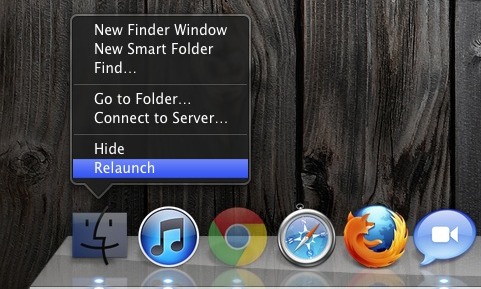
The most common way to access a network share is through the Finder, using the Connect to Server function. But there’s a faster way for quick server connection access: you can summon the Mac OS X server connection window from any app by right-clicking on the Finder icon in the Dock and selecting “Connect to … Read More

Monitor Mac OS X Filesystem Usage & Access with opensnoop

Apr 22, 2011 - 11 Comments
Monitor Mac OS X Filesystem Use and Access

The opensnoop utility is an amazing tool for tracking down specifics like what files specific applications are accessing, but you can also use opensnoop to monitor all filesystem access in Mac OS X. To do this, run the utility with no flags attached: sudo opensnoop You’ll be asked for your root password, and then you’ll … Read More

Sync Google Calendar with iCal

Apr 22, 2011 - 9 Comments
sync Google Calendar to iCal

I use Google Calendar for a myriad of reasons but since it picks up dates easily from Gmail it’s especially useful for me. Yet, somehow I never thought to sync it with iCal. If you use Google Calendar, why not sync it to your Mac? Setting this up is very simple: Launch iCal Open iCal … Read More

Instant Word Completion in Mac OS X with F5

Apr 21, 2011 - 1 Comment

In many Mac OS X apps, you can activate a little-known word completion feature by using a simple keystroke. This is incredibly helpful for word recall and for diversifying the vocabulary while typing, and has so many uses. It’s quite powerful and easy to use.

How to Increase the Size of the Mac Cursor

Apr 20, 2011 - 8 Comments
mac cursor size

Increasing the size of the Mac mouse and trackpad pointer is an important ability for those with visual impairments, but it’s also a great way to make a Mac more friendly for newcomers to computers in general, like kids and grandparents. This tutorial will detail how to increase the size of the cursor on a … Read More

Quickly Remove Finder Toolbar Icons

Apr 19, 2011 - 16 Comments
remove toolbar icons from Mac Finder window

Customizing the Mac Finder window toolbars can be a good way to gain quicker access to features you use often, and to help navigate around the file system of OS X , but what if you overdo it and the toolbar becomes cluttered with way too many buttons and doo-dads, resulting in a toolbar that … Read More

Set Terminal Focus to Follow the Mouse Cursor in Mac OS X

Apr 18, 2011 - 12 Comments
Terminal in macOS

If you’re coming to Mac OS X from elsewhere in the unix & x11 world, you might be used to the focus of Terminal windows following your mouse cursor. With a little command line magic, we can enable this hidden feature in the Mac OS X Terminal.app too.

Keep Magsafe Cords Out of the Way on MacBooks with a Neat Trick

Apr 17, 2011 - 6 Comments
Magsafe clipped to side of MacBook Air

Is that Magsafe cable cord getting in your way when using your Mac laptop? Try attaching the cord to the side of your Mac’s display by using the cables clip as shown in the pictures. This works with newer MacBook Pro’s, unibody MacBooks, and new MacBook Air too, it clips directly onto the side of … Read More

Subscribe to OSXDaily

Subscribe to RSS Subscribe to Twitter Feed Follow on Facebook Subscribe to eMail Updates

Tips & Tricks

News

iPhone / iPad

Mac

Troubleshooting

Shop on Amazon to help support this site