Tips & Tricks

Tips and tricks for all things Apple! Whether you want to learn tips for a Mac, iPhone, iPad, Apple Watch, or much more, you will find many tricks, tips, tutorials, and excellent walkthroughs for Apple devices and software here.

Search Tips & Tricks

Set IP Address from the Mac Command Line

Sep 1, 2010 - 23 Comments

The quickest way to set your IP address from the command line is to use the versatile and powerful ipconfig utility, which is bundled directly with Mac OS X. We’ll show you how to set an IP address with ipconfig by retrieving one from a DHCP server, and also demonstrate how to set a specific … Read More

The Best MacBook Pro Hard Drive Upgrade

Aug 31, 2010 - 26 Comments

Dan wrote in with the following: “I have a MacBook Pro and I want to make it even faster, what’s the best hard drive upgrade for the MacBook Pro?” This is a great question, and the answer will vary depending on your budget. I’m going to recommend a few options at different price points, all … Read More

How to Repair MP3’s

Aug 30, 2010 - 3 Comments

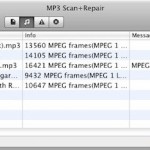
If you have MP3’s that are skipping, sounding weird, or that a media player like iTunes won’t open, sometimes you just need to run them through an MP3 validator app to check and repair the files. A great free MP3 checker is called MP3 Scan+Repair, it’s got an easy drag and drop interface that will … Read More

Download Android OS to run in a Virtual Machine

Aug 27, 2010 - 16 Comments

If you want to check out Android OS, you can download and run a pre-configured Android OS Virtual Appliance installation within VirtualBox. You’ll need a torrent client to download the virtual machine itself, and of course Virtualbox to run it. You can download Android OS VM here and get VirtualBox here, both are free downloads. … Read More

How to Set Photo Booth to Flip Images on Mac

Aug 27, 2010 - 6 Comments

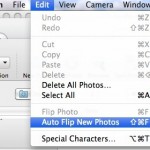
Photo Booth on the Mac defaults to flipping your images horizontally, this happens automatically without any user input and without it being noticed, it’s just how the camera within Photo Booth displays pictures, making it function more like a mirror rather than a traditional camera. If you don’t images to flip like that, you can … Read More

Show Line Numbers in TextWrangler

Aug 26, 2010 - 2 Comments

Line numbers are so useful to have in a good text editor that I’m surprised they aren’t enabled by default in TextWrangler. Regardless, they’re easy to display so here are two different ways to show line numbers in a text file. The first is through the View menu: In TextWrangler, open the View Menu Navigate … Read More

Mouse Acceleration on a Mac – What it is and How to Adjust or Disable it

Aug 25, 2010 - 24 Comments

What is mouse acceleration? Mouse acceleration is something most Mac users don’t think twice about, many aren’t aware it even exists. By default the mouse drivers count the movement of your mouse and depending on your sensitivity settings, the cursor will then move across the screen by a similar and consistent distance. Mouse acceleration is … Read More

How to Use Twitter from the Command Line

Aug 23, 2010 - 5 Comments

Often overlooked, the Terminal can be used to accomplish all sorts of fun stuff. Something that you may find handy, is the ability to Tweet using built in Mac OS X command line utilities like curl. Yes, curl! Now of course this is not a full featured Twitter client by any means, but if you … Read More

Install Watch Command on Mac OS X

Aug 22, 2010 - 17 Comments

If there was one command I would really complain about not being on Mac OS X, it would be “watch”. Watch is one of those great pieces of software that is tiny and completely out of the way, but when needed it will be a life saver. We’re going to show you three different ways … Read More

Improve iPhone Battery Life

Aug 19, 2010 - 8 Comments

The iPhone battery is designed to provide a significant amount of talk time, internet/app use, and data consumption. By using the phone properly and customizing a few settings you can dramatically improve how long your iPhone battery lasts. Here is a comprehensive list of tips to improve the health and battery life of your iPhone.

Launch Mac VNC Screen Sharing Client from Safari or Finder

Aug 18, 2010 - 3 Comments

Did you know that that Mac OS X includes a bundled VNC app? It’s called Screen Sharing, and you can quickly launch the bundled VNC client from either the OS X Finder, Safari by typing an address into the URL bar, or directly from the app itself.

Drag or Paste Link in Safari Downloads Window to Download on Mac Immediately

Aug 17, 2010 - 2 Comments

Did you know you can download a file instead of opening it in Safari on the Mac, simply by dragging a link to the Downloads window of Safari? And did you know you can also start a download in Safari on Mac by pasting a copied download URL into the Safari downloads window? This combo … Read More

Change the Screen Shot File Format in Mac OS X

Aug 16, 2010 - 19 Comments
Change the screenshot file format in Mac OS X

All versions of Mac OS X default to saving captured screen shot files to PNG format, but if you’d rather have screenshots save as another file type, it’s actually quite easy to modify the file format and change the default to something new. Whether the desired format output is JPG, TIFF, PDF, GIF, or back … Read More

The Mac Task Manager

Aug 15, 2010 - 47 Comments

Many new Mac users are coming from the Windows world where they would access the Task Manager to end tasks and stop errant processes. The Mac has it’s own Task Manager but it goes by another name: Activity Monitor. Activity Monitor functions in a very similar way to how Task Manager does in Windows, letting … Read More

Immediately Zoom Back to 100% in Photoshop with Command+1

Aug 13, 2010 - 2 Comments

If you’re a Photoshop user and you’re frequently zooming in and out on images and photoshop files, you’ll likely find this simple trick to be particularly handy. You can immediately zoom back to 100% on any document within Photoshop by hitting Command + 1 (yes like the number one). If you’re not a fan of … Read More

Convert to EPUB – How to convert PDF, HTML, Word DOC, and more to EPUB format

Aug 12, 2010 - 34 Comments

EPUB stands for ‘electronic publication’ and it’s the accepted standard format for digital book publishing. If you want to make an ebook that can be read on a digital device, you’ll need it in this EPUB format. You can convert virtually any text containing document to EPUB format, which is the preferred format for reading … Read More

Run iPhone in James Bond Mode: Set your iPhone to Self Destruct and Erase All Data After Failed Password Attempts

Aug 12, 2010 - 26 Comments

There’s a pretty interesting feature included in iOS that lets you run your iPhone in James Bond mode, causing the device to self destruct if an incorrect password is entered 10 times concurrently. Ok, well it’s not really called James Bond mode and it doesn’t actually self destruct, but it does erase all the data … Read More

How to Merge Directories in Mac OS X with ditto

Aug 12, 2010 - 6 Comments
Terminal in macOS

If you have two directories you need joined together, you can either drag and drop everything together, use the ‘mv’ command to move files manually, or, as we’ll show here, you can quickly merge any two directories within Mac OS X by using the command line tool ditto or ‘cp’. The command line is generally … Read More

Subscribe to OSXDaily

Subscribe to RSS Subscribe to Twitter Feed Follow on Facebook Subscribe to eMail Updates

Tips & Tricks

News

iPhone / iPad

Mac

Troubleshooting

Shop on Amazon to help support this site