Troubleshooting

Having a problem with an Apple device, Mac system software, or iOS? Maybe your Mac is behaving weird, or your iPhone isn’t charging properly, or an iPad app is crashing, or something is just not working as expected? Browse through and search our troubleshooting articles and you might be able to resolve the problem!

Search Troubleshooting

iPhone 3G running slow after iOS 4? Speed up your slow iPhone 3G with these tips

Jul 28, 2010 - 93 Comments
If your iPhone 3G is running really slow after installing iOS 4, you’re not alone. While iOS 4 is a great OS for newer iPhone models, it makes my older iPhone 3G slow down to a crawl, with everything delayed and stuttering to catch up to touch. At times it’s practically unusable. So what can … Read More
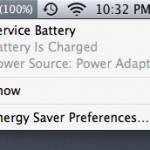
Service Battery Indicator in Mac OS X: What It Means, & How to Fix It

Jul 27, 2010 - 5 Comments

Modern versions of Mac OS have a feature for MacBook Pro, MacBook Air, and MacBook that will report to you the condition of your battery, as shown through the battery menubar item. Usually charging messages are shown there, but there are two other messages you may see in that menu, and they are “Replace Now” … Read More

How to Reset the Ignored Software Updates List in Mac OS X

Jul 26, 2010 - Leave a Comment
Manual software update in OS X Yosemite with App Store option

Did you accidentally ignore a Software Update in MacOS or Mac OS X and now you need to install it on a Mac? Perhaps you were putting off a specific update for one reason or another, and now it’s time to install that ignored or hidden update again onto Mac OS X. Fortunately, getting the … Read More

FaceTime troubleshooting: use FaceTime behind a firewall

Jul 18, 2010 - 6 Comments

So you saw the latest iPhone 4 commercial and fell in love with FaceTime. You bring your iPhone 4 home, and you attempt to make a FaceTime connection with a friend… but nothing happens. What’s going on? It’s probably the wireless networks firewall settings. I was recently speaking with an Apple employee and they told … Read More

Determine Why Your Mac Wakes Up From Sleep

Jul 17, 2010 - 76 Comments

Have you ever put your Mac to sleep, only to find it awake seemingly on it’s own when you return to the machine? I’ve run into this mystery of a randomly waking Mac a few times, and with a few terminal commands you can help track down what caused your Mac to wake from sleep. … Read More

Where to Manually Download Software Updates for Mac

Jul 14, 2010 - 3 Comments

You can manually download software updates that are available for Mac and OS X, without having to go to the Mac App Store Updates section, or without running Software Update. This is helpful for many reasons, but it’s particularly nice if you’re troubleshooting or need to bring updates to a computer that is not connected … Read More

How to Stop Skype from Starting Automatically on a Mac

Jul 7, 2010 - 8 Comments

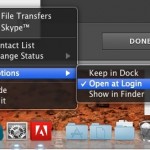
Skype launches itself automatically on either user login or system boot of Mac OS X. This is either helpful or annoying, depending on your needs. If you wish to stop Skype from opening itself automatically in OS X, you can do so easily using the methods outlined below.

Fix iPhone Proximity Sensor Problems

Jul 6, 2010 - 1 Comment

Some users who have upgraded to iPhone OS 4.0 (iOS 4) have noted that the proximity sensor behaves differently, sometimes it’s just less sensitive, a bit slow or lagged, and other times it’s just not as responsive. In the worst case scenario, the iPhone is up to your ear and the device doesn’t detect that … Read More

How to Resize a Window That is Too Big or Off Screen in Mac OS

Jul 5, 2010 - 70 Comments

There are times when you will find a windows sizing controls have been rendered inaccessible, the most likely cause is from changing the Mac’s resolution by hooking it up and then disconnecting it from an external display, however I have also seen poorly written javascripts resize windows to outrageous proportions as well. Additionally, sometimes a … Read More

Stop Link Spam from appearing in Copy/Paste from certain websites

Jun 28, 2010 - 2 Comments

You know what’s really annoying? When you go to certain websites, copy some text from them, and go to paste elsewhere and it gives you something like this: Basically, it’s an “iPhone without a screen,” is how Engadget hears it. Oh — and it will cost only $99, supposedly. Read more: http://techcrunch.com/2010/05/28/new-apple-tv/#ixzz0pH6qJPa4 You wanted to … Read More

iPhone Backups Slow? How to Speed Up and Fix a Slow iPhone Backup

Jun 21, 2010 - 74 Comments

There are several reasons why backups can take forever on an iPhone, so here are a few tips you can try that should increase the speed of your iPhone backups and restores. Yes, these tips work on Mac OS and Windows, and for iPod Touch too. Fix slow iPhone backups by deleting photos If you … Read More

Troubleshooting Synergy ‘cannot read configuration’ error

Jun 14, 2010 - 3 Comments

If you’re having Synergy ‘cannot read configuration’ error problems, try the following: * Get the latest version of Synergy KM from SourceForge * Be sure the clients have the latest version of Synergy installed too (it’s pretty old for Windows clients, but works) * Create a new ‘Location’ and re-add your server, screens, clients, in … Read More

Disable Growl Notifications

May 17, 2010 - 15 Comments

Growl is a desktop notification system that allows applications to publish updates and items to floating windows on your desktop. This allows you to see things like updates, information, and status changes to whatever application is publishing the Growl notification. The advantage to Growl is that regardless of what application has the focus, you’ll see … Read More

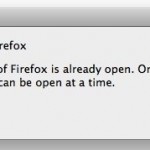
Fix for “Close Firefox: A copy of Firefox is already open.” error

May 16, 2010 - 38 Comments

“Close Firefox – A copy of Firefox is already open. Only one copy of Firefox can be open at a time.” You may have gotten this message if Firefox has recently crashed or you killed the process. The reason this error is appearing is likely because there is a lock file on your Firefox profile. … Read More

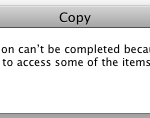
Copy Error Code 0 : What it Means in Mac OS X

May 7, 2010 - 17 Comments
Finder icon on the Mac

“The operation can’t be completed because an unexpected error occured (error code 0).” You’re likely to see this error when you are attempting to copy files to an external hard drive that is formatted as FAT. FAT32 is a Windows file system that can be read and written to by Mac OS X. The problem … Read More

iTunes loading slowly? Here’s a simple fix to speed iTunes launch

May 5, 2010 - 19 Comments

From time to time iTunes can take a very long time to open, typically because it is looking for the music library. If you find iTunes to be taking a long time to launch, you might try this simple fix seems to resolve the slow application launch issues: * Launch iTunes * Immediately hit and … Read More

Simple fix for Mac OS X 10.6.3 Samba Write Access problem

May 2, 2010 - 6 Comments

Upgrading to Mac OS X Snow Leopard 10.6.3 was a painless procedure until I tried to access some SMB mounts… suddenly I had no write access to my samba drives! I was presented with this error message: The operation can’t be completed because you don’t have permission to access some of the items. Thankfully there’s … Read More

Using Safe Boot Mode in Mac OS X

Apr 20, 2010 - 3 Comments

Booting into safe mode in Mac OS X is a troubleshooting trick that can help to diagnose many common system problems, and even some more obscure issues with Mac OS X. While safe mode is considered an advanced troubleshooting technique, it’s easy to use and easy to exit out of, meaning just about any experience … Read More

Subscribe to OSXDaily

Subscribe to RSS Subscribe to Twitter Feed Follow on Facebook Subscribe to eMail Updates

Tips & Tricks

News

iPhone / iPad

Mac

Troubleshooting

Shop on Amazon to help support this site