The privacy-centric Brave web browser is gaining popularity, so it’s reasonable for iPhone and iPad users to wonder how they can change their default web browser to Brave in iOS or iPadOS. Fortunately, it’s really easy.
There is some online discussion of battery drain occurring overnight on MacBook Pro and MacBook Air laptops, while the Macs are in sleep mode, with many users noticing the problem after updating to a recent version of macOS Monterey.
While there does seem to be an uptick of overnight battery draining behavior with macOS Monterey 12.2, the particular issue has actually predated macOS Monterey. As we covered in October of last year prior to Monterey’s release, we noted similar overnight battery drain was happening with later macOS Big Sur updates to some Mac laptop users.
Fortunately there’s a simple solution available now, and that is updating macOS Monterey. And if you’re experiencing the issue on a Mac before Monterey, disabling bluetooth may resolve the battery draining while sleep issue.
Apple has released iOS 15.3.1 and iPadOS 15.3.1 for iPhone and iPad users, respectively. The software update includes an important security fix, and also resolves an issue with Braille displays.
Apple has released macOS Monterey 12.2.1 for Mac users, the update includes a fix for the issue where MacBook batteries would drain when the computer is in sleep mode and has Bluetooth enabled.
Do you see someones birthday you want to remove from your iPhone Calendar? Is your iPhone Calendar full of birthdays that you don’t care about or don’t care to see? Want to delete these birthdays from your iPhone or iPad Calendar and are perplexed that there’s no obvious way to do so? Are you wondering why you can’t delete birthdays from the Calendar app? Fear not, we will walk you through how to clean up your calendar and get rid of birthdays you do not want to see on your iPhone or iPad, and changes made there will also impact the Mac.
Universal Control, the feature that allows a single Mac to control multiple Macs and iPads by sharing a keyboard and mouse, is surely the most hotly anticipated feature of macOS Monterey. Though it was delayed past the the initial release of Monterey, you don’t have to wait any longer to try out Universal Control and share a keyboard and mouse between a Mac and iPad, because you can get the feature right now.
The caveat here is you must be willing to run macOS Monterey 12.3 and iPadOS 15.4, both of which are currently considered beta system software. Thus, by installing the latest betas you can have access to Universal Control and use it right away. If you aren’t comfortable running beta system software, just wait another month or so for the final versions to be out. If you’re looking to just share a keyboard and mouse between several Macs, or even a Windows PC, you can also try a free third party tool called Barrier.
Want a vertically split set of Terminals on the Mac, so that you can have two concurrent terminals running side by side for executing their own commands? Of course you do, this is a staple feature of many terminal apps for linux and unix command lines, so having this feature on the Mac is a necessity for many advanced users.
There are a few ways to achieve a split terminal result on the Mac, but perhaps the easiest method is by using a feature native to MacOS called Split View, which, as you probably guessed, allows you to run two applications or two windows side-by-side. In this case, it will be two Terminal windows, achieving a split terminal that is so highly desired.
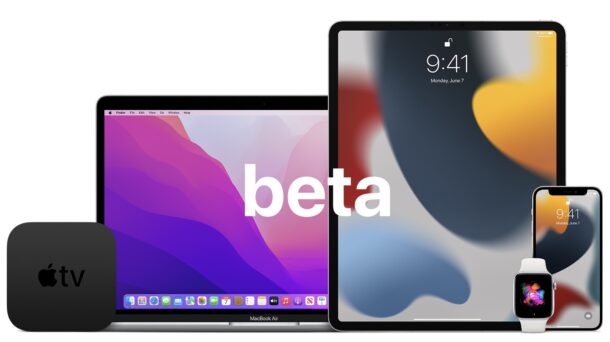
Apple has released the second beta versions of macOS Monterey 12.3, iOS 15.4, and iPadOS 15.4 to users enrolled in the beta testing programs for Mac, iPhone, and iPad.
The Default Dock on macOS shows off many of the apps that come bundled with your Mac out of the box. Many users customize it right away by adding apps they use on a regular basis, and removing those they don’t. However, some people may prefer to have a cleaner Dock, and to minimize the apps that show up on the Dock. One way to do this is to make the Mac Dock only show apps that are currently running.
Looking to share a Pages file from your iPhone or iPad with a colleague who uses Microsoft Word on a Windows PC? Since Microsoft Word does not support the .pages file format, they won’t be able to open and view the contents of the Pages file unless it’s converted first.
But not to worry, because Pages for iPad and iPhone offers conversion tools allowing you to quickly export a Pages file to Word document and Word compatible format.
If you were disappointed to find out that WORDLE, the very popular word guessing game, has been sold to The New York Times, and will likely end up behind a pay-wall at some point, plus undergo who knows whatever other changes to fit the NYT style, you can preserve the original WORDLE game for yourself, to play forever.
Do you sign in to your Apple ID on a lot of different devices, let’s say your iPhone, several Mac’s, a few Windows machines, an old PC, an older iPhone or iPad or two, or even an Android device? If so, you may want to check out how many devices are associated with your account, and remove any device that you longer use or own.
Do you use a Gmail account with the stock Mail app on your iPhone or iPad? If so, you may have noticed that whenever you try to delete an email or send it to Trash by using the swipe left gesture, you get an “Archive” option instead with Gmail accounts. If you’d rather be deleting those Gmail emails in Mail app, you can change the Gmail settings to address this issue on iPhone and iPad.
Ever wanted to mirror your Mac to a TV, wirelessly? You can do that with most modern Macs if they support AirPlay. And many modern TV’s have built in AirPlay support too, allowing for a Mac to easily mirror its screen to the TV, right from macOS. This is easier than ever in macOS Monterey.
AirPlay support is included in many modern TV’s from LG, Samsung, Sony, Vizio, usually from the 2018 or newer model years. If your TV supports mirroring from a Mac (or iPhone, or iPad for that matter), then “AirPlay” will be available as one of the input options on the TV. If the TV doesn’t natively support AirPlay, then many devices and boxes like Apple TV or Roku include support, so you always connect one of those to the TV instead and then mirror the Mac to it.
Are you looking to enhance the visuals of a video or movie you captured on your iPhone to make it more appealing? Apple’s iMovie app makes it pretty easy to add filters to videos and movies right on your device, even for beginners who have never edited a video before.
If you’d like to find comprehensive system information about a Mac, you’ll find the Terminal is an excellent way to retrieve this data quickly.
We’ll provide a handy command that reveals extensive system information about a Mac, including the current system software version and build number, kernel version, boot volume, boot mode, computer name, active user name, virtual memory info, SIP status, uptime, Mac model name and identifier, CPU chip, number of CPU cores, memory, firmware version, OS loader version, serial number, hardware UUID, provisioning UDID, and activation lock status. You can also customize the command to get additional details about networking, storage, bluetooth, and other relevant system info data types.
Longing for Universal Control? Want to use a single keyboard and mouse across multiple Macs, or even PCs? You can do that with Barrier, a free virtual KVM switch that allows you to share a keyboard and mouse between computers simply by dragging your mouse cursor to the other computer screen. And you even have a shared clipboard, allowing copy and paste crossing platforms between Mac, Windows, or Linux.
Barrier works great, so if you’ve been waiting for Universal Control on macOS Monterey and disappointed by its delay, this is essentially the same ability offered through an open source project.
Do you use Gmail to schedule emails from your iPhone or iPad? Sometimes, you may change your mind regarding the email you scheduled, and in that situation you would want to stop it from sending automatically on the set date. Luckily, it’s really not that hard to cancel the scheduled email with the Gmail app on iOS and iPadOS.