If you need to prevent the Dock icons from changing or being modified on a Mac, you can use defaults command strings to lock down the OS X Dock and prevent any adjustments or changes to how it appears on screen.
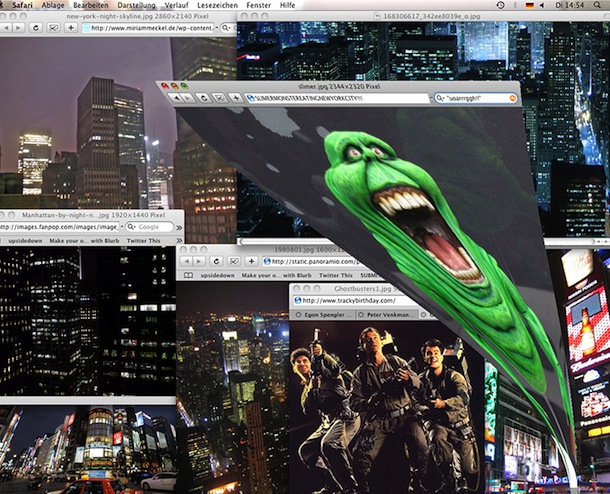
If you’re a Ghostbusters fan you’ll get a kick out of this creative use of the Genie minimization effect in Mac OS X, which was used to re-create scenes from the movie.
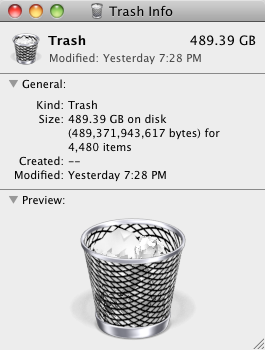
I often forget to empty my Trash, which can grow and grow and grow over time, but this picture shows a bloated trash can being taken it to a whole new level. 489GB!
You can set Mac OS X to always securely empty the Trash and add a significant layer of security when removing files from the Mac. This is done just by adjusting a preference setting within the Finder, and it’s very easy to configure, here’s what you will want to do to use this option:
Changing the iPhone root password is a good idea if you have Jailbroken your iPhone, it will prevent unauthorized users and applications from doing things you certainly don’t want them to do since the password is universal on all Jailbroken phones (unless it’s changed by the user). And yes in case it was not abundantly clear, you can not change the root password on an iPhone or iPad that has not been jailbroken as the user is not accessible, neither is the command line like this.
This is a very cool feature I had no idea existed but accidentally stumbled across while on a recent flight. If you have an iPhone, you probably know that the earbuds included with it have a button to adjust volume and what not, well guess what, you can control the volume level in iTunes and QuickTime with the iPhone Earbud buttons as well! This works at least on the Unibody MacBook Pro’s, but I’m not sure if it works on the Unibody MacBook. Just plug in the iPhone earbuds to your Mac and launch QuickTime or iTunes to test it out yourself.
It’s also worth mentioning that the iPhone earbuds microphone works fine with Mac OS X too, and it makes a significantly better microphone than the one that is built in. This is particularly handy for VOIP calls through iChat, Google Voice, and Skype.
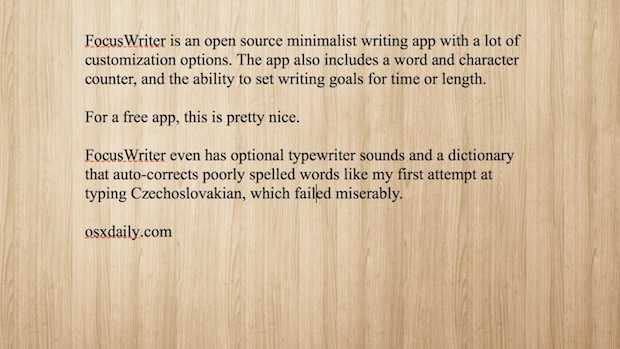
I’m a big fan of distraction free writing space, and so far WriteRoom has this market cornered pretty well on Mac OS X.
OmmWriter looks like a worthy contender though, it’s got a beautiful unobtrusive interface and is complete with a relaxing background and subtle peaceful sound effects… if that sounds a little cheesy it sort of is, but it’s actually pretty nice to write in! Read more »
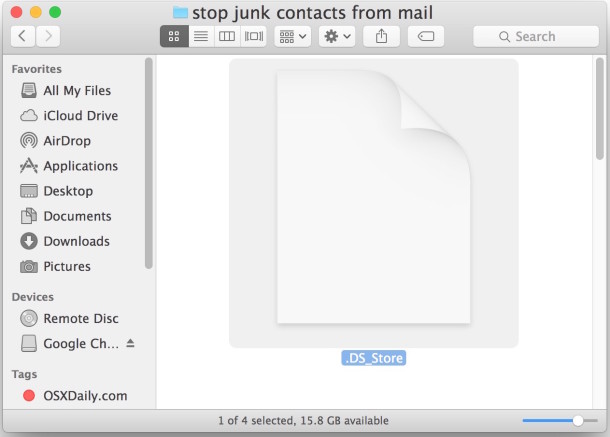
.DS_Store files store folder level metadata information (such as icon placement and background pictures) for Mac OS X to understand, this is fine and dandy and you’re likely to never even notice if you’re a bunch of Macs working together. Unfortunately, these .DS_Store files can be really pesky in a multi-platform network environment, they can basically just lead to unnecessary filesystem clutter that Windows & Linux users receive no benefit from.
Thankfully, you can prevent the DS_Store files from being created entirely by executing a simple command in the Terminal. Read more »
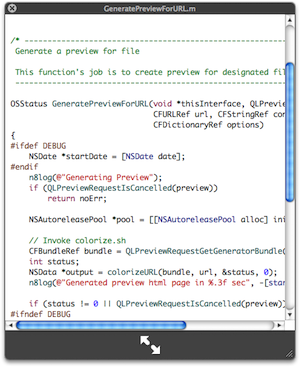
I use the OS X Quick Look feature constantly for everything from quickly viewing pictures, movies, text files, and of course, source code. Source can be a pain to view in QuickLook because there’s no syntax highlighting by default though, but this excellent Mac plugin changes that.
A colleague of mine is a recent Mac switcher and he was complaining to me that virtual desktops are not included in Mac OS X, the irony is that they are, they just have the name Spaces (coming from a heavy Linux background, I guess the naming convention just threw him off). Virtual Desktops are a very common and popular feature in most Unix GUI’s, but as Mac OS X has included virtual desktops within Mac OS X too.
Instead of being called “Virtual Desktops” though, Apple named them “Spaces”, but the concept is identical, multiple virtual workspaces on one machine. Spaces in Mac OS X lets you have up to 16 different workspaces to work within, you can even designate specific applications to run just within a particular space, which is very handy for creating a tidy work environment.
Hey look it’s raining out of the snow! That’s something I don’t see everyday. But the Dashboard Weather widget in OS X has plenty of unique weather conditions that can be shown, and if you want to see them all you don’t need to wait until the seasons change. Read more »
Tye Campbell wrote to us with the following question: “Do you guys know how to take apart an iPhone? Specifically the 3G model, I can’t find any way to get to the display and I’d like to do my own screen replacement since mine is cracked but I have another one available to me from a water-damaged iPhone. I’m pretty patient and don’t mind learning, but I don’t even know where to begin, any tips or starting points?”
Good question! I had to take apart an iPhone 3GS recently to replace the back case, I used the guides offered by iFixIt, they are comprehensive and really walk you through accessing various parts of the iPhone including the display. The key is to have the right tools at your disposal before disassembly, otherwise you can end up in a really frustrating situation. Also be sure to track each individual iPhone part and where it comes from inside the device so that when you reassemble it you won’t have any extra pieces laying around! These guides will help you with selecting the right tools and staying organized during the iPhone repair, follow it carefully and you should have no problems. If you’re wondering how to take apart an iPhone, I would go this route:
Many Mac users are fond of the Mac startup sound that chimes on system boot, but there are definitely times when booting that you’d rather just be quiet, say a library or coffee shop. Thus, we’re going to show you how to mute that boot up sound on any Mac, MacBook model (Pro, Air), iMac, or Mac Pro, we’ll offer a temporary solution, and a few different permanent solutions to mute the sound as well.
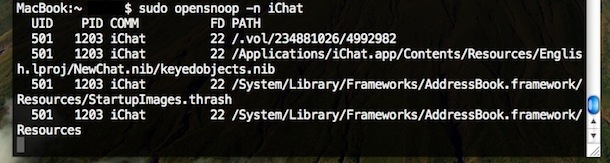
Using the command line tool ‘opensnoop’ you can track any Mac applications (or system process) usage of the file system. This is a very handy tool for administrators and troubleshooting! The simplest way to use it is as follows: Read more »
There are times when a user will need to to manually set an IP address in Mac OS X to one which will be compatible with a joined network, either wi-fi or ethernet.
Here will cover how to change a Mac IP address to a manual setting, and also how to pick an IP address which will not be conflicting with another machine on the same network.
I just came across a really useful QuickLook plugin called SuspiciousPackage that lets you inspect those .pkg package installer files that so many Mac apps and downloads come in. Using this plugin, you can determine if an admin password is required, how many install scripts are in the package file, where the installation locations of files is going to be, and if a restart is required.
Installation is simple and like any other QuickLook plugin. Download the SuspiciousPackage QuickLook plugin and drop it into ~/Library/QuickLook/ and you’ll be good to go (restart the Finder if necessary).
You can change the Mac OS X login screen background picture using a few different methods. We have covered this tip before but it was based around a few Terminal commands that might not be easy to follow for the average Mac user without command line experience. With that in mind, here are ways to change the Mac login wallpaper: Read more »

 You can set Mac OS X to always securely empty the Trash and add a significant layer of security when removing files from the Mac. This is done just by adjusting a preference setting within the Finder, and it’s very easy to configure, here’s what you will want to do to use this option:
 A colleague of mine is a recent Mac switcher and he was complaining to me that virtual desktops are not included in Mac OS X, the irony is that they are, they just have the name Spaces (coming from a heavy Linux background, I guess the naming convention just threw him off). Virtual Desktops are a very common and popular feature in most Unix GUI’s, but as Mac OS X has included virtual desktops within Mac OS X too.
 Tye Campbell wrote to us with the following question: “Do you guys know how to take apart an iPhone? Specifically the 3G model, I can’t find any way to get to the display and I’d like to do my own screen replacement since mine is cracked but I have another one available to me from a water-damaged iPhone. I’m pretty patient and don’t mind learning, but I don’t even know where to begin, any tips or starting points?”
 There are times when a user will need to to manually set an IP address in Mac OS X to one which will be compatible with a joined network, either wi-fi or ethernet.
 I just came across a really useful QuickLook plugin called SuspiciousPackage that lets you inspect those .pkg package installer files that so many Mac apps and downloads come in. Using this plugin, you can determine if an admin password is required, how many install scripts are in the package file, where the installation locations of files is going to be, and if a restart is required.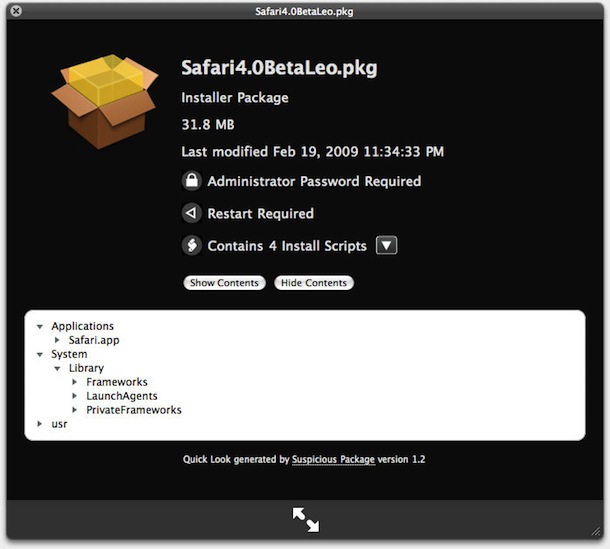
 You can change the Mac OS X login screen background picture using a few different methods. We have covered this tip before but it was based around a few Terminal commands that might not be easy to follow for the average Mac user without command line experience. With that in mind, here are ways to change the Mac login wallpaper:



