Install Windows 7 Beta in Mac OS X
 Is Windows 7 really the Mac OS X slaying OS that so many claim it to be? Is it the greatest thing since sliced bread? There is all sorts of hooplah in the tech world about Microsofts Windows 7 beta, so why not see what the fuss is all about using your Mac? Rather than get a dual-boot setup going, it’s probably best for most users to run Windows 7 in a virtual environment within Mac OS X, and setting it up really isn’t too difficult. Here are several great walkthroughs on getting Windows 7 installed and running on your Mac.
DownloadSquad: Installing Windows 7 on a Mac – Getting Windows 7 running in Mac OS X using either Parallels, VMWare, or VirtualBox – you decide. Lot’s of screenshots to guide you.
VMWare: Windows 7 on a Mac with VMWare Fusion – An ‘official’ walkthrough created by the VMWare team, this is comprehensive and straight from the source, can’t go wrong here
KristanKenney: Run Windows 7 within Sun VirtualBox – more comprehensive than the AppleInsider article below on setting up Windows 7 in Virtualbox.
AppleInsider: Installing Windows 7 Beta on a Mac with Sun VirtualBox – pretty straightforward install process using Sun VirtualBox (which I’ve never used before prior to reading this article)
 Photo Booth is a really fun app that comes with all macs that have a built in iSight / FaceTime front facing camera.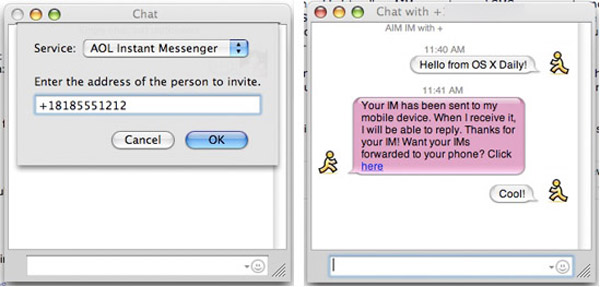
 Life is officially easier for front-end web developers, you can now easily test browser compatibility by running Firefox 2 and Firefox 3 concurrently with a great utility called MultiFirefox. Simply install MultiFirefox, then rename one of the Firefox applications (to say, Firefox 3), and upon launch you can select either application version to run. MultiFirefox is fast, free, and simple to use, so check it out. Mac web developers rejoice!
 If you’re wondering how to mount an ISO image in Mac OS X, it is very easy. For most ISO images you can mount them simply by double-clicking the ISO image file, and it will go through the auto-mounter app within Mac OS X putting it on your desktop.
  Update – May 2011: We have written an up to date article on
  Whether you’re a systems administrator or a web developer, or anything in between, chances are you’ll have to flush your DNS cache every once in a while to get things straightened out server-side, or even just for testing certain configurations.
  A MAC address is a unique identifier assigned to your network card, and some networks implement MAC address filtering as a method of security. Spoofing a MAC address can be desired for multiple reasons, and it is very easy to spoof your MAC address in macOS Monterey 12, macOS Big Sur 11, macOS Catalina, macOS Mojave 10.14, macOS High Sierra, Sierra 10.12, El Capitan, Yosemite 10.10, Mac OS X 10.4, 10.5, 10.6, 10.7, OS X 10.8, and OS X 10.9. For the purpose of this article, we are going to assume you want to spoof your Mac’s wireless MAC address, meaning your wi-fi card.
 The Mac OS X desktop is attractive, highly functional, and very customizable, but by default the maximum icon size is 128×128 as adjusted through the normal

 Here’s a really cool Firefox tip that was just passed along to me that allows you to instantly search on page text.