font smoothing

Search font smoothing

How to Adjust Font Smoothing in macOS Sequoia & macOS Sonoma

Jun 4, 2025 - 1 Comment

The Mac Finder icon

Font Smoothing is a longstanding feature in MacOS that aims to make rendered screen text more legible, and it works by subtly blending the edges of display fonts with the background by using anti-aliasing. The idea is to reduce the jaggedness of screen text, but in practice nowadays it basically makes screen fonts on the … Read More
How to Change or Remove Font Smoothing on MacOS Monterey & Big Sur

Apr 6, 2022 - 7 Comments
How to Change or Remove Font Smoothing on Mac

Are you noticing blurry text on your Mac’s display while navigating through the menu and across apps? More specifically, has this been an issue ever since you updated to macOS Monterey or Big Sur, and on a non-retina display? If so, chances are, font smoothing is enabled by default, and for some users they feel … Read More

How to Fix Blurry Fonts in MacOS Mojave for Non-Retina Displays

Sep 26, 2018 - 32 Comments
How to adjust font smoothing settings in macOS Mojave

Do you think fonts and screen text looks fuzzy, blurry, or excessively thin in macOS Mojave? If so, it may be due to changes in anti-aliasing in Mojave, particularly for users with non-retina displays. If you are running macOS Mojave on a Mac without a retina display, or with an external monitor that does not … Read More

Fonts Look Blurry in OS X Yosemite? Change Font Smoothing Settings

Oct 27, 2014 - 46 Comments
Default font smoothing in OS X Yosemite

Some users of OS X Yosemite have found the Macs new system font, Helvetica Neue, looks blurry and is generally harder to read than Lucida Grande, the system font it replaced. The blurred fonts are sometimes able to be reproduced in screenshots but usually they show up looking normal, which makes demonstrating this issue a … Read More

Mac Screen Looking Blurry? Optimize & Troubleshoot Font Smoothing in Mac OS X

Jun 9, 2012 - 6 Comments
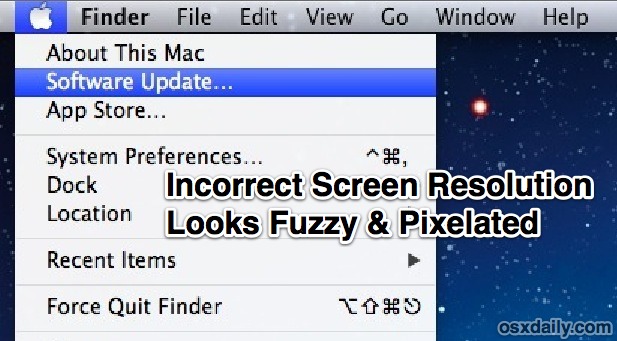
Incorrect screen resolution looks fuzzy

If you think a Mac display looks fuzzy or blurry there are a few common solutions to check into before assuming the screen itself has a problem. Likewise, if your screen text just doesn’t look right it may be due to a few settings within Mac OS X. With that in mind here are a … Read More

Change Font Smoothing Settings in Mac OS X

Feb 18, 2010 - 6 Comments
Font Smoothing example in MacOS

Mac OS X simplified the font smoothing settings (anti-aliasing) for Mac OS and all apps running within it, but for some the change is unwelcome. If you feel like your screen looks different, or that fonts look a little unusual and text looks different too, it probably does, and the change can be very profound … Read More

Subscribe to OSXDaily

Subscribe to RSS Subscribe to Twitter Feed Follow on Facebook Subscribe to eMail Updates

Tips & Tricks

News

iPhone / iPad

Mac

Troubleshooting

Shop on Amazon to help support this site