iPad

Search iPad

Show Live Traffic in Google Maps on iPhone & iPad

Aug 28, 2012 - 11 Comments
Show Traffic on Maps for iPhone

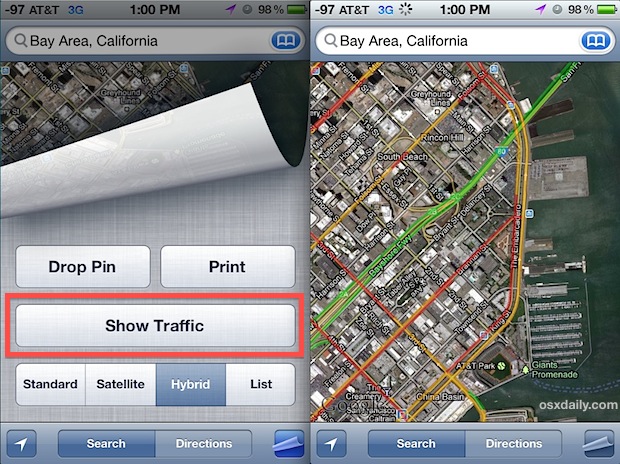
The next time you’re using Maps on an iPhone or iPad to get directions to get from point A to point B, do yourself a huge favor and use the Live Traffic feature to help plan your route. From the Maps app here is see live traffic in any area: Tap the page curl icon … Read More

iPad Mini Release Date Set for October

Aug 25, 2012 - 15 Comments
iPad mini mockup

Though Apple plans to launch the next iPhone on September 12, the smaller 7.85″ iPad “mini” will be released later at an event in October, according to a new report from AllThingsD. Only after the next-generation iPhone is out the door and on sale will Apple announce the smaller iPad it’s been working on. That … Read More

How to Disable & Clear Auto-Fill in iOS

Aug 24, 2012 - 2 Comments
Clear and disable AutoFill in iOS

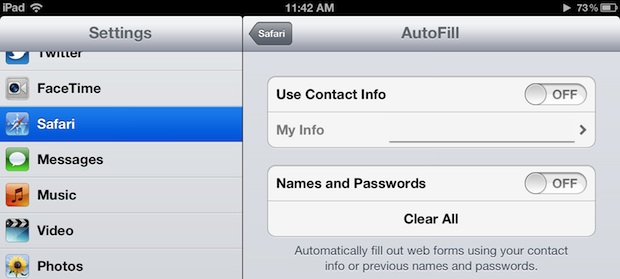
Auto-fill is one of the more useful features in iOS since it prevents you from having to use the slow touch keyboard to re-enter logins and passwords and contact information like email addresses or phone numbers. The obvious problem with auto-fill though comes with shared iPads (or iPods/iPhones), where multiple people may be using the … Read More

Test & Compare Mobile Broadband Speeds on iPhone & Android with Speed Test

Aug 18, 2012 - 6 Comments
Test iPhone Mobile Broadband Speed

Ever wondered just how fast a 3G, 4G LTE, or Edge network is on your iPhone or Android? Using a free app called Speed Test you can easily test and compare the mobile broadband speed of your smartphone (or cell equipped iPad) with others, whether they’re on AT&T, Sprint, Verizon, T-Mobile, or any other network. … Read More

How to Trim Video on iPhone & iPad Quickly

Aug 17, 2012 - 7 Comments
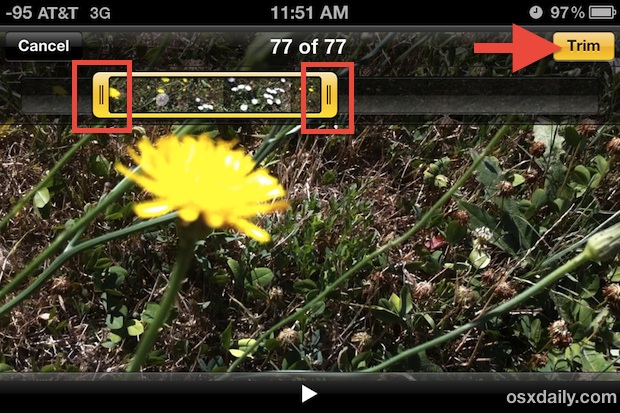
Trim Video right on the iPhone

Recording video is one of the great features of the iPhone and iPad, but before you send that movie out to a friend, copy it to a computer, or upload to YouTube, you can make some quick edits right in iOS to clip the video. This is helpful if you want to shorten the video … Read More

A Stupid Trick to Quickly Remove All Photos from Camera Roll on iPhone with Preview

Aug 16, 2012 - 22 Comments
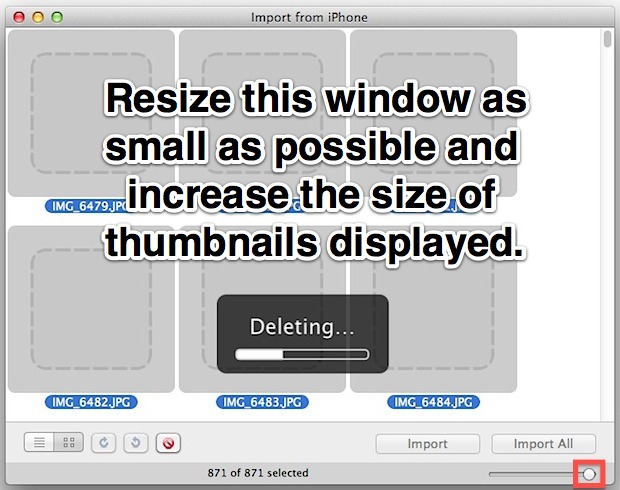
Mac users can remove Camera Roll Photos from iPhone quicker with Preview

Removing all photos from the Camera Roll on an iPhone can be notoriously slow, particularly for Mac users with large picture libraries. Deleting all images from an iOS device with Image Capture can literally take hours, and deleting more than one photo directly on an iPhone itself is time consuming and a very hands-on process … Read More

Update To-Do Lists & Reminders on the Mac OS X Desktop from an iPhone

Aug 16, 2012 - 5 Comments
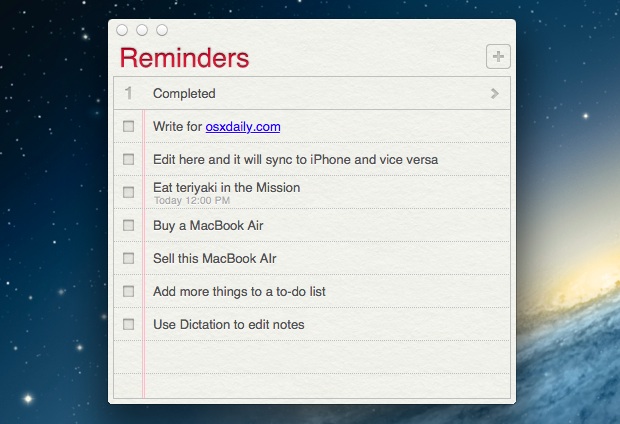
Auto-updating Reminders To Do list on the Mac desktop, thanks to iCloud

The new OS X Reminders app is iCloud enabled, and much like the Notes app, it lets you pin a list to the desktop. These two features combine to bring a synced and automatically updating To-Do list right to the Mac desktop, meaning if you change or complete a task while on the go from … Read More

How to Show More Emails on iPhone Mail Screen at Once

Aug 15, 2012 - 4 Comments
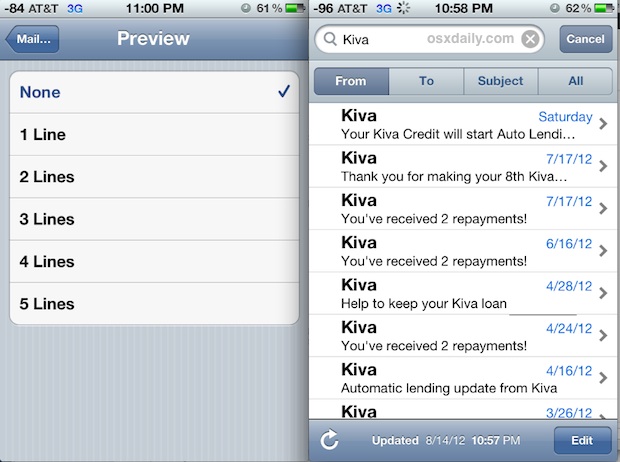
How to Show More eMails on iPhone Screen

Want to see more emails on the iPhone or iPad screen at the same time, without having to scroll around? You can accomplish this in a few ways. It turns out side effect of changing the Mail preview size can lead to many more emails being shown on screen without having to scroll. This is … Read More

Teach iPhone AutoCorrect New Words By Repetition

Aug 15, 2012 - 10 Comments
How to Teach iPhone Autocorrect New Words

If you’re annoyed the iPhone autocorrect dictionary still doesn’t know a word you use constantly, or you are constantly suggested the wrong word (what the duck?), you can easily teach iOS autocorrect new words by repeating them a few times in an app like Notes. The process is fairly simple, and it works universally for … Read More

Transfer HD Video from iPhone or iPad to Your Computer

Aug 14, 2012 - 29 Comments
Transfer Video from iOS to a Computer

Did you record a great video on your iPhone or iPad and now you want the full quality version on a computer? If you’ve ever used the iOS built-in sharing tools to send a movie from an iPhone or iPad, you’ll undoubtedly have noticed the quality gets reduced from the high quality HD 4k, 720p, … Read More

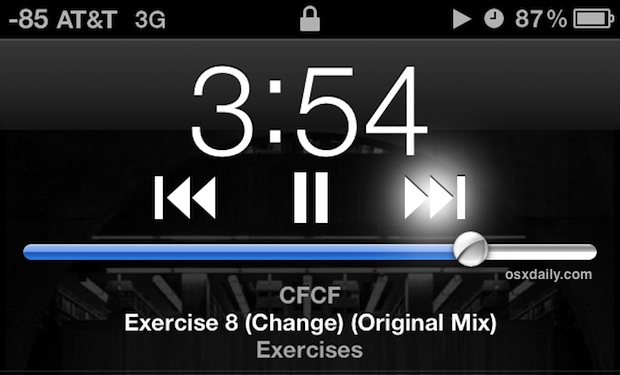
Fast-Forward, Rewind, and Scrub Songs in the iPhone Music Player

Aug 13, 2012 - 6 Comments
Fast forward or rewind music right from the lock screen in iOS

Any song playing from the iOS Music app can be fast-forwarded, rewound, or scrubbed easily, and in the case of rewinding or fast forwarding, you can do both right from the lock screen of an iPhone, iPad, or iPod touch too. Fast-Forward in a Song From the Music app or the lock screen Music player: … Read More

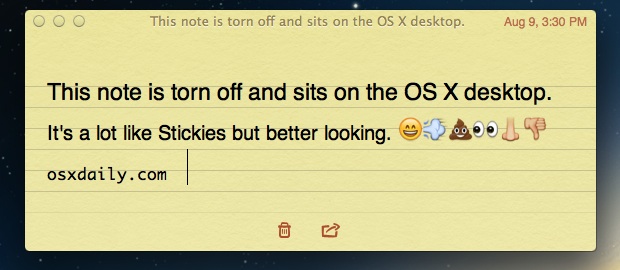
Pin an iCloud-Enabled Note to the Mac Desktop from Notes App

Aug 13, 2012 - 13 Comments
A note floating on the Mac OS X desktop

The new Notes app in Mac OS lets you tear off notes and to float over the Mac OS X desktop. You can think of this as the Stickies app on steroids, and not only does it look better, but you can share directly from the Note. Best of all, if you have iCloud set … Read More

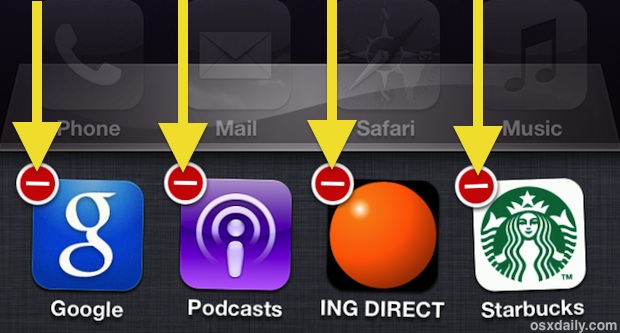
Quit Multiple Apps At Once on iPhone & iPad Using Multitouch in iOS 6

Aug 11, 2012 - 9 Comments
Quit Multiple Apps at Once in iOS with Multitouch

Did you know you can quit multiple running apps at the same time on an iPhone, iPad, or iPod touch? Thanks to multitouch support, you can actually quit as many apps as you can get your fingers on (literally). Here’s what to do on any iOS device running versions 6 or prior:

Run an Apple II Simulator on the iPad and iPhone with XScreenSaver

Aug 10, 2012 - 2 Comments
Apple 2 Simulator on iPad

iOS users who long for 1979, it’s time to rejoice. Just like you can run an Apple II simulator in Mac OS X, you can now run that same piece of computing history right on your iPad, iPod touch, or iPhone. It’s all part of the free XScreenSaver package for iOS, which includes a huge … Read More

How to Use a 24 Hour Clock on iPhone & iPad

Aug 8, 2012 - 6 Comments
Show the Military Time as 24 Hour Clock in iOS

The iPhone and iPad default to use a 12 hour clock in the USA and Canada, but you can easily switch to 24 hour time (often called Military time) through a quick settings adjustment in iOS. The 24 hour clock can be desirable for many users, and even outside of military time it’s used widely … Read More

Get Crash Reports & Logs From iPhone or iPad Without Xcode

Aug 7, 2012 - 4 Comments
iOS Crash Log

Whether you’re troubleshooting app crashes, beta testing an app, or you just want to help an iOS developer out after you’ve discovered a particular bug, you can retrieve crash reports from any app on an iPhone, iPad, or iPod touch device once it has been synced to a computer. Finding crash report data for iOS … Read More

iOS 6 Beta 4 Available for Developers to Download

Aug 6, 2012 - 1 Comment
iOS 6 beta 4

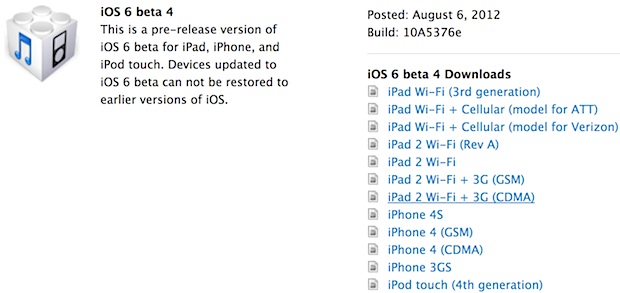
iOS 6 beta 4 has been released for developers, the update comes as build 10A5376e and is available for all iOS 6 compatible hardware. Registered developers can download the beta update through Over The Air, or login to the Apple Dev Center and get the IPSW directly from there. Alongside the fourth beta of iOS … Read More

Create a Shortcut for Typing eMail Address Quickly in iOS

Aug 4, 2012 - 14 Comments
iOS Text Expansion tip

One of the most frustrating things to type on the iPhone, iPad, and iPod touch keyboards is an email address. Typing out a name, then tapping the “.?123” button to access special characters for the @ sign and numbers, then tapping it again to type more letters, than tapping it yet again to type a … Read More

Subscribe to OSXDaily

Subscribe to RSS Subscribe to Twitter Feed Follow on Facebook Subscribe to eMail Updates

Tips & Tricks

News

iPhone / iPad

Mac

Troubleshooting

Shop on Amazon to help support this site