iPadOS

Search iPadOS

How to Reopen Closed Tabs in Safari for iPhone

Sep 2, 2016 - 18 Comments

Safari

Have you ever been looking at a web page or reading something in Safari on your iPhone and then accidentally closed it? Or maybe you closed the tab and then realized you weren’t quite finished with it, or you’d like to get that closed tab back for some other reason? You can easily re-open closed … Read More


Email Stuck in Outbox on iPhone or iPad? How to Fix Unsent Mail in iOS

Aug 14, 2016 - 170 Comments
Fix Stuck Email in Outbox of iPhone or iPad

Have you ever gone to send an email in iOS only to have the message get stuck in the Mail app outbox of iPhone, iPad, or iPod touch? You’ll know when this happens because at the bottom of the Mail app in iOS, the status bar shows “1 Unsent Message” in iOS, or perhaps even … Read More

How to Hide Photos on iPhone & iPad with the Hidden Album

Oct 29, 2014 - 41 Comments
Hide photos in iOS

Want to hide some photos on iPhone and iPad? Everyone likely has a few photos sitting on their iPhone they’d rather nobody else see, whether it’s embarrassing selfies, poorly filtered or edited pics, a picture of a receipt or personal paperwork, or anything else in the realm of private photos. Those pictures can make showing … Read More

A Very Dumb Yet Amusing iMessage Prank: Infinite Typing Indicator GIF

Dec 4, 2013 - 40 Comments
iMessage sending animated gif

Now that the iMessage protocol supports animated gifs, you can play an incredibly stupid prank on your friends by sending them this amusing animated image of the infamous “typing” animation that plays when the person on the other end of an iMessage conversation is in the midst of a reply. All you need to do … Read More

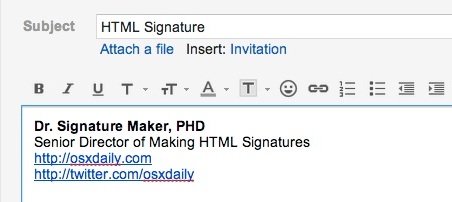
Create & Use Rich HTML eMail Signatures on iPhone and iPad

Jul 11, 2013 - 5 Comments
Make an HTML Signature with GMail

Tired of the “Sent from my iPhone / iPad” default signature of Mail app in iOS, and want to replace it with something fancier, like a fully functional HTML signature with clickable URLs and some rich styling? There are a variety of ways to accomplish this, but by far the fastest way to get an … Read More

How to Turn Off Read Receipts in iMessage for iPhone & iPad

May 5, 2013 - Leave a Comment
Disable read receipts in Messages for iOS

Read Receipts allow others to be notified when you have read their messages on an iPhone, iPad, or iPod touch. From the user perspective it displays as a tiny “Read” indicator below a sent message if the recipient has seen the message. There is some obvious benefit to that, but it can also be a … Read More

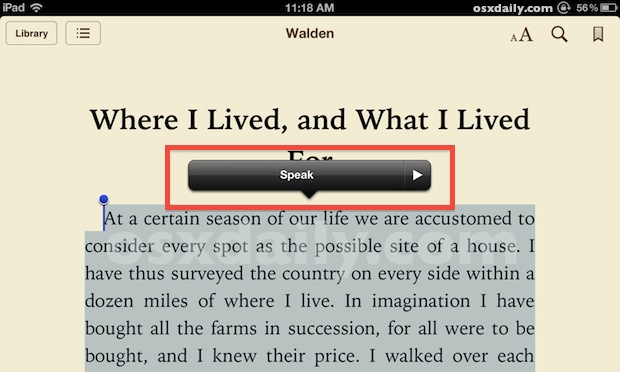
How to Enable and Use Text to Speech on iPhone & iPad

May 30, 2012 - 31 Comments
Text to Speech in iOS

The newer versions of iOS include a fantastic text to speech engine that lets you select any text and have it spoken to you. This basically means you can have an iPhone, iPad, or iPod touch read you the content of any web page, notes, text files, or even eBooks and iBooks. Before you can … Read More

IPSW File Location for Mac and Windows

Dec 8, 2010 - 12 Comments

Anytime you update your iPhone, iPod touch, or iPad, via a Mac or PC and using Finder or iTunes, you will get a new IPSW file that is downloaded to an iOS or iPadOS updates folder. Knowing where these IPSW firmware files are located can be helpful when troubleshooting, and when accessing an IPSW for … Read More

How to Use IPSW files

Nov 23, 2010 - 102 Comments
IPSW file

IPSW stands rather simply for iOS Software, and IPSW files are basically just individual firmware downloads for specific iOS devices. These files can be used to update iOS devices manually with the help of iTunes or Finder. If you’ve recently downloaded an iOS IPSW file, you might be curious how to use it to update … Read More

Subscribe to OSXDaily

Subscribe to RSS Subscribe to Twitter Feed Follow on Facebook Subscribe to eMail Updates

Tips & Tricks

News

iPhone / iPad

Mac

Troubleshooting

Shop on Amazon to help support this site