Turn iOS Maps into a Virtual Globe by Zooming Out
Have you ever wanted a globe in the palm of your hands? Well thanks to your iPhone or iPad you can have a little virtual world and digital globe, right in your hand!
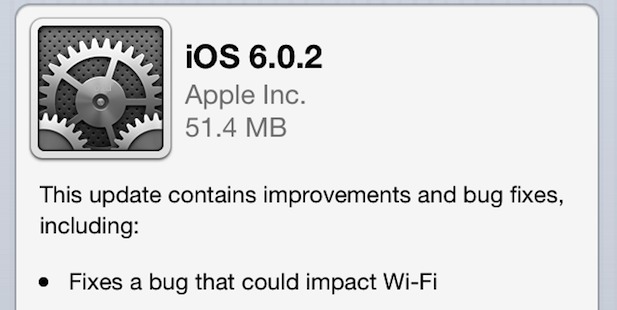
The third beta of iOS 6.1 has been released to developers, edging closer to a wider public release for the minor software update. iOS 6.1 beta 3 arrives as build 10B5117b and is available as an OTA update to anyone currently running iOS 6.1 beta 2. IPSW for beta 3 will also be available for … Read More
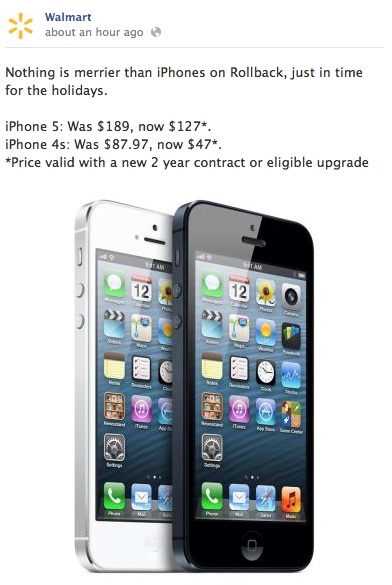
Unlocked iPhone 5 models can now be purchased directly from Apple at the full unsubsidized prices. The unlocked iPhones will work with any supported GSM network, such as AT&T or T-Mobile in the USA, and can be used abroad on compatible GSM networks with a nano-SIM card from local carriers. The factory unlocked models are … Read More
Panorama Mode on the iPhone is easily one of the better features of the devices camera, and it makes taking incredible panoramic images easier than ever. The panorama camera defaults to taking pictures from left to right, but there are times where you’ll want to take a picture from right to left instead, and doing … Read More
iTunes 11 has been released by Apple, offering a fairly significant update to the music player and iOS device syncing app. A variety of new features have been added, the user interface has been redesigned and modernized, a new mini-player has been included, and there’s even a redesigned icon to go with it. This is … Read More
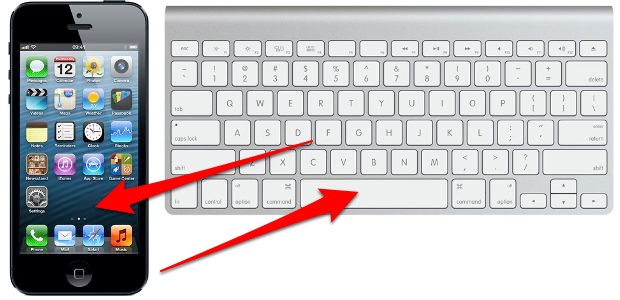
The iPhone gained a handy feature that is now standard in iOS which allows you to quickly respond to an incoming phone call with a preset text message. This is a perfect solution if you’re busy in a meeting, classroom, driving, or in any other situation where you can’t take a phone call, but the … Read More
Air Display is a great iOS app that turns an iPad into an external display for just about any Mac or Windows PC. It’s been around a while, but now there’s a new free version available that lets you try out a full featured ad-supported version before buying the regular version, offering an excellent way … Read More
Don’t want to unlock your iPhone and launch the Calculator app? Bummed that iPad doesn’t even have a default Calculator? No big deal, because Siri can function as a regular old calculator, and it has the obvious added bonus of being handsfree. To have Siri calculate equations for you, just feed Siri numbers and thanks … Read More
Surely everyone with an iOS device knows that Maps can be zoomed out by using a two-finger pinch gesture, and zoomed in by using a two-finger spread gesture, and repeating either gesture will continue to zoom the screen in or out as desired. While the gestures are pretty quick, you can zoom in or out … Read More
AT&T appears to be rolling out FaceTime over cellular connections to more iPhone users on their network. MacRumors was first to discover the quiet change in AT&T policy, and the potentially eligible devices include iPhone 5, iPhone 4S, iPad 3, and iPad 4, with at least a 3G HSPA+ (AT&T’s so-called 4G) connection. Typically, FaceTime … Read More
Apple has started running two new commercials for iPhone 5, titled “Orchestra” and “Turkey”, both have been embedded below. “Orchestra” focuses on the noise canceling microphone located at the rear of the iPhone 5, and uses an orchestra playing the background music to demonstrate the effect. The narration by Jeff Daniels says the following: Excuse … Read More
You’ve plugged an iPhone into a computer, and nothing happens. You look in iTunes, and the iPhone, iPod, or iPad isn’t there. Great, now what? What in the heck is going on? Don’t worry, there are usually a few simple solutions that will resolve the problem and et your computer to detect the iPhone or … Read More
The iOS Spotlight Search feature defaults to showing Contacts from a devices address book as the top search results, which may be helpful, but that same feature already exists when searching through Contacts anyway. What if you want to show matching apps first instead? Or maybe you want to list emails or messages as the … Read More
Breaking out the Calculator app can be too time consuming, and while there’s no shortage of tip calculator apps for the iPhone, why download another app if you don’t need to? The next time you’re at a restaurant and want to quickly calculate an appropriate tip according to the bill, all you have to do … Read More
iMessage is an undeniably great service for free messaging between iPhones, iOS, and Mac OS X, but it’s not flawless, and sometimes an iMessage will fail to send if you’re on a low cellular signal or have insufficient bandwidth. Additionally, there are times when trying to send a message through iMessage is slower than sending … Read More
The iOS Maps app has received a fair amount of flack, some of which is completely overblown and some is completely legitimate. One of my personal peeves with iOS Maps is the apparent lack of location data shown on screen when looking at a region, which can appear remarkably sparse when compared to the equivalent … Read More
If you want to turn off Javascript support in Safari for iOS, all you have to do is flip a Setting on your device. Disabling Javascript may be desirable for a variety of reasons, whether it’s to reduce crashes with certain error prone webpages or to stop some obnoxious ads, and it’s also a decent … Read More
Most of us geekier folks instantly know if our iPhones are CDMA or GSM models, but not everyone pays as much attention to the largely insignificant technical details of their phones. Not to worry, it’s extremely easy to find out if an iPhone is GSM or CDMA, all you need to do is look at … Read More