Mac OS X

Search Mac OS X

Use Quick Look within Expose to see full sized window previews

Sep 1, 2010 - 2 Comments
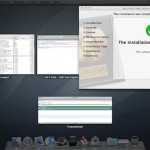
Did you know that you can use Quick Look to zoom in on items within Expose? This is an awesome trick sent in by one of our readers: “While in Exposé in Snow Leopard, press the space bar while mousing over a window. You’ll get an actual-size preview of the window. You can read all … Read More

Set IP Address from the Mac Command Line

Sep 1, 2010 - 23 Comments

The quickest way to set your IP address from the command line is to use the versatile and powerful ipconfig utility, which is bundled directly with Mac OS X. We’ll show you how to set an IP address with ipconfig by retrieving one from a DHCP server, and also demonstrate how to set a specific … Read More

Check the PATH of your Mac with echo $PATH

Aug 31, 2010 - 1 Comment

Anytime that you run a command through the Terminal directly by a command name like ls or dscacheutil, your Mac is looking through a series of directories for that command to exist. This list of directories is called the PATH, and it’s a carry over from the unix underpinnings of Mac OS X. As you … Read More

Change the Expose Highlight Glow Color on Mac

Aug 30, 2010 - 6 Comments

Expose is one of the most useful features of Mac OS X and it looks great too. Well, except for the window glow color, which a lot of people aren’t particularly thrilled with. You can replace the bright neon blue hover glow with any other color simply by editing and replacing some PNG files.

How to Set Photo Booth to Flip Images on Mac

Aug 27, 2010 - 6 Comments

Photo Booth on the Mac defaults to flipping your images horizontally, this happens automatically without any user input and without it being noticed, it’s just how the camera within Photo Booth displays pictures, making it function more like a mirror rather than a traditional camera. If you don’t images to flip like that, you can … Read More

Download Audio Tracks from Web Video Easily with Evom for Mac

Aug 26, 2010 - 8 Comments

Evom is a great free Mac app that converts video to audio tracks and lets you easily download the audio of flash movies from the web to your Mac. The interface is nice and simple, you can just drag a URL or file into the app and the video will download and convert for you, … Read More

Show Line Numbers in TextWrangler

Aug 26, 2010 - 2 Comments

Line numbers are so useful to have in a good text editor that I’m surprised they aren’t enabled by default in TextWrangler. Regardless, they’re easy to display so here are two different ways to show line numbers in a text file. The first is through the View menu: In TextWrangler, open the View Menu Navigate … Read More

The most elegant way to identify & analyze disk space usage in Mac OS X

Aug 25, 2010 - 9 Comments

DaisyDisk is a beautiful application that gives you an excellent breakdown of disk space usage on your Mac’s hard drives. Using DaisyDisk is about as easy as it gets, you select the drive you want to scan, let it run, and wait a minute or two until a great looking interactive graphic is presented to … Read More

Mac OS X Security Update released for download

Aug 24, 2010 - 1 Comment

Fire up Software Update, Apple has released a security update for Mac OS X. Several potential exploits are patched in the update, one of them looks similar to the PDF exploit that was used for the web based easy iPhone jailbreak that was patched with iOS 4.0.2. Who knew that Mac OS X and iOS … Read More

iMac Touch runs both Mac OS X and iOS

Aug 23, 2010 - 14 Comments

Apple looks like they’ll be jumping full force into the touch screen market sometime in the future. An uncovered patent application shows an iMac Touch that runs both Mac OS X and iOS, which seamlessly switches between the two operating systems depending on how the screen is orientated. In this image, the iMac screen is … Read More

Git GUI for Mac: Gitbox

Aug 23, 2010 - 1 Comment

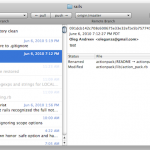
Gitbox is a pretty nice GUI to the Git version control system. All the features you’d expect are there: quickly see branches, history, working directory status, then easily commit, pull, merge, and push files with minimal effort. I first used Gitbox as a Preview version a while ago and enjoyed it, you’ll need both Xcode … Read More

Mac Theme for Windows 7

Aug 22, 2010 - 162 Comments

If you’re using a Windows 7 machine, why not make it look like Mac OS X? This task is made very easy with a theme/skin set called the Snow Transformation Pack, it turns your Windows 7 theme into a very convincing near complete Mac OS X interface including icons, wallpapers, the Dock, sounds, dialogue boxes, … Read More

Install Watch Command on Mac OS X

Aug 22, 2010 - 17 Comments

If there was one command I would really complain about not being on Mac OS X, it would be “watch”. Watch is one of those great pieces of software that is tiny and completely out of the way, but when needed it will be a life saver. We’re going to show you three different ways … Read More

Simple Stopwatch & Timer for Mac OS X Menu Bar: Thyme

Aug 19, 2010 - 7 Comments

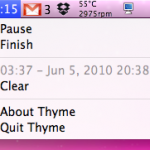
If you’re looking for a simple stopwatch menubar timer for Mac OS X, look no further than a little utility called Thyme. No, not the herb, Thyme is a very simple Mac app that sits in your menubar and allows you to quickly start and stop a timer. Wondering how long it takes you to … Read More

Launch Mac VNC Screen Sharing Client from Safari or Finder

Aug 18, 2010 - 3 Comments

Did you know that that Mac OS X includes a bundled VNC app? It’s called Screen Sharing, and you can quickly launch the bundled VNC client from either the OS X Finder, Safari by typing an address into the URL bar, or directly from the app itself.

Download Snow Leopard Graphics Update

Aug 17, 2010 - 5 Comments

Apple has released a Graphics Update for Snow Leopard, and this is particularly good news to Mac gamers. Remember those pesky Starcraft 2 crashes I wrote about two weeks ago? This update specifically addresses some of the problems with Starcraft 2 for Mac as well as other issues with Team Fortress 2, Portal, and Aperture … Read More

Drag or Paste Link in Safari Downloads Window to Download on Mac Immediately

Aug 17, 2010 - 2 Comments

Did you know you can download a file instead of opening it in Safari on the Mac, simply by dragging a link to the Downloads window of Safari? And did you know you can also start a download in Safari on Mac by pasting a copied download URL into the Safari downloads window? This combo … Read More

Change the Screen Shot File Format in Mac OS X

Aug 16, 2010 - 19 Comments
Change the screenshot file format in Mac OS X

All versions of Mac OS X default to saving captured screen shot files to PNG format, but if you’d rather have screenshots save as another file type, it’s actually quite easy to modify the file format and change the default to something new. Whether the desired format output is JPG, TIFF, PDF, GIF, or back … Read More

Subscribe to OSXDaily

Subscribe to RSS Subscribe to Twitter Feed Follow on Facebook Subscribe to eMail Updates

Tips & Tricks

News

iPhone / iPad

Mac

Troubleshooting

Shop on Amazon to help support this site