Mac OS X

Search Mac OS X

Compare Two Files with FileMerge in Mac OS X

Mar 4, 2010 - 11 Comments
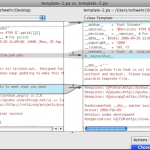
FileMerge lets you select any two files and it will compare the two, pointing out any differences between the files. If you’re a developer you already know why this is wildly useful, as it makes tracking down major and minor code changes remarkably easy. Apparently FileMerge is a survivor from the days of NeXTStep, and … Read More

Mac OS X market share up 29% last year, now 10.9% of web consumption

Mar 2, 2010 - 1 Comment

Apple’s Mac OS X operating system is continuing to grow in popularity, with a recent survey showing that Apple’s Mac OS X now accounts for nearly 11% of web usage, vs 86.8% with Windows and 1.3% for mobile based browsers. What’s even more interesting though is that Apple’s share has grown 29.4% over the past … Read More

Minimize App Windows Into Dock Icons with a defaults String in OS X

Mar 2, 2010 - 8 Comments

If you’re tired of having your Mac Dock full of thumbnailed versions of minimized windows, you can change the Dock’s minimize behavior with a simple Terminal command that will minimize windows into the parent applications Dock icon. You can then tell which windows are minimized by looking for the diamond next to the window name … Read More

Use the Tab Key to Switch Between Dialog Buttons in Mac OS X

Feb 26, 2010 - 28 Comments

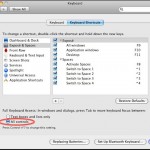
Would you prefer to use the keyboard to speed up navigation around your Mac? That’s what the Full Keyboard Access setting allows for. Using a Keyboard option, you can have the Tab Key able to switch between dialog buttons, fields, screen items, controls, and anything else in a dialog box within Mac OS X. This … Read More

Get Hulu content on your iPhone / iPod Touch by using screen recording

Feb 26, 2010 - 3 Comments

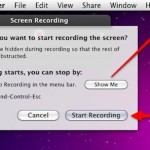
While everyone continues to wait for an official Hulu app for the iPhone/iPod Touch/iPad/whatever, you can beat them to the punch and get Hulu content on your iPhone now for free, using Snow Leopard! This is a pretty crafty approach and it requires several things: * Mac OS X 10.6 Snow Leopard installed * Latest … Read More

Free MacWorld 2011 Expo Pass

Feb 25, 2010 - Leave a Comment

Want to go to MacWorld Expo 2011 for free? Me too! The expo is from January 27th to the 29th of 2011 in San Francisco, California. You can sign up online for a free expo pass to the MacWorld exhibit until March 8th of this year, so if you think you can make it, register … Read More

Time Machine Backup Delayed? Here’s Why & How to Fix on Mac

Feb 25, 2010 - 2 Comments
Time Machine in Mac OS X

If you haven’t backed up with Time Machine in a while, the latest backup status will change to ‘Delayed’ and the menubar icon will have an exclamation mark in it reminding you to backup soon. There can be a variety of reasons the backups become delayed, and if you’re curious why this happens we’ll go … Read More

Force Preview to Open an Image File on Mac

Feb 24, 2010 - 1 Comment

Preview is one of my favorite Mac apps, but recently Preview.app was refusing to open some image files for what seemed like no reason. I wasn’t even able to drag the image file onto the Preview icon to open it, which is usually something that works if the Open menu doesn’t. I know the images … Read More

Find a Fast DNS Server with NameBench

Feb 23, 2010 - 26 Comments

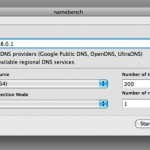
There’s no shortage of DNS Server options out there, with Google DNS, OpenDNS, your own ISP’s, and the gazillion of others available to use. The question remains though, which of these DNS servers is going to be fastest for you? And how do you know which is fastest? That’s where NameBench comes in. NameBench is … Read More

Reset a Lost Password in Mac OS X with a Boot Disk

Feb 21, 2010 - 21 Comments

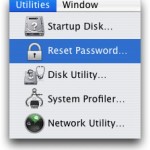
If you have forgotten or lost your password in Mac OS X, you can reset a password by booting from a Mac OS X install disk. This works with any version of Mac OS X where you have a Mac OS X Installer CD or DVD.

Disable Dock Bouncing in Mac OS X

Feb 19, 2010 - 8 Comments

The bouncing Dock icons are a nice GUI feature that let you know an app is launching on the Mac, but for some people those little bouncing icons are just really annoying. Additionally, Dock icons will bounce to notify you that an alert is active in the app, or the app needs your attention. If … Read More

Change Font Smoothing Settings in Mac OS X

Feb 18, 2010 - 6 Comments
Font Smoothing example in MacOS

Mac OS X simplified the font smoothing settings (anti-aliasing) for Mac OS and all apps running within it, but for some the change is unwelcome. If you feel like your screen looks different, or that fonts look a little unusual and text looks different too, it probably does, and the change can be very profound … Read More

Track Down All Startup & Login Script and App Launches in Mac OS X

Feb 17, 2010 - 7 Comments
Finder icon on the Mac

Want to find out how to see all startup and login app launches and scripts on a Mac? This article will walk through that process. Gone are the days of Mac OS System 9 where all startup items were sitting nicely in a system folder labeled ‘Startup’, now with the Unix undercore of Mac OS … Read More

How to Move a Home Directory to Another Location on a Mac

Feb 16, 2010 - 10 Comments
Finder

Changing the location of your home directory is pretty easy in Mac OS X, and it can be desired for a variety of situations to store a home folder elsewhere on a Mac, or even on another drive. This is valid and works the same in all versions of OS X.

Disable the Crash Reporter Dialog in Mac OS X

Feb 15, 2010 - 2 Comments

If you’re a developer (or anyone else) you may quickly get fed up with the Crash Reporter Dialogue box that pops up when an app melts down and crashes in Mac OS X. If you’re pestered by the crash reporter dialog window, then you can quickly turn the window on and off with a defaults … Read More

How to Quit the Finder

Feb 12, 2010 - 36 Comments

At its core, the file and folder explorer of OS X known as Finder is essentially an application like any other on the Mac. Accordingly, users can quit the Mac OS X Finder in a few different ways which we’ll cover here, but perhaps the fastest way is to just launch the Terminal app and … Read More

How to Disable Access to System Preferences on Mac

Feb 11, 2010 - 9 Comments
System Preferences in Mac OS X

In some situations, you may wish to disable access to the System Preferences on a Mac. Often this is for lab environments or public use workstations, or perhaps for locking down a particular workstation for various reasons. While a common approach is to create a new user account that has limited access to system features … Read More

Change the Delay When Dragging Windows Within Spaces on Mac

Feb 10, 2010 - 8 Comments

Spaces is a really nice feature of Mac OS X that lets you place different windows and applications within their own workspace. Dragging a window to a new Space is just a matter of holding onto the window and pulling it towards the end of the screen. You may have noticed that there’s a delay … Read More

Subscribe to OSXDaily

Subscribe to RSS Subscribe to Twitter Feed Follow on Facebook Subscribe to eMail Updates

Tips & Tricks

News

iPhone / iPad

Mac

Troubleshooting

Shop on Amazon to help support this site