Mac OS X

Search Mac OS X

Mac Error 10810

Feb 9, 2010 - 30 Comments
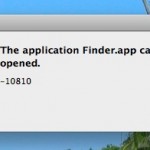
The application Finder.app can’t be opened. -10810 I ran into the unpleasant 10810 error code recently and couldn’t find any workaround without a reboot. From what I’ve gathered by searching around on the web, Error 10810 occurs when the Launch Services framework has some sort of meltdown, causing the Mac OS X Kernel to run … Read More


Go Back to the Previous Directory via Command Line

Feb 9, 2010 - 5 Comments

It’s easy to accidentally change directories to something you weren’t intending to (say, accidentally hitting cd and returning home, thus losing your place in a complicated directory structure seep in the file system somewhere), but thankfully there’s a command that will immediately take you back to the previous directory, regardless of what it was. The … Read More

Lock the Dock in Mac OS X

Feb 8, 2010 - 11 Comments

If you need to prevent the Dock icons from changing or being modified on a Mac, you can use defaults command strings to lock down the OS X Dock and prevent any adjustments or changes to how it appears on screen.

Ghostbusters Scenes Recreated with Mac OS X Genie Effect

Feb 7, 2010 - Leave a Comment

If you’re a Ghostbusters fan you’ll get a kick out of this creative use of the Genie minimization effect in Mac OS X, which was used to re-create scenes from the movie.

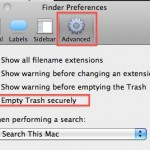
How to Always Secure Empty Trash

Feb 7, 2010 - 11 Comments

You can set Mac OS X to always securely empty the Trash and add a significant layer of security when removing files from the Mac. This is done just by adjusting a preference setting within the Finder, and it’s very easy to configure, here’s what you will want to do to use this option:

How to Prevent .DS_Store File Creation

Feb 3, 2010 - 15 Comments

.DS_Store files store folder level metadata information (such as icon placement and background pictures) for Mac OS X to understand, this is fine and dandy and you’re likely to never even notice if you’re a bunch of Macs working together. Unfortunately, these .DS_Store files can be really pesky in a multi-platform network environment, they can … Read More

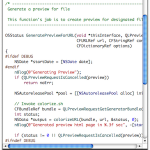
Enable Syntax Highlighting of Source Code in Quick Look for OS X

Feb 2, 2010 - 3 Comments

I use the OS X Quick Look feature constantly for everything from quickly viewing pictures, movies, text files, and of course, source code. Source can be a pain to view in QuickLook because there’s no syntax highlighting by default though, but this excellent Mac plugin changes that.

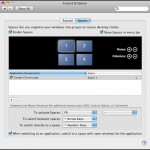
Virtual Desktops in Mac OS X

Feb 1, 2010 - 10 Comments

A colleague of mine is a recent Mac switcher and he was complaining to me that virtual desktops are not included in Mac OS X, the irony is that they are, they just have the name Spaces (coming from a heavy Linux background, I guess the naming convention just threw him off). Virtual Desktops are … Read More

Type the Square Root Symbol in Mac OS X

Jan 30, 2010 - 4 Comments

Typing the square root symbol in Mac OS X is just a matter of hitting ALT+V √ – ALT+V Note that these are Qwerty English specific instructions, other keyboard layouts and languages will likely vary.

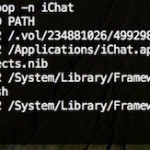
Track an Applications Usage in Mac OS X with opensnoop

Jan 27, 2010 - 4 Comments

Using the command line tool ‘opensnoop’ you can track any Mac applications (or system process) usage of the file system. This is a very handy tool for administrators and troubleshooting! The simplest way to use it is as follows:

How to Set a Manual IP Address in Mac OS X

Jan 26, 2010 - 11 Comments

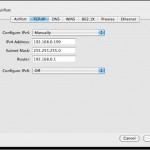
There are times when a user will need to to manually set an IP address in Mac OS X to one which will be compatible with a joined network, either wi-fi or ethernet. Here will cover how to change a Mac IP address to a manual setting, and also how to pick an IP address … Read More

Convert Images in Mac OS X: JPG to GIF, PSD to JPG, GIF to JPG, BMP to JPG, PNG to PDF, and more

Jan 24, 2010 - 42 Comments

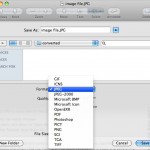
You can convert many different image file formats in Mac OS X for free using the included Preview application, there’s no need to download additional tools or do anything overly complex. As of any somewhat modern version of Mac OS X, the Mac Preview app supports the following file types and will convert between any … Read More

How Long Has My Mac Been On?

Jan 21, 2010 - 12 Comments
Terminal in macOS

If you’re ever wondering how long your Mac has been turned on and running for, you can discover exactly how long the computer has been on since last boot with two different methods available in OS X. Let’s learn a bit more about discovering how long a Mac has been left turned on for, and … Read More

How to Delete Pages in a PDF Document with Preview on Mac OS X

Jan 20, 2010 - 6 Comments

You can delete specific pages from a PDF file with the built-in Mac Preview app, available in all versions of OS X. This is really useful for paring down large PDF documents if you only need a few select pages, and learning how to delete specific pages from PDF files is bound to make any … Read More

Create a New Floating Stickies Note from Anywhere in Mac OS X with Shift+Command+Y

Jan 18, 2010 - 9 Comments

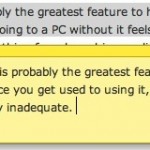
You may already know that you can use a keystroke to make a Stickies Note from Safari app in Mac OS X, but did you know that same keystroke works in many more apps on the Mac? Yes, it turns out you can instantly create a Stickies note from almost anywhere and any application in … Read More

Convert PNG to JPG or Convert JPG to PNG

Jan 12, 2010 - 20 Comments

Converting a PNG file to JPG, or converting JPEG to PNG, is really easy in Mac OS X. You can use the built-in Preview utility to perform the file format change quickly, and Preview is a great choice since it’s bundled with all versions of MacOS and Mac OS X, meaning it does not matter … Read More

Track the Touch Input of your Mac Multitouch Trackpad

Jan 8, 2010 - 2 Comments

If you’ve ever wondered what your Mac Multitouch Trackpad is doing, download this fun little application. It tracks multitouch input and shows you just how sensitive the multitouch surface really is, detecting up to 11 input points, and also knowing the surface area.

Instantly Create a New Stickies Note from Safari with a Keystroke in Mac OS X

Jan 7, 2010 - Leave a Comment

Want a block of text to float over your Mac desktop so that you can reference it easily? That’s a perfect usage for the Stickies app in OS X, and using a little known trick you can instantly create a new Stickies note from within Safari. The secret to this trick is quite simple: you’ll … Read More

Subscribe to OSXDaily

Subscribe to RSS Subscribe to Twitter Feed Follow on Facebook Subscribe to eMail Updates

Tips & Tricks

News

iPhone / iPad

Mac

Troubleshooting

Shop on Amazon to help support this site