Mac OS X

Search Mac OS X

Name Mangler is a Batch Rename File Utility for Mac OS X

Mar 30, 2010 - 10 Comments
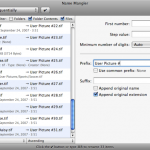
If you have a bunch of files you need renamed on your Mac, and the computer isn’t new enough to have the built-in batch rename feature, then Name Mangler is a decent solution in a fairly crowded field. With a good interface that is intuitive to use, you can easily batch rename tons and tons … Read More
Mac OS X 10.6.3 update released

Mar 29, 2010 - 27 Comments

Check your Software Updates! Mac OS X 10.6.3 update has been released and is recommended to install for all Mac OS X Snow Leopard users. The amount of fixes is pretty substantial, here’s the main list provided in the Software Update panel: * improve the reliability and compatibility of QuickTime X * address compatibility issues … Read More

How to Disable the “Are you sure you want to open this file?” Warning Dialog in Mac OS X

Mar 29, 2010 - 15 Comments

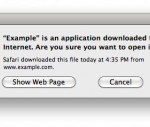
“[Name] is an application downloaded from the internet. Are you sure you want to open it?” Starting in new-ish versions of Mac OS X, you may have noticed that when you download a file from the web and go to open it, you will get a prompt saying something along these lines, warning that an … Read More

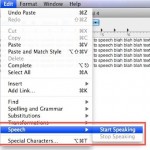
How to Make a Mac Talk: Text to Speech

Mar 28, 2010 - 22 Comments

Want to have a Mac read text in a document or webpage to you? Text To Speech is an excellent feature which allows Mac users to have words on screen spoken aloud. You can make your Mac talk to you in various different ways, at different speeds, and even speaking with different voices, all by … Read More

Fix for Photo Booth Running Slow in Mac OS X

Mar 26, 2010 - 3 Comments

I was recently asked to do some maintenance work on a relatives iMac, and one of their chief complaints was the speed of Photo Booth, the fun application that takes pictures and distorts them with your iSight. Upon inspection of the machine, I found that Photo Booth was running extremely slow, launching the application would … Read More

How to Set the Default Column Size in Mac OS X Finder Windows

Mar 25, 2010 - 21 Comments

The Mac OS X Finder column view is really handy, letting you see multiple folder contents side by side in a hierarchical view. But unless you set the default column width yourself, anytime you launch a new Finder window, the columns size will be reset on a per window basis.

When and How to Reset Mac SMC (System Management Controller)

Mar 24, 2010 - 167 Comments
Retina MacBook Pro

“Ahhhh my Mac isn’t working! I need to reset the SMC!” You have tried rebooting, you’ve reset the PRAM, you’ve done it all, but your Mac is still behaving strangely. What next? In certain circumstances, resetting your Mac System Management Controller (SMC) can be a solution. This is sometimes necessary to restore normal lower level … Read More

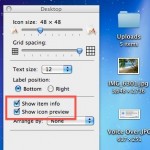
Show File & Folder Info Directly in Finder & Folders of Mac OS X

Mar 22, 2010 - 1 Comment

You can set Mac OS X to automatically display file and folder information directly within the Finder windows of the file system, much like the desktop of OS X.

Copy iTunes Library from a Windows PC to a Mac

Mar 21, 2010 - 22 Comments
iTunes

If you’re moving from a Windows PC to a Mac, then you’ll probably want to move your iTunes library with it. This lets you keep all of your music, apps, and downloaded media, and you won’t skip a beat. This article will cover moving an iTunes library from a PC to a Mac OS X … Read More

Anti-Piracy Message in Mac OS X Kernel Extension

Mar 19, 2010 - 6 Comments

Apple has hidden an anti-piracy message within Mac OS system software as a kernel extension. “com.apple.Dont_Steal_Mac_OS_X” is a kernel extension that runs within Mac OS X, it’s function is thought to insure that Mac OS X is running only on certified Apple hardware. And aside from the not-so-subtle name of the kernel extension, it includes … Read More

How to ReName a File or Folder in Mac OS X

Mar 18, 2010 - 39 Comments
Finder of Mac OS X

Renaming a folder in Mac OS X is very easy, and there’s a few different ways you can do it. We’ll focus on the three most common tricks to quickly rename any file or directory folder on the Mac, two of which are done through the familiar graphical interface of the Finder file system, and … Read More

Create a custom new user account template in Mac OS X

Mar 16, 2010 - 1 Comment

If you need to create multiple users and you want each of them to have identical settings on a Mac OS X machine, then this should be useful to you.

How to Enable the Firewall in Mac OS X

Mar 12, 2010 - 6 Comments

If you want to beef up the security on your Mac with a simple settings adjustment, you can enable the built-in software firewall. This offers a layer of protection by blocking many ports for common protocols, incoming connections, and other potential attack vectors. Generally, the Mac OS X Firewall is not necessary to use for … Read More

Download Google Books

Mar 11, 2010 - 13 Comments

Google Books is a pretty amazing virtual library filled with who knows how many books, magazines, periodicals, and whatever else you might expect to find in a brick and mortar library. Some of the books can be downloaded and saved as a PDF with just a click, others are restricted, but thats where Google Book … Read More

TotalFinder Adds Tabbed Windows to the Mac OS X Finder

Mar 9, 2010 - 7 Comments

I love tabbed windows and I use them everywhere I can, whether instant messaging in iChat to hoarding sites in Safari. Now you can get tabbed windows in Mac OS X’s Finder! TotalFinder is a really cool app that brings full tab functionality to the Mac desktop, allowing you to not only create tabs of … Read More

Play Movie Files Directly in Their Icons Using Finder of Mac OS X

Mar 9, 2010 - 5 Comments

Do you have a large directory of movies? Not sure what each video file actually is? If you’re in thumbnail view at a large enough resolution (looks like 68×68 is the threshold for me) or you’re viewing the folder in Cover Flow view, you can play movie files directly within the Finder of Mac OS … Read More

See a Preview of Fonts in Cover Flow & Quick Look of Mac OS X

Mar 8, 2010 - 2 Comments

Want to get a quick glance at a font style or a preview of the appearance of a font face before you install the font on a Mac? There are multiple ways to do this, and we’re going to show you two methods to see previews of fonts using the Finder of OS X. The … Read More

View PSD files without Photoshop in Mac OS X

Mar 7, 2010 - 7 Comments

You can view .PSD Adobe Photoshop files directly in Mac OS X with no additional software, thanks to Quick Look and Preview. To get a fast preview of a PSD file, simply select the document within the Finder and hit the Spacebar to launch the PSD file rendered in Mac OS X’s very own Quick … Read More

Subscribe to OSXDaily

Subscribe to RSS Subscribe to Twitter Feed Follow on Facebook Subscribe to eMail Updates

Tips & Tricks

News

iPhone / iPad

Mac

Troubleshooting

Shop on Amazon to help support this site