Mac OS X

Search Mac OS X

Starcraft 2 beta coming very soon for the Mac, pre-order now and get a FREE beta key!

Apr 22, 2010 - 7 Comments
GameStop.com is offering a pretty cool promotion for those Starcraft 2 fans out there, if you pre-order the game on their site, they’ll email you a free key for the beta… this is particularly awesome since the beta is due out for Mac OS X very soon. According to Joystiq, Blizzard will be releasing the … Read More

How to Use a 27″ iMac as an External Display for Another Mac

Apr 22, 2010 - 3 Comments

One of the coolest features of the 27″ iMac is it’s beautiful LED screen with a whopping 2560×1440 resolution, but what’s even cooler is the ability to use that gorgeous display as an external display for another Mac. So if you want to use an iMac as an external screen for another Mac, you’ll need … Read More

How to block a website from Safari, Firefox, or Chrome

Apr 21, 2010 - 37 Comments

Do you want to keep yourself or your employees from wasting time on certain websites? Maybe you don’t want your child to see some of the virtual trashbins of the internet? By editing the /etc/hosts systems file, you can block any website, and here’s how to do it.

Using Safe Boot Mode in Mac OS X

Apr 20, 2010 - 3 Comments

Booting into safe mode in Mac OS X is a troubleshooting trick that can help to diagnose many common system problems, and even some more obscure issues with Mac OS X. While safe mode is considered an advanced troubleshooting technique, it’s easy to use and easy to exit out of, meaning just about any experience … Read More

How to Show Invisible Files in Transmit for Mac

Apr 19, 2010 - 9 Comments

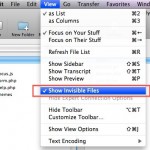
If you are trying to view invisible files through the Mac sFTP / FTP client Transmit, stop looking around in the Preferences and View Options because it won’t be there.

Block and manage IP blacklists easily with PeerGuardian for Mac OS X

Apr 16, 2010 - 8 Comments

PeerGuardian is a free open source tool that allows you to easily block large numbers of IP addresses in Mac OS X. It automatically maintains an internal IP blacklist to block IP’s deemed unsafe or dubious in nature, and also allows for multiple IP lists with the ability to block entire protocols. Other features include … Read More

How to Use a MacBook or MacBook Pro with Lid Closed & External Monitor

Apr 15, 2010 - 25 Comments

Updated 11/27/2018: You can easily use the MacBook, MacBook Air, or MacBook Pro in what’s commonly called clamshell mode. Clamshell mode is when the laptop lid is closed but the machine is hooked up to an external monitor, keyboard, and mouse, effectively turning your portable Mac into a desktop. Doing this is easy, we’ll cover … Read More

How to Hide or Remove Icons from the Mac Desktop

Apr 14, 2010 - 10 Comments

You can really clean up your Mac Desktop by hiding all the hard disk and drive icons that appear by default on it. This is a settings choice that makes it so when you connect a new drive to the Mac, it won’t show up on the desktop, but it will be visible from a … Read More

Mac OS X 10.7 delayed?

Apr 14, 2010 - 22 Comments

Not much is known about Mac OS X 10.7, and many in the Mac community have been operating under the assumption that we’d all get a glimpse into the future of Mac OS at Apple’s Worldwide Developer Conference in June. But that may not be so this time around, at least according to the always … Read More

The Easiest Way to Delete Flash Cookies on the Mac

Apr 13, 2010 - 2 Comments

LSO’s are pesky Flash cookies that can potentially track your activity on the web long after you’ve left the site that set the cookie, and unfortunately there’s no easy way to tell what cookies track where. If you are concerned about this, your best bet is to just delete them completely. We’ve discussed ways to … Read More

Boot a Mac from a CD / DVD

Apr 12, 2010 - 18 Comments

If your Mac has a SuperDrive or Disc drive, you can boot the Mac from any bootable DVD or CD by using a special keyboard shortcut. The bootable disc can be an OS X system restore disc, an OS X installation disc, or even a third party OS disc like Linux.

Precisely Adjust Volume Levels on your Mac

Apr 11, 2010 - 11 Comments

You can precisely adjust the volume levels on a Mac by holding down the Shift+Option keys while pressing the Volume Up / Down keys. This lets you adjust the sound level by 1/4 of each notch (as opposed to a full notch), offering precise incremental control to how loud or soft output is from the … Read More

Icon of alias fades over repeated aliasing

Apr 9, 2010 - 3 Comments

Look at the above screenshot. See how the icon fades over repeated creation of the alias? I had never noticed this before. Myself and others get a washed out appearance of the icon, while some will see a sepia tint. Try it out yourself, select anything on your Mac then hit Command+L repeatedly to create … Read More

Get rounded corners back on your Mac’s screen

Apr 8, 2010 - 2 Comments

Prior to Mac OS X 10.5, your Mac’s desktop had rounded screen corners. Now you can bring those smooth rounded corners back with Displaperture (say that ten times fast). The developer jokingly notes “enjoy CRT nostalgia” but I think the rounded corners are actually kind of nice looking with the rest of the Mac OS … Read More

How to Boot a Mac in Target Disk Mode

Apr 7, 2010 - 13 Comments
Using trimforce to enable TRIM in Mac OS X

Target Disk Mode is a very handy feature available to use with Mac’s that have Thunderbolt or Firewire ports, and it allows you to use one Mac as an external drive on another host machine. This incredibly useful feature makes troubleshooting, installations, large file transfers, and critical backups extremely easy and very fast. Before beginning, … Read More

Add a second menubar to a Macs external display

Apr 6, 2010 - 4 Comments

Using multiple monitors is an easy way to dramatically increase your productivity, but I’ve often heard complaints that when the secondary monitor needs to have the menubar to make it even more useful. SecondBar solves that problem. This nifty little app just duplicates the menubar across multiple displays, letting you have full access to the … Read More

Use Command Key to Open Folder in New Window or Tab in Mac OS X

Apr 5, 2010 - 6 Comments

You can open a folder into a new window (or tab) by holding down the Command key when you double-click on the folder to open it within the Finder of Mac OS X.

The Update “iTunes” Can’t Be Saved Error and a Simple Fix

Apr 1, 2010 - Leave a Comment

This is an unusual iTunes error that you shouldn’t see too often: The update “iTunes” can’t be saved. The file “iTunesAccess.tar” couldn’t be found on the server “swcdn.apple.com”.

Subscribe to OSXDaily

Subscribe to RSS Subscribe to Twitter Feed Follow on Facebook Subscribe to eMail Updates

Tips & Tricks

News

iPhone / iPad

Mac

Troubleshooting

Shop on Amazon to help support this site