macOS

Search macOS

How to Summarize Lengthy Documents & Pages in Mac OS

Aug 24, 2016 - 22 Comments
Summarize on Mac

If you’ve ever encountered a lengthy document or webpage that you want the gist of, but don’t have the time to read or scan through, you can use the excellent Summarize Service in Mac OS X to summarize the text for you. Summarize is adjustable as well, meaning you can choose how dense or light … Read More
Logging In to Apple ID Two-Factor Authentication on Old iPhone & iOS Versions

Aug 23, 2016 - 28 Comments
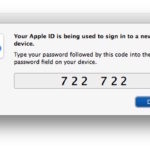
Apple ID two factor authentication code

As many users know, using Two-Factor authentication for an Apple ID provides an additional layer of security for your Apple and iCloud login by requiring a pin code to be entered from an approved device before the Apple ID can be accessed. But the two factor auth feature is really built for modern iOS versions, … Read More

How to Crop Video on Mac with iMovie

Aug 21, 2016 - 22 Comments
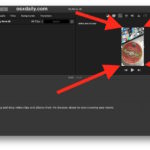
How to crop a video on Mac with iMovie

If you have ever recorded a video or movie and found that some of the surrounding frame is unnecessary or irrelevant, you can use an editing function to crop down the video to focus on what should be the focus of the movie. This tutorial will show you how to quickly crop a video on … Read More

Run AppleScript from the Command Line in Mac OS X with osascript

Aug 19, 2016 - 3 Comments
Terminal in macOS

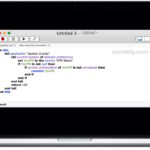
Mac users can run AppleScript from the command line if desired, either by running a script file directly or by giving the osascript command direct plain text script statements. This can be useful for many purposes, but should be particularly nice for users who spend a lot of time in the command line or who … Read More

How to Disable the Focus Ring Animation in Mac OS X

Aug 17, 2016 - 33 Comments
Finder

One of the most subtle animations found in Mac OS X and macOS is known as the “focus ring animation”, which is a sort of zooming highlight around where ever the cursor focus goes in a text book. Many users likely haven’t even noticed it, it’s that subtle. If you have no idea what the … Read More

How to Enable SSH on a Mac from the Command Line

Aug 16, 2016 - 3 Comments
Terminal in macOS

All modern Macs running macOS or Mac OS X come with SSH pre-installed by default, but the SSH (Secure Shell) daemon is also disabled by default. Advanced Mac users may appreciate knowing the ability to enable SSH and disable SSH are both available entirely from the command line of Mac OS, allowing for a simple … Read More

Change How Contacts Sorts and Displays Names on Mac

Aug 12, 2016 - 6 Comments

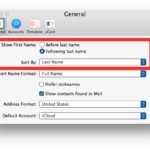
The Contacts app for Mac defaults to sorting names by last name, and to showing the first name before the last name when browsing through the address book list of contacts. With some minor adjustments, you can change how the Contacts app displays and sorts the address book contact names in Mac OS. You can … Read More

How to Disable Hot Corners in Mac OS X

Aug 10, 2016 - 6 Comments
Disable Hot Corners on Mac

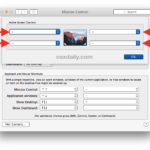
Hot Corners are a feature of Mac OS that allows a user to point the cursor into one of the far corners of the display to summon a set feature, like triggering Mission Control, Launchpad, Dashboard, Notification Center, revealing the desktop, start or disable a screen saver, or put the display to sleep. Many Mac … Read More

Auto Connect to VPN on Boot & Login in Mac OS X

Aug 10, 2016 - 38 Comments
Auto connect to a VPN on Mac

If you use a VPN with a Mac for either work or personal reasons, you may wish to have the Mac automatically connect to the VPN service when the Mac is booted or upon login. Or maybe you just want the VPN to automatically reconnect if the connection drops and disconnects. This is easily accomplished … Read More

Apply Image Adjustments to Other Photos on Mac with Copy & Paste

Aug 6, 2016 - 9 Comments
Paste photo adjustments on Mac

If you have spent a while adjusting a picture to your liking in Photos app for Mac, you can easily apply those image adjustments and edits to other pictures in Photos app as well. This is accomplished through a handy but little-known copy & paste adjustments ability, and it’s quite easy to use.

How to Use WhatsApp for Mac

Aug 5, 2016 - 12 Comments
WhatsApp

Want to use WhatsApp on a Mac? Now you can. WhatsApp is a very popular cross-platform messaging client from the iPhone and Android world that is now easily used on a Mac or Windows PC, so if you’re one of the many millions of people who use WhatsApp for communication, you can enjoy the experience … Read More

Enable Additional Photos Adjustments in Mac Photos App

Aug 3, 2016 - 5 Comments
Advanced image editing adjustments on Mac Photos app

The Mac Photos app serves as a photo manager and image editor, and while the default toolset for picture adjustments is sufficient for many users, you can enable six additional photos adjustments to gain even more control over your pictures. We’ll show you how to enable image adjustment tools for Sharpen, Definition, Noise Reduction, Vignette, … Read More

Turn Standard into Administrator Account in Mac OS X

Aug 3, 2016 - 15 Comments
From Standard to Administrator account on Mac OS X

Many Mac users have multiple user accounts on their computer, some of which may be created for other people to use, perhaps a separate work account, or a guest account, and so on. Typically when you create a new user account on the Mac it is a “Standard” account, which gives that user access to … Read More

Fixing a Broken EFI Partition on Mac

Jul 28, 2016 - 25 Comments
Disk Utility in Mac OS X

Though it is an unusual occurrence, a Mac may encounter a broken or damaged EFI partition which typically prevents the Mac from booting and the Mac OS system software from loading. This is usually demonstrated as a boot screen that is stuck on the  Apple logo, sometimes with or without a wait cursor that … Read More

Fixing an Installer .pkg Stuck on “Verifying” in Mac OS X

Jul 26, 2016 - 75 Comments

Mac users may find that a system update, installer, or package (pkg) can get completely stuck in a verification sequence, with a pop-up alert that says “Verifying ‘name.pkg’…” while showing the Gatekeeper icon and a progress bar that never updates. The effect is the package or installer won’t run as it never completes verification, making … Read More

Accessing the Downloads Folder on Mac & Finding Downloaded Files

Jul 24, 2016 - 31 Comments
Mac downloads folder

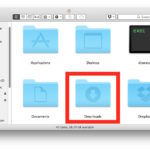
Ever wondered where all the downloaded files go on your Mac? By default, most apps will transfer downloaded files into the user Downloads folder. This applies to all downloads to a Mac made from the web with Safari, Chrome, through AirDrop, or from the many file transfer apps out there. There are many different ways … Read More

How to File Bugs & Offer Feedback in MacOS Sierra

Jul 22, 2016 - 4 Comments
Feedback Assistant in MacOS Sierra

Beta testers of macOS Sierra can send feedback and bug reports directly to Apple, offering a chance to help shape the future of the Mac operating system. Reporting bugs and offering feature feedback is part of the fun of beta testing (and part of the purpose of the public betas), so if you are running … Read More

A Prank Kernel Panic Screen Saver for Mac OS X

Jul 22, 2016 - 16 Comments

Little is dreaded more in the Mac world than the kernel panic, the Mac OS X equivalent of the Windows Blue Screen of Death of yesteryear. While modern versions of Mac OS X don’t display the kernel panic screen like they used to, that doesn’t mean you still can’t have some mischievous fun with a … Read More

Subscribe to OSXDaily

Subscribe to RSS Subscribe to Twitter Feed Follow on Facebook Subscribe to eMail Updates

Tips & Tricks

News

iPhone / iPad

Mac

Troubleshooting

Shop on Amazon to help support this site