Delete Phone Calls on the iPhone with a Swipe
It’s extremely easy to selectively delete any single phone call from the iPhones call log, all you need to do is remember to use the simple swipe gesture described below:
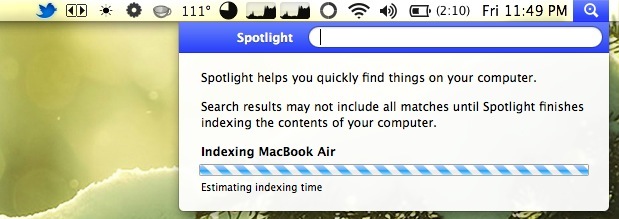
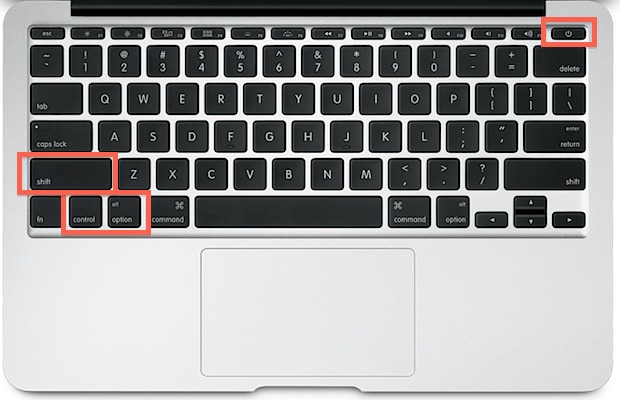
I’ve gotten in the habit of immediately putting my MacBook Air to sleep by shutting the lid, by far the easiest method if you’re on the go. Typically this works without a hitch, but today the Air didn’t sleep when shut. Because the MacBook Air has no moving hard drive or sleep light, I didn’t … Read More
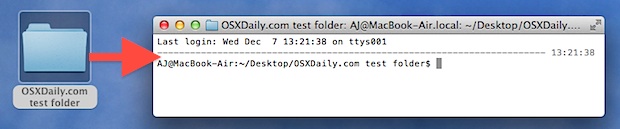
If you shuffle between the Terminal and the Mac OS X desktop often, you’ll get good use out of a Services feature which gives the ability to create a new Terminal window (or tab) from a selected folder within the Finder. You have to enable the Service inside System Prefs beforehand though:
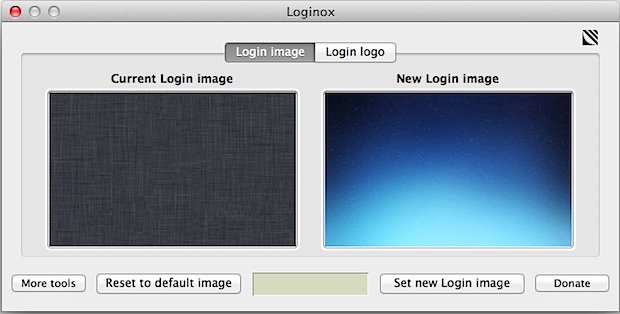
We recently showed you how to manually change the login screen wallpaper, but if you don’t want to deal with resizing images and digging around in the filesystem, you can use a free app called Loginox. Loginox sets new background wallpaper at the click of a button, resizing the images for you to the native … Read More
Modern versions of Mac OS X have left behind the toolbar switch that used to sit in the upper right corner of all Finder windows as a rectangular button in favor of a cleaner appearance. That doesn’t mean you can’t hide the toolbar in OS X any longer though, it’s just now done through the … Read More
Want to get hexadecimal color codes easily in Mac OS? You can set the excellent Digital Color Meter application to display color as hexadecimal with a simple settings change. There are even keyboard shortcuts to quickly switch between hexadecimal, decimal, and percentage color codes!
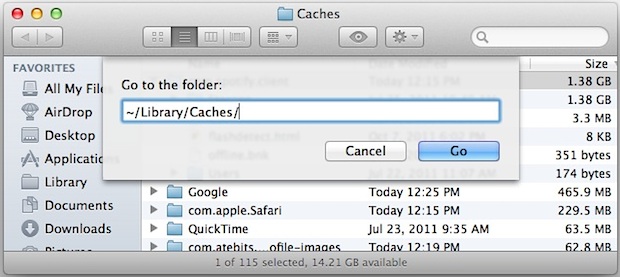
Install the free-of-charge Xcode developer toolkit via the App Store (Apple gives it away to all those who’ve bought OS X), then open Finder and hit Shift+Command+G. In the dialog box that appears, type the following path:
iOS popularized the pull-to-refresh gesture, where pulling down and releasing on browser and app windows causes them to refresh their contents. With the help of a browser extension, we can bring the same pull to refresh feature to Mac OS X 10.7 in either the Chrome or Safari web browsers: Extension for Chrome Extension for … Read More
You can quickly sleep the display of a Mac or immediately start a screen saver by setting up Hot Corners, which are activated just by sliding your cursor into the specified corners of the screen. This is a great way to quickly hide what’s on the display, but also as a way to initiate a … Read More
Want to quickly find and select your boot disk amidst a variety of other internal and external drives that are sitting on the desktop? Just hit Command+Shift+↑ (Command + Shift + Up Arrow) to immediately choose the startup drive on the Mac OS X desktop from anywhere in the Finder.
Finder on the Mac can show the path to the currently browsed folder (that is, something like Lion->Users->John->Music->MP3 collection). Just click View->Show Path Bar. However, there’s a slight problem—the path is listed from the root of the hard disk up to the current directory. I f all you ever do is browse your home directory, … Read More
Firebug is an extremely popular web development tool that allows a user to inspect and modify page elements in real time, be it HTML, CSS, or JavaScript. It’s most known for being a plugin for the Firefox browser, but thanks to Firebug Lite and a little bookmarklet hack, you can run Firebug Lite directly in … Read More
NOTE: New instructions are available to change the login screen background image within OS X Mavericks. Please refer to those if you are looking to customize the login wallpaper in the latest versions of OS X. Here’s how to change the wallpaper that lies behind the standard login screen on OS X Lion & Mountain … Read More
Tired of having to approve the Trash being emptied in Mac OS X? You can disable the Empty Trash warning message dialog window in two ways on the Mac, either on a per-trash emptying basis, or by completely turning off the dialog.
Command line users who wish to add an additional layer of security to their keyboarding within Terminal app can find a helpful privacy feature built into the Mac client. Whether aiming for generally increasing security, if using a public Mac, or are simply concerned about things like keyloggers or any other potentially unauthorized access to … Read More
Mission Control in Mac OS X groups together thumbnail previews of windows from the same app. By hovering the mouse cursor over a cluster of these thumbnails and scrolling up on a multitouch trackpad or Magic Mouse (or scrolling up the mouse wheel with other mice), you can cause the cluster to expand, showing more … Read More
Mac users may have noticed that the longstanding “Save As” function has disappeared as of OS X Lion, and’Save As’ is something that many Mac users have become accustomed to using over the years. The default choices replacing “Save As” are two different features, Duplicate and Export, neither of which work quite the same, and … Read More
This is a neat little hack that lets you activate any stack within the Mac Dock by hovering over it and making the scroll gesture on a multitouch trackpad or Magic Mouse, or by rolling the scroll wheel on a mouse. Do the same trick while hovering the mouse cursor over an app icon in … Read More