tips

Search tips

Instant Word Completion in Mac OS X with F5

Apr 21, 2011 - 1 Comment

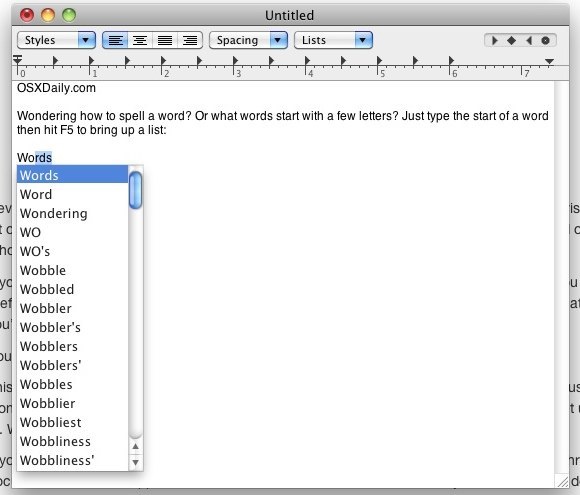
In many Mac OS X apps, you can activate a little-known word completion feature by using a simple keystroke. This is incredibly helpful for word recall and for diversifying the vocabulary while typing, and has so many uses. It’s quite powerful and easy to use.

How to Increase the Size of the Mac Cursor

Apr 20, 2011 - 8 Comments
mac cursor size

Increasing the size of the Mac mouse and trackpad pointer is an important ability for those with visual impairments, but it’s also a great way to make a Mac more friendly for newcomers to computers in general, like kids and grandparents. This tutorial will detail how to increase the size of the cursor on a … Read More

Quickly Remove Finder Toolbar Icons

Apr 19, 2011 - 16 Comments
remove toolbar icons from Mac Finder window

Customizing the Mac Finder window toolbars can be a good way to gain quicker access to features you use often, and to help navigate around the file system of OS X , but what if you overdo it and the toolbar becomes cluttered with way too many buttons and doo-dads, resulting in a toolbar that … Read More

Set Terminal Focus to Follow the Mouse Cursor in Mac OS X

Apr 18, 2011 - 12 Comments
Terminal in macOS

If you’re coming to Mac OS X from elsewhere in the unix & x11 world, you might be used to the focus of Terminal windows following your mouse cursor. With a little command line magic, we can enable this hidden feature in the Mac OS X Terminal.app too.

Keep Magsafe Cords Out of the Way on MacBooks with a Neat Trick

Apr 17, 2011 - 6 Comments
Magsafe clipped to side of MacBook Air

Is that Magsafe cable cord getting in your way when using your Mac laptop? Try attaching the cord to the side of your Mac’s display by using the cables clip as shown in the pictures. This works with newer MacBook Pro’s, unibody MacBooks, and new MacBook Air too, it clips directly onto the side of … Read More

900+ Secret iPhone Ringtones on your Mac

Apr 15, 2011 - 17 Comments

Are you bored with your iPhone ringtones? You probably know by now that you can make iPhone ringtones yourself with iTunes, but instead of chopping up a song, why not get some ringtones that actually sound like they belong to a phone? You’re in luck because there are 932 free iPhone ringtones on your Mac … Read More

Find your iPhone IMEI Number

Apr 13, 2011 - 44 Comments

IMEI stands for International Mobile Equipment Identity, you can think of IMEI like a serial number in that every iPhone, or other mobile phone for that matter, has a unique IMEI number used to identify it with carriers, manufacturers, and providers. There are several reasons you’d want to know your IMEI, and we’ll get into … Read More

Show or Hide the Mac Finder Window Sidebar

Apr 13, 2011 - 6 Comments
hide Mac finder window sidebar

The Finder window sidebar makes navigation in Mac OS X easier, with quick access points to various aspects of a users home directory, as well as throughout the file system. Users can choose to show the Finder sidebar, or to hide the Finder sidebar, depending on their individual preferences.

Connect to a Wireless Network from the Command Line

Apr 12, 2011 - 16 Comments

Using the powerful ‘networksetup’ utility, we can connect to wireless networks directly from the command line of Mac OS X. The syntax you’ll want to use to accomplish joining a network is as follows: networksetup -setairportnetwork [interface] [router SSID] [password]

Quickly launch a new styled Terminal window

Apr 10, 2011 - 3 Comments

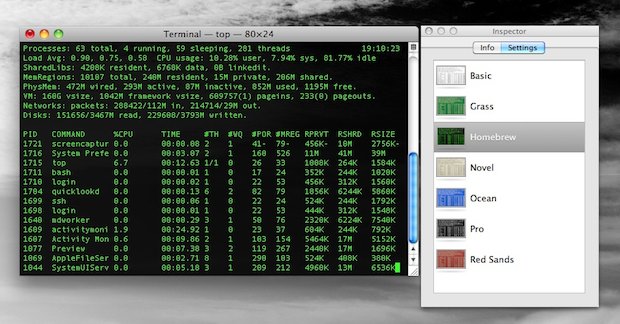
You can quickly launch a new styled Terminal window through the apps Mac OS X Dock icon. Just right-click (two-finger click for trackpad users) on the Terminal app, navigate to “New Window” select a preconfigured style.

Quickly Copy HTML & CSS Source to the Clipboard with curl

Apr 9, 2011 - 4 Comments

Using curl and pbcopy, we can quickly grab and copy HTML and CSS code from any URL via the command line. This should be a helpful tip for the web developers out there, but for anyone looking to check the source of a web page through this can be an invaluable little trick.

Access the iTunes Equalizer Settings

Apr 9, 2011 - 8 Comments

If you want to change the universal equalizer in iTunes for your entire music library and all songs in it, the incredibly adjustable iTunes Equalizer Settings can be accessed quickly in one of two ways:

Hack Mac OS X Lion to work on unsupported Core Duo & Core Solo Macs

Apr 8, 2011 - 34 Comments

Mac OS X 10.7 Lion Developer Previews 1 and 2 currently do not install on older Macs with unsupported Core Duo and Core Solo hardware, but by performing a simple hack you can get these machines to boot Lion. Apparently the only thing preventing Lion from working on these 32-bit Macs is a single file … Read More

Extract and Explore an iOS App in Mac OS X

Apr 7, 2011 - 14 Comments

You can find some interesting things in iOS apps that you’ve downloaded from the App Store, all you need to do is extract the file from its container and then you’re free to browse around like any other application package. This works with any iPhone or iPad app, and you’ll obviously need a Mac with … Read More

Show Folder Sizes in Mac OS X List View

Apr 5, 2011 - 7 Comments

If you would like to see the folder sizes on the Mac, you can do so easily by enabling a folder size calculation when looking at directories in the List View of Finder in Mac OS X. What this trick does is show folder sizes on the Mac, calculated in megabytes, kilobytes, or gigabytes, depending … Read More

Show a Spectrum Analyzer in iTunes Instead of Song Info

Apr 3, 2011 - 6 Comments

In a somewhat hidden feature of iTunes, you can display a music spectrum analyzer in place of the iTunes song info. All you need to do is click on the little play icon in the song info area, it’s highlighted below with an arrow pointing to it: This has probably been around for a while … Read More

Boot into Mac OS X Verbose Mode

Mar 31, 2011 - 4 Comments

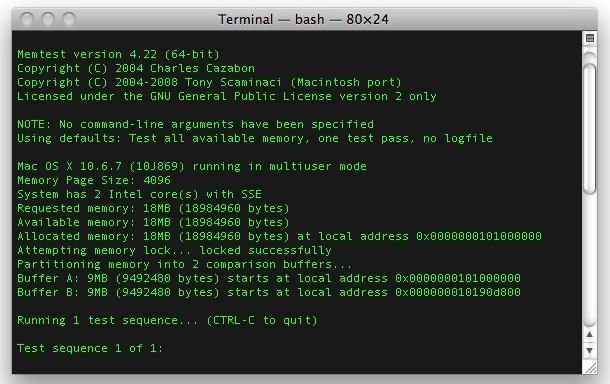
Booting a Mac with Verbose Mode can be a helpful troubleshooting trick for some obscure situations where users are trying to determine what is going wrong with a Mac during the system boot process. Just as it sounds, verbose mode is verbose, meaning it lists everything going on behind the scenes, and you’ll watch as … Read More

Read any New York Times Article for Free

Mar 30, 2011 - 9 Comments

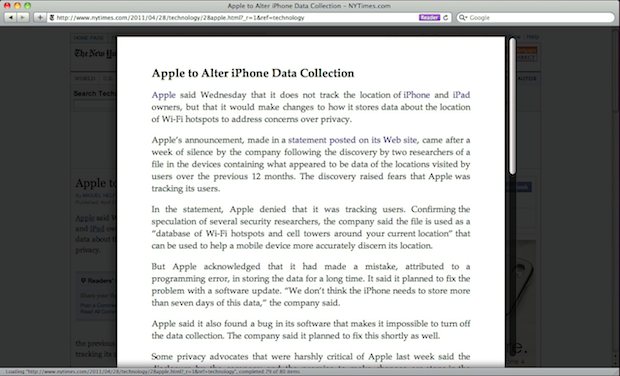
The New York Times recently put up their paywall, blocking users from reading over a certain number of articles a month. Their pricing scheme is sort of a mess but I can understand charging for quality content. That’s not really the point though, their paywall implementation makes it difficult for paying users to share content … Read More

Subscribe to OSXDaily

Subscribe to RSS Subscribe to Twitter Feed Follow on Facebook Subscribe to eMail Updates

Tips & Tricks

News

iPhone / iPad

Mac

Troubleshooting

Shop on Amazon to help support this site