Troubleshooting

Search Troubleshooting

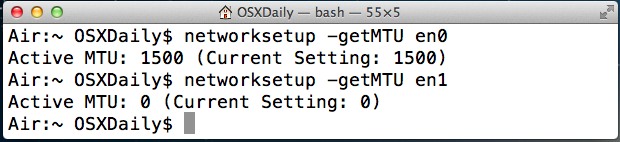
Set MTU Size from the Command Line of Mac OS X

Jan 14, 2013 - 18 Comments
Set the MTU size in Mac OS X

MTU stands for Maximum Transmission Unit, and a larger MTU size generally increases efficiency of a network connection because each packet carries more data, but sometimes the default MTU sizes (often 1500) will cause issues with some networks and needs adjusting. If you need to change the MTU size on a Mac, you can do … Read More

Monitor a Bluetooth Device’s Connection Strength in Mac OS X

Jan 8, 2013 - 14 Comments
Bluetooth Connection Monitor in OS X

Those who use external Bluetooth devices with a Mac, whether it’s a keyboard, mouse, headset, or anything else, are probably aware that connection strength between the device and the computer is going to directly impact how usable the device is. The next obvious question then is, how do you check the strength of such a … Read More

How to Find Archived eMails & Move Them Back to Inbox in iOS

Jan 8, 2013 - 13 Comments
Find archived email in iOS

Moving email around between inboxes in the iOS Mail app is easy, and perhaps sometimes it’s too easy, because accidentally moving or archiving mail messages seems to be an ongoing issue for many. In fact, one of the most frequently asked questions I get from newcomers to the iPhone or iPad is “where did my … Read More

Fixing Grey Songs & Unplayable Albums in Music App on iPhone, iPad, and iPod touch

Jan 7, 2013 - 3 Comments
Fixing gray songs in iOS Music app

Have you ever gotten a new album or podcast, synced it over to your iPhone, iPad, or iPod touch, then when you went to play the songs you discovered they were grayed out in the Music app? The album is there, the song title is there, but because the song is grey you can tap … Read More

Fix the iMessage “Waiting for Activation” Error on iPhone, iPad

Dec 20, 2012 - 19 Comments
iMessage waiting for activation

Are you seeing a “Waiting for activation” error when trying to use iMessage on iPhone or iPad? Despite setting up iMessage properly, some users occasionally encounter a “Waiting for Activation” error with iMessage, usually either upon updating to a new version of iOS or getting a new device and configuring iMessage for the first time. … Read More

Save Pictures from Facebook to iPhone & iPad the Easy Way

Dec 18, 2012 - 14 Comments
Save Image from Facebook to iPhone

Want to save a picture from Facebook to your iPhone? No problem, you can do this easily from the Facebook app to an iPhone or iPad, and we’ll show you how to download a picture from Facebook into iOS so that it appears in the Photos album on your device.

Resolving Stubborn Wi-Fi Connection Problems in Mac OS X

Nov 30, 2012 - 117 Comments
Turn Wi-F off in OS X

A fair amount of Mac users have encountered long lasting Wi-Fi connection issues, whether it’s a dropping connection, a refusal to reconnect after waking from sleep, or any other number of oddities pertaining to wireless networking. Often these connection problems can be resolved with renewing a DHCP lease and changing the MTU size, but sometimes … Read More

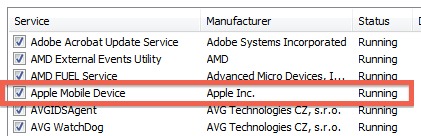
What to do When iTunes Won’t Detect an iPhone, iPad, or iPod

Nov 20, 2012 - 164 Comments
Tips for when iTunes won't detect an iPhone

You’ve plugged an iPhone into a computer, and nothing happens. You look in iTunes, and the iPhone, iPod, or iPad isn’t there. Great, now what? What in the heck is going on? Don’t worry, there are usually a few simple solutions that will resolve the problem and et your computer to detect the iPhone or … Read More

How to Determine if iPhone is GSM or CDMA

Nov 15, 2012 - 39 Comments
Determine if iPhone is GSM or CDMA

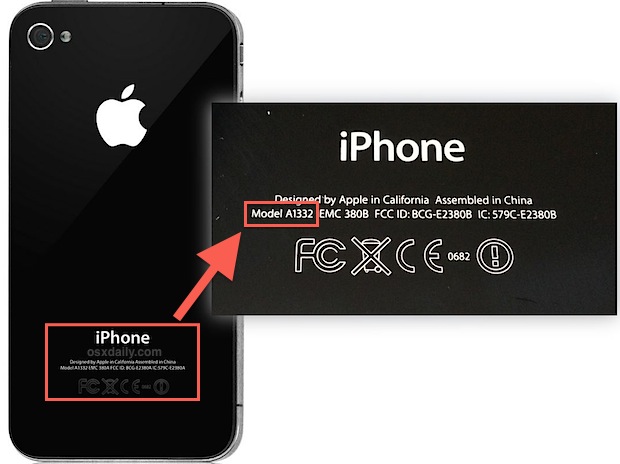
Most of us geekier folks instantly know if our iPhones are CDMA or GSM models, but not everyone pays as much attention to the largely insignificant technical details of their phones. Not to worry, it’s extremely easy to find out if an iPhone is GSM or CDMA, all you need to do is look at … Read More

Free Up Disk Space in Mac OS X with 5 Quick Tips

Nov 11, 2012 - 20 Comments
Huge swap and sleep image files in Mac OS X

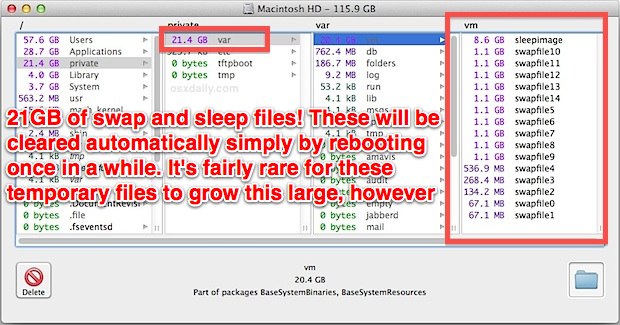
Mac running out of disk space? Maybe you don’t have room for installing a new app, backing up a device, copying some files, or much of anything? If you’re running low on disk space or have ever received that dreaded “disk full” message when using a Mac, you know it can be pretty frustrating to … Read More

9 Reasons Why a Mac is Running Slow and What to Do About It

Oct 11, 2012 - 69 Comments
Spotlight is running

It’s a fact of modern life: Macs can run slowly for seemingly no reason, but chances are there is a reason the Mac is running so poorly and we’ll cover the most common reasons, how to know if each reason is causing the slow down, and most importantly, how to fix it. If your Mac … Read More

Fix for iPhone 5 Signal Loss When Stuck On “No Service”

Oct 10, 2012 - 105 Comments
No Service after iPhone signal loss

A peculiar bug that’s impacting some iPhone 5 users leaves the iPhone unable to find a signal and rejoin a 3G/4G network after leaving an area with EDGE or no service. Despite being in a location with adequate cell coverage, the iPhone will just report “No Service”. This is most likely a software issue with … Read More

Stress Test a Mac by Maxing Out CPU

Oct 2, 2012 - 25 Comments
Stress test a Mac by maxing out CPU

If you want to completely peg CPU to stress test a Mac, turn no further than the Terminal. Using the command line you can easily max out all CPU cores and induce huge load on a Mac, making it easy to determine things like what temperature the processor reaches under heavy load, if fans are … Read More

App Store Slow in iOS 6? Here’s How to Fix the Sluggishness

Sep 28, 2012 - 32 Comments
Fix the Slow App Store in iOS 6

Other than the Maps issues, the App Store in iOS 6 is probably the next most talked about change of the latest iOS system software. Though it’s undoubtedly a better user experience in a lot of ways, one area that really suffers is speed, and a lot of users are experiencing very sluggish behavior in … Read More

Use a Keyboard Shortcut for Instant Help Menu Access in Mac OS X

Sep 28, 2012 - 3 Comments
Help Menu keyboard shortcut in Mac OS X

The Help menu in Mac OS X is an often underutilized feature that can quickly resolve a lot of questions about apps and the OS itself, making it an excellent resource to query any time you’re trying to find out about a particular feature, troubleshooting an issue, or you just want to learn more about … Read More

iPhone 5 Wi-Fi Problems Fixed By Manual DNS Settings

Sep 27, 2012 - 33 Comments
iPhone 5 Wi-Fi Problems Fixed

Some iPhone 5 users are experiencing a variety of issues with wifi on the device, almost always revolving around inconsistently slow wireless connections. If you’re having this problem, you’re not alone, and the good news is you can almost certainly get an immediate improvement by setting manual DNS on the device. Fixing Slow iPhone 5 … Read More

Stuck in Guided Access with iOS 6? Here’s How to Escape

Sep 26, 2012 - 131 Comments

Guided Access, or what we to call “Kid Mode”, is a fantastic addition to iOS that lets you lock an iPhone or iPad into a single app. Well, great when it works as it’s intended, but it appears there’s a pretty frustrating bug that makes the feature work a little too well once it’s enabled … Read More

Battery Life Improves Dramatically in OS X Mountain Lion 10.8.2

Sep 20, 2012 - 36 Comments
Battery Life in OS X Mountain Lion 10.8.2 improved dramatically

OS X Mountain Lion has been a fantastic update for Mac users, but some of us on portable Macs discovered an annoying side effect of reduced battery life, often accompanied by a Mac that felt warmer to the touch. Those issues have been largely fixed with the OS X 10.8.2 update, making it a must-have … Read More

Subscribe to OSXDaily

Subscribe to RSS Subscribe to Twitter Feed Follow on Facebook Subscribe to eMail Updates

Tips & Tricks

News

iPhone / iPad

Mac

Troubleshooting

Shop on Amazon to help support this site