
Ask OS X Daily: How Do I Force Open a File on Mac?
 Reader Mathew Prairen asks a common question about forcibly opening files with an application on the Mac, and it has a remarkably simple answer:
“I have a few documents and files from my PC that Pages refuses to open, is there any way I can force Pages to open these files?”
As a matter of fact, yes, you can force any application to attempt to load just about any file in Mac OS X, and the secret is using a keyboard modifier with a drag and drop trick. Let’s walk through how this works to force a file to open in a designated app.
Forcibly Open a File on the Mac with a Key Modifier & Drag Drop
If you want to force open a file like this, you simply hold down the Command+Option keys while dragging the file to force onto the applications icon as stored in the Dock. Ideally, you’ll have launched the application already before trying this.
Whatever the application is will attempt to open whatever the file is. In some situations this will work just fine, forcing many image editors to open other image files generally works, as does text files into text editors, and word and text documents into a general text editor or page application, but attempting to force an image editor to load your perl script probably won’t work – at least in the way you expect it to. Nonetheless, the file will attempt to open in that app. As long as the Command + Option (ALT) keys are held down during the drag and drop sequence, the file will forcibly load in the app you dropped the file onto, whether it’s intended for the app to view the file type or not is another story.
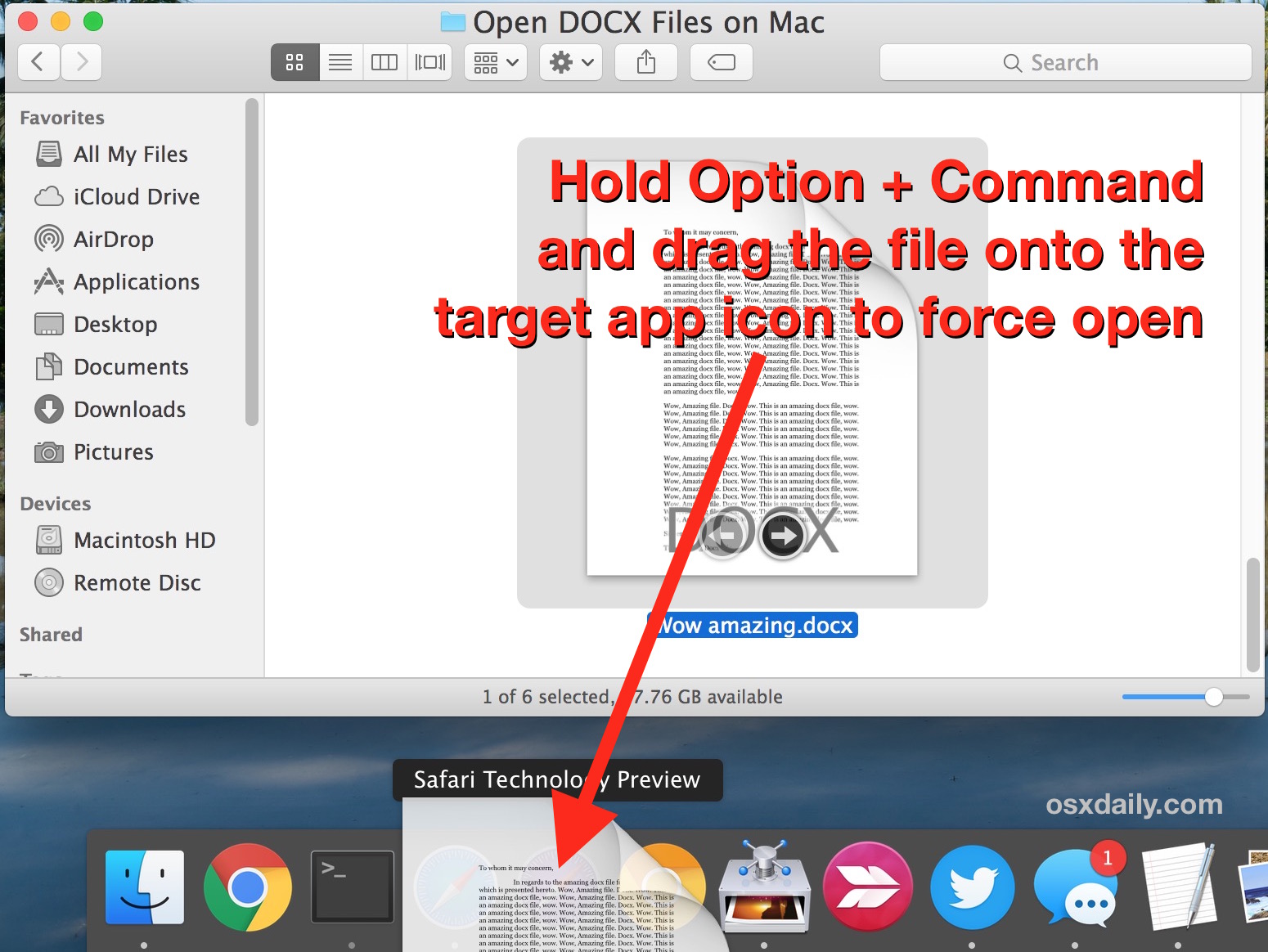
Basically there is no guarantee the program will like the file you are forcing it to open, but the application and Mac OS X will try anyway, and this can lead to some unusual results or the display of nonsensical characters, or even an error message indicating from the application that the file type is invalid. Due to this, if you’re going to attempt to force an application to open a file, try to stick within the general genre of that which the originating file came from.
Updated: 4/5/2016 – this is confirmed to work with all versions of Mac OS X, including Snow Leopard, Mac OS X 10.7 Lion, 10.9, and OS X Mavericks, Yosemite, El Capitan, etc.






Disk Utility Will Not Repair Macintosh HD. Time Machine Won’t Unlock. It Will Respond “Authorizing”, Never Asks For A Password And Then Nothing. So, I Can Not Open Or Set It Up.
[…] with OpenSSL without entering the password? You’ll probably get an error message, but if you force open the file with something like TextEdit, you’ll see the text “Salted” followed by a […]
[…] was corrupted. I remembered this trick from a post a few years back by our very own David Mendez, how to force open a file in Mac OS X, and this actually will work with nearly every application and file, so if you want to force an […]
Can’t you just use:
open -a SomeApp somepeskyunassociatedfile
?
I just double click the file if I want to open it, call me old fashioned