
Easily Change the Mac OS X Boot up Image with BootXChanger
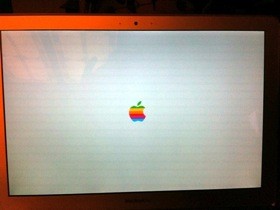 I’ve been bored with the standard Mac OS X boot up screen and it’s grey Apple logo, and a few times I have scoured around trying to change it manually to no avail. Today though, I stumbled into a post on my friends blog that makes changing the Mac OS X boot image a snap with a nice little program fittingly called BootXChanger.
With this free little app you can change the image to basically anything you want as long as the background color is the same shade of grey. The image to the right shows this done with a replaced colorful Apple logo if you want the retro look, it’s easy to get that or whatever else, or if you want to design your own little boot logo that’s fine too.
Using the app is super simple, it just requires dragging and dropping another image over the existing one. Then save and reboot to see the difference. Nothing special, but kind of a fun way to customize a Mac a bit more.
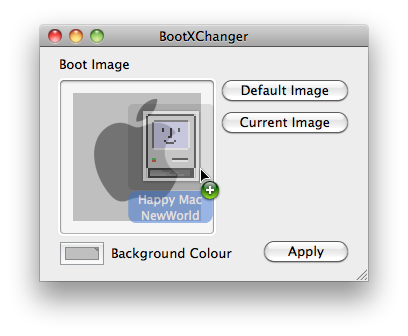
Keep in mind this app is limited to OS X 10.4, 10.5, and 10.6, so newer Macs running OS X Lion and OS X 10.9 Mavericks probably aren’t going to be able to use it.






Does this work for elcapitan it doesn’t seem to work for me :(
It doesn’t work for me either