
How to Remote Control a Mac with an iPhone
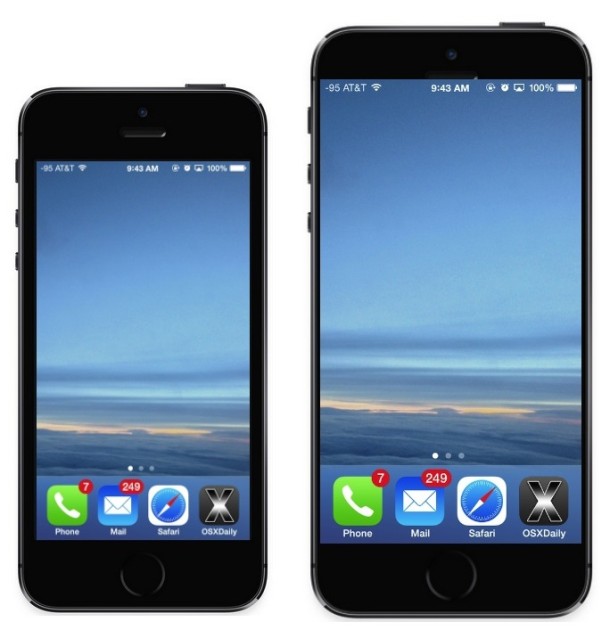
So, you want to connect to your Mac remotely from your iPhone? It’s possible, and it’s easier than you might think. and though you may have heard of people controlling their Mac’s via their iPhone but assumed it was something just for the jailbreak crowd, well that’s assumed wrong, because it turns out that iOS has VNC clients that allow you to remotely control a Mac that is setup for remote control.
It’s actually really easy to control your Mac from the iPhone, iPad, or iPod touch, we’ll run through a look at how it works.
Remote Controlling Mac from iPhone
This is a multiple part process that requires activity on both the Mac and iPhone. On the Mac side of things you must enable screen sharing and make note of the IP address, and on the iPhone side of things you must get a VNC app and then connect to the Mac. It’s pretty simple really:
- On the Mac: Turn on ‘Screen Sharing’ on the Mac in your Sharing preferences, and make note of the Mac IP address
- On the iPhone or iPad: Download a VNC client on the iPhone (VNC Viewer and Mocha VNC are free options)
- Connect to your Mac’s IP address via the iPhone VNC client
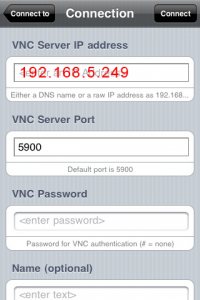
Connect, and you’ll have the Mac display accessible from the iPhone or iPad!
That’s it! Yes really. Cool huh?
Is this fast? Is it efficient? Not really, but it works in a pinch.
It’s really about that simple, if you want some more guidance though, just mess around in the VNC Viewer, Mocha VNC, or a similar VNC app, there’s not much to go wrong.
If all fails, check out our full walkthrough on the matter, it’s easy to follow and trust me, it’s easy.






Remote Control your Mac with an iPhone does not appear to work. Is there any update with IOS9?
Thanks