
How to Prevent .DS_Store File Creation
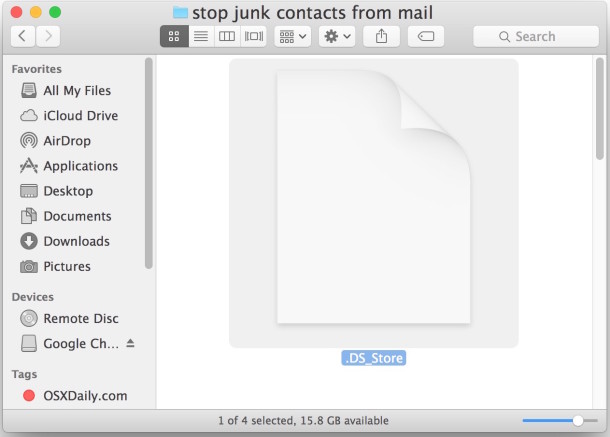
.DS_Store files store folder level metadata information (such as icon placement and background pictures) for Mac OS X to understand, this is fine and dandy and you’re likely to never even notice if you’re a bunch of Macs working together. Unfortunately, these .DS_Store files can be really pesky in a multi-platform network environment, they can basically just lead to unnecessary filesystem clutter that Windows & Linux users receive no benefit from.
Thankfully, you can prevent the DS_Store files from being created entirely by executing a simple command in the Terminal.
How to Stop DS_Store File Creation on Network Volumes in Mac OS X
To disable the creation of .ds_store files, launch the Terminal application from /Applications/Utilities/ and enter the following command string exactly:
defaults write com.apple.desktopservices DSDontWriteNetworkStores true
Reboot the Mac for changes to take full effect (some report that killing the Finder is sufficient, but your mileage may vary).
This disables the creation of .DS_Store files for the user account the command was executed on. You can make this change to all user accounts manually by executing the same command under their login, or you can copy modified com.apple.desktopservices.plist file to the ~/Library/Preferences folder of each other user account.
Of course it’s not just Mac OS X that create files that are obnoxious for cross-platformers. The Windows equivalent to the DS_Store file is Thumbs.db, and if you’re a Mac in a largely Windows network, you’ll probably be running into these all the time. You can easily delete Thumbs.db files in Mac OS X by using Spotlight.
Enable DS_Store File Creation on Network Volumes
To re-enable the creation of .ds_store files, simply change the ‘true’ to ‘false’ in the defaults command string:
defaults write com.apple.desktopservices DSDontWriteNetworkStores false
You will want to reboot the Mac and reconnect network shares for the changes to take full effect.
This works in all versions of Mac OS X, from OS X El Capitan, OS X Mavericks to Mac OS X Snow Leopard. You can learn more about DS_Store files here.






This used to work for me but since upgrading to El Capitan 10.11.3 it has stopped working. Anyone else notice this and maybe have a solution?
This works fine to stop DS_Store creation in OS X El Capitan, all versions of OS X 10.11, OS X 10.12, etc. If you don’t type it properly it won’t work, which is not surprising.
Copy and paste the command did not work. Tried rebooting and just logging out. Neither stopped .DS_Store creation.
yah also running into the same problem. rebooted after running the command, didn’t work.
Surprising surprising you SMUG PRICK.
Hi, I have a problem to stop creating DS_Store file. I was trying to use command mentioned above, but it is not proceeding any further action after I insert it in terminal. I would like to ask someone, who is experienced the same issue as me.
Thanks a mil.,
Robert
[…] Source:osxdaily
You can run this periodically in a terminal to delete those annoying files on a mac. However, it should be noted that they do get created every time you browse to a folder in finder.
find / -name .DS_Store -exec rm -f {} \; -print
[…] How to prevent .DS_Store file creation. Great advice. Easy to put in the terminal. […]
thumbs.db do not store metadata but thumbnails to speed up displaying of icons upon revisit…only winxp creates this file…Windows Vista/7 store meta data and thumbnails in a centralized location
Addendum to my previous post: I anticipate this being fixed in the 10.6.3 release.
See the 10.6.3 Apple developer release notes:
http://news.softpedia.com/news/Seed-Notes-Arrive-for-Mac-OS-X-10-6-3-Build-10D538-132974.shtml
Snow Leopard users beware! (10.6.2) I had previously activated this setting which prevent .ds_store files from being created on my work network and it caused my system to crash and the finder to lock up and hang. This occurred whenever I tried deleting files or folders (even if the folder was empty) when connected to our network — using the Samba (SMB) protocol and Windows Small Business Server 2003.
how did you resolve this…
on restart after activating this, my finder froze and now I cannot even boot up from a disc to reinstall the OS!
kinda at a loss to what to do…
Yeah, one of the most problematic occurrences of this for my is on USB flash drives. There is program called BlueHarvest that does a good job of deleting these .DS_Store files as well as other metadata files. It’s available at:
http://www.zeroonetwenty.com/blueharvest/
This only disables their creation on network drives. Not entirely.