
The Update “iTunes” Can’t Be Saved Error and a Simple Fix
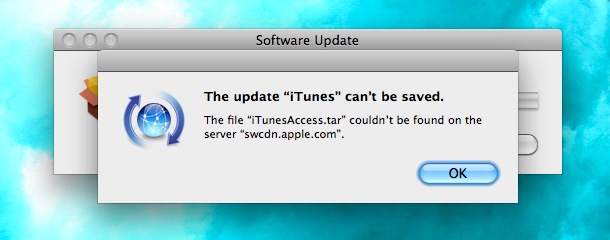
This is an unusual iTunes error that you shouldn’t see too often:
The update “iTunes” can’t be saved.
The file “iTunesAccess.tar” couldn’t be found on the server “swcdn.apple.com”.
That’s the error message I got when trying to update to the latest version of iTunes. I don’t know what to make of it other than the obvious, the iTunes update file isn’t available on Apple’s Software Content Delivery Network server (assuming that’s what SWCDN stands for). I imagine this could happen with any software update package from Apple, from QuickTime to Mac OS X System Updates, and I don’t think it’s anything to worry about on the users end.
Anyway, this seems to be just a temporary problem, trying again about 30 minutes later led to a trouble free iTunes update. That’s all I needed to do, and often waiting is a simple and easy solution for stuff like this.
If you happen to run into a similar error message when using Software Update, just give it some time for Apple’s servers to update and things should be back to normal.
If you continue to have problems running Software Update, you can try to manually delete relevant Update files from /Library/Updates/ and sometimes that’ll help spur a fresh download from Apple as well.





