
Find the iPhone MAC Address
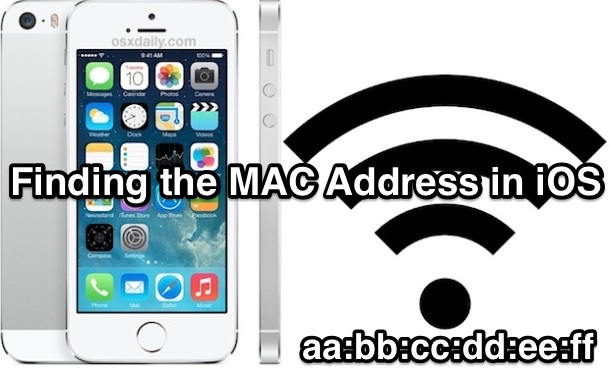
All iPhone devices have a unique hardware identifier known as a MAC address, or as iOS refers to it, a Wi-Fi Address. Sometimes you need to know what the iPhone MAC address is so that you can connect an iOS device to a specific router, provide it to a systems or network administrator, using Wake On LAN, or for many other purposes.
All users can can get the MAC address of an iPhone, iPad, or iPod touch by following these easy steps to locate the hardware identifier in iOS. This process is the same in all versions of iOS, and because the address is static and linked to hardware, it works whether a device is connected to an active internet or wi-fi connection or off-line, that makes it different than an IP address which requires an active connection, and which changes.
How to Find the Hardware MAC Address of an iPhone, iPad, iPod touch in iOS
- Open the Settings app in iOS
- Tap on General
- Navigate to and select the “About” option
- Scroll down and locate what is labeled as the “Wi-Fi Address”
- The characters next to ‘Wi-Fi Address’ are the iPhone, iPad, or iPod touch hardware MAC address
If you can’t read the full line of the address due to screen size or font size, note that you can tap and hold on the Wi-Fi Address then select “Copy”, and then paste the devices MAC address into an app like Notes, Messages, or Email.
An iOS devices MAC address is always in what looks like a randomized hexadecimal format like “xx.xx.xx.xx.xx.xx”, with each segment of “xx” defined as a set of letters, numbers, or both.
Those alphanumeric characters are intended to be unique for each and all devices which is why they’re not really easy to remember, nor are they intended to be. That applies to all internet connected hardware, not specifically an iPhone or iPad.

This process is the same in all versions of iOS, whether you’re running some ancient build on an old school iPhone, or iOS 8 on the iPhone 6 Plus or an iPad Air. All devices have one of those MAC address identifiers.
There’s plenty of reasons you’d need a MAC address from the iPhone, from being able to access certain restricted networks with MAC address filtering to even spoofing a Macs MAC address to match an iPhones so that you could use Wi-Fi that’s intended for iPhone and iOS devices only (such as the CLEAR iSpot and some older WiFi hotspots that use smartphone specific MAC address filtering).
Technically, all internet connected devices have one of these too, but we’re obviously focusing on iOS and the iPhone specifically here.






thank you very much for your help …
If you can’t read the full line of the address due to screen size or font size, note that you can tap and hold on the Wi-Fi Address then select “Copy”, and then paste the devices MAC address into an app like Notes, Messages, or Email.
thank you very much for your help …
If you can’t read the full line of the address due to screen size or font size, note that you can tap and hold on the Wi-Fi Address then select “Copy”, and then paste the devices MAC address into an app like Notes, Messages, or Email.
If you have an iphone 4, 4s, or 5, you will likely find that these steps are incomplete. While you will be able to see part of your MAC address, you may not be able to see the last 2 pairs. At least that is the way it is on my iphone 4s. The solution is simple, touch the mac address and hold until you see “copy”. Then go to the notes app, create a new note and paste what you copied. The copy paste procedure picks up the characters that had run off the screen.
The same procedure works for the other fields that run off the edge of the screen, serial number & ICCID,
Apple, this is lame. Didn’t anyone check to see that you could actually READ the data being presented?
Dear jon,
Thanks a million, It was really applicable and I have been crazy for several time,some days,but I finally find the your method.
Thank you again for help.
[…] devices, and anyone who’s had to dig around in the System Preferences to find Mac IP and MAC addresses on multiple machines, or in Network Settings on a bunch of iPhone, iPad, or Apple TV’s to […]
Forget the Clear iSpot, just jailbreak your phone and get MyWi. Why pay for more wireless service when you already have it? No spoofing required either.