
Select Sections of Non-Contiguous Text in Mac OS X with the Command key
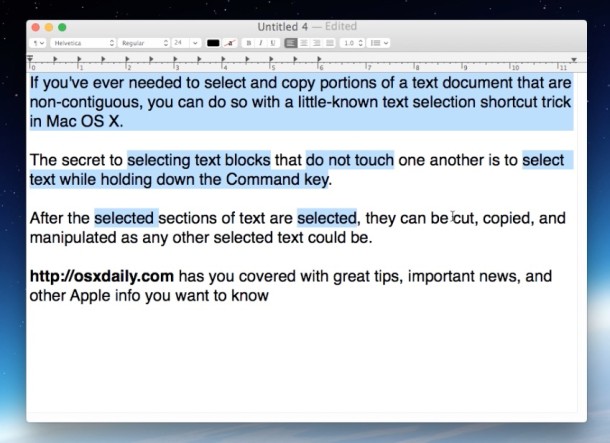
If you’ve ever needed to select and copy portions of a text document that are non-contiguous, in other words, sentences or words that are not right next to one another and do not touch, you can do so with a little-known text selection shortcut trick in Mac OS X.
How to Select Noncontiguous Text on the Mac
The secret to selecting text blocks that do not touch is with the Command key. Simply hold down the Command key while making text selections in a text editor or word processing app and you can make selections of the text, even if it doesn’t touch. Once the non-contiguous text has been selected, you can copy, cut, paste, or modify the text like any other text block.
The ability to select noncontiguous text in OS X is demonstrated in the video below:
The ability to select any non-contiguous sections of text by holding down the Command key while making selections in text and word processing applications works in most apps, as long as they support the function. That latter part is important because this incredibly useful feature comes with a catch; not all Mac applications support the non-contiguous text selection trick in OS X. With that said, almost all word processors on the Mac do support non-contiguous text selection, including Pages, Microsoft Office, TextEdit, and many other third party apps.
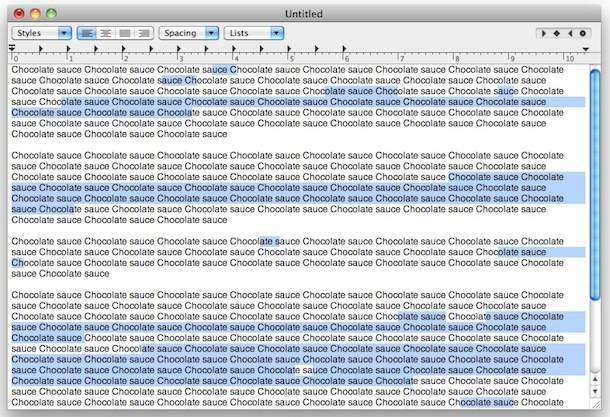
In the included screenshots, the feature is being used in TextEdit.
This works with virtually every version of OS X regardless of what Mac it’s running on. Want to learn some additional text selection tricks? Then check these out to be a pro text editor and manager on the Mac!






Doesn’t seem to be working on my machine (MBP 13″ 2020 running on macOS Monterey 12.3.1)
Any tips for this? I’m currently using Sublime Text for multi cursor/multi selections but it would be tremendously helpful to be able to this in other apps.
Plus, it’s kinda cool that this is included by default, that’s the kind of nice little details that make me fall in love with my mac all over again.
I’m running Ventura 13.4 on an M1 and this does not work in Finder when trying to navigate a long filename that is selected. Alt-left arrow, Alt-right arrow in Monterey used to move cursor to the next / previous word break. Very poor choice to remove this ability.
Can confirm this doesn’t work in Pages 8 running in Catalina.
Works for me in Pages just fine, newest version
now holding command key and selecting is not working….please give a solution to this.
Totally agree. I was shocked as well to discover it doesn’t work with Safari…
Interesting. Can you list any applications other than TextEdit that support this function?
I think it works in Pages too but I am shocked it doesn’t work in Safari
Honestly, not the most helpful feature…