
Show Hidden Files in Mac OS X Dialog Boxes with Command+Shift+Period
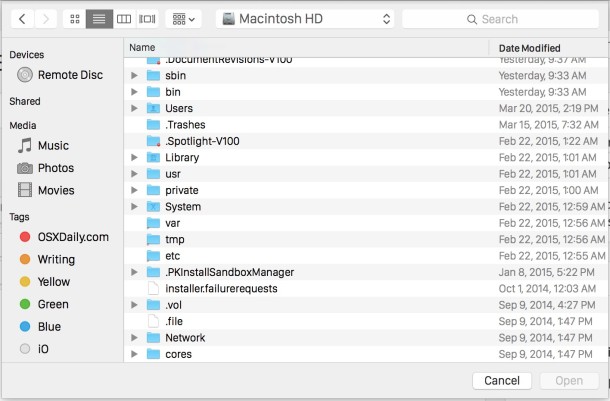
Need to reveal hidden files and folders while opening or saving a file on the Mac? You can show them immediately with nothing but a quick keystroke.
To instantly show hidden files and directories in the Mac OS X “Open” and “Save” dialog boxes, all you need to do is hit Command+Shift+Period together and those hidden folder sand files will become visible in the active Open and Save windows.
This is really useful for so many reasons, but particularly so if you’re creating or editing configuration files like .htaccess or .bash_profile in a GUI text editor app and want to see what files exist in the directory you are saving to, or just need access to those type of file system items which are hidden by default.
Remember, any files that start with a period are hidden by default in the Finder and the Mac dialog boxes. If you want to, you can set Mac OS X to always show hidden files by using a defaults write command. In this case, the Command+Shift+Period keystroke has the opposite effect and hides the files rather than showing them.
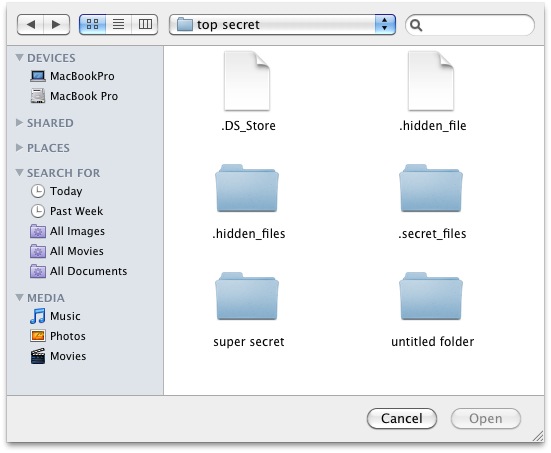
This works in modern versions of OS X, they must be beyond Mac OS X 10.6 Snow Leopard, and I just gave it a run with OS X Yosemite and it works just as well in the new versions so you’re good to go as long as your Mac is on a reasonably new operating system. We covered this in regards to the Save dialog last year.






Wow, could they maybe invented some even more obscure and forgettable shortcut for that?! Google must love Apple because everyone needs to google this all the time.
Apple’s penchant for magic keystrokes that often require both hands is absolutely broken. Where is the ONE magic keystroke that tells me what all the currently available magic keystrokes are? “Nothing but a quick keystroke” is absolute garbage. There are thousands of these scattered throughout OSX and most of them are only discoverable via third party sources such as yours. I thank you while cursing Apple.
Thanks a million!
Nice one!
Cool, thanks!
Snow Leopard only!
Nuh uh. I’ve been using this shortcut since Tiger. Works in Leopard too.