
Click & Drag URLs in Twitter for Mac
 You can click and drag any URL in Twitter for Mac to another application, this is particularly helpful if you want to open a URL in a different browser rather than the default web browser set system-wide in OS X.
For example, if you want to launch a Twitter URL in Chrome, simply click and drag the URl from a tweet from the Twitter client into the Chrome browser URL bar, and it’ll launch instantly.
Getting it right can be a little challenging at first, but all you need to do is click and hold on a URL until the URL is darkened, then you can drag it elsewhere from the Twitter app. This works in all OS X web browsers, including Safari, Firefox, and Chrome, and probably some of the lesser used browsers too.
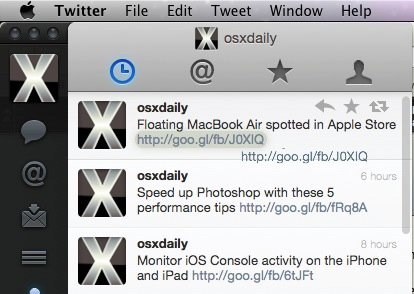
This works in all versions of the Twitter app for OS X too.
If you liked this trick, you can check out a few more Twitter for Mac tips.






twitter app rocks, it makes their website seem terrible