
How to Find the IP Address of an iPhone or iPad in iOS
You may find yourself needing to know what the IP address of an iPhone, iPad, or iOS device is. Fortunately getting IP address info is quite easy, and getting an iPhone, iPod touch, or iPads IP address is fairly straight forward, with the instructions being the same for basically all versions of iOS and iPadOS.
Here is what you’ll want to do to find the IP address details in on iPhone and iPad:
How to Find the IP Address of iPhone, iPad, iPod touch in iOS
This is the same on all iOS versions with all iOS devices. From the devices home screen, do the following:
- Open the “Settings” app icon and navigate and tap on “Wi-Fi Networks”
- Find the network name of the router you are currently connected to, and tap on the blue (i) info button next to the active networks name
- Assuming you are usually a DHCP address, scroll down and find the IP Address in the format of x.x.x.x, for example “192.168.1.2”
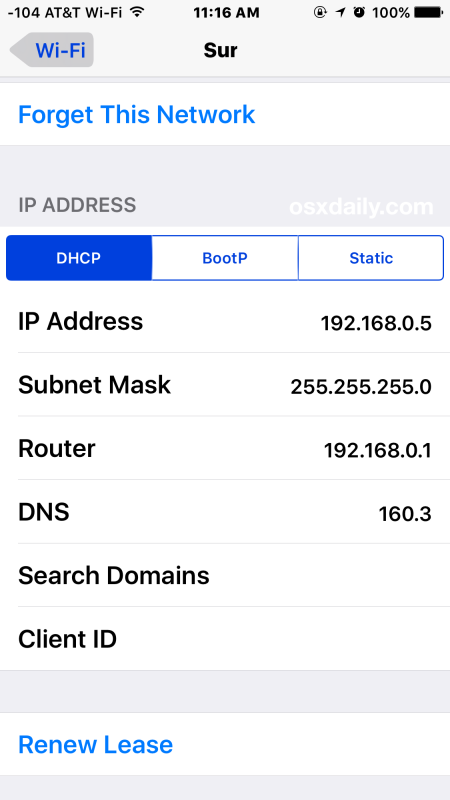
There you will find the IP address of the iPhone, iPad, or iPod touch.
This is almost always going to display the LAN IP address of the device since it’s connected to wi-fi, as the global external IP address of the network is different. If you need to find your external public IP address you can do so easily too.
If for whatever reason you need to get a new IP address you can do so by renewing the DHCP lease on the device, causing the router to assign a new IP.
If your iOS device is using a manually set static IP address, or BootP, you can just tap on those tabs to access that information instead.
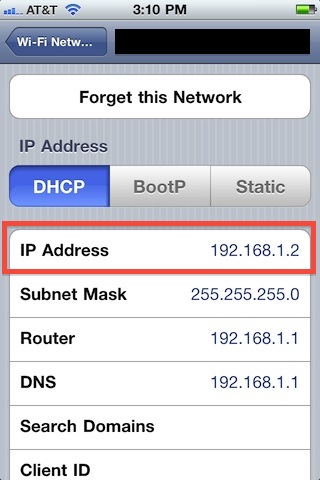
This works the same on all iPhone and iPad models despite their age, new or old, and regardless of what system software version is running on the device. In earlier releases of iOS the settings screen for IP specifics looks a bit different however, but the details remain the same:
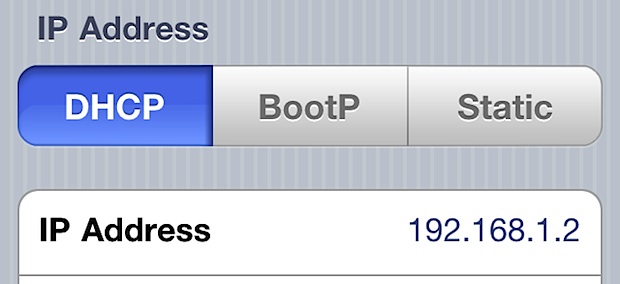
You can still find the IP address in the Settings, regardless of the age of the device this way and if it’s running an older version of system sofwtare:
Knowing the devices IP address is useful for a variety of things, from allowing or disallowing activity from a router, to adjusting bandwidth settings on a router, to transferring files directly to and from a device through a protocol that allows direct transmission of data via IP, to using SSH to connect to an iPhone, or using sFTP, and many other options.






How do I find my external IP address? An app says that my account was accessed from 209.93.11.69, how can I find out whether that is me?
Hey Steve, this is a great question. The article above discusses finding the devices IP address on a wi-fi network (an internal IP) whereas you are looking for the external IP instead, which may be used by your cellular connection or ISP to the outside world.
You can confirm that is the same external IP (or different) as yours by searching google for “what is my IP address”, or going to a site like whatismyipaddress.com which will identify the external IP address used by your particular device.
We have discussed this particular topic here if you’d like more info, searching for ‘what is my IP address’ via google is pretty quick however.
https://osxdaily.com/2013/07/23/get-public-ip-iphone-android/
Hope that helps!
Searching to get a new IP on my phone can people help me here get that
what if you have 2 IPv6 addresses? Which one do you pick
Someone hacked into my Fone I have their IP address how do I find out more info about the person
The chances that someone hacked into your iPhone are about 0.01% maybe even less.
If you want more info about someone from an IP address you can contact the related ISP and request details about the account owner, good luck.
Please I have am Apple phone sent to me In Cameroon I don’t know the Ip address of phone what do I do please help me
The IP adress box is empty on my Ipad 2. I dont have any cellular data on my Ipad. Can someone help me?
The problem is that the IPs are dynamically assigned. I want to freak a friend out by telling him his Longitude and Latitude randomly (he’s on the road a lot).
The system has to be able to find the phone; it has to be possible.
How?
~H~
[…] the Terminal or your preferred SSH client, find the iOS IP address, and connect to the iPhone using SSH […]
Ah! But what about their IPv6 addresses?
It’ll dish out the IPv4 addy